

Reroll rewards or clear the current enemies
These actions make a change when you trigger them. Reroll Rewards refreshes an open reward selection without spending coins, while Kill All Enemies removes the enemies currently in the battle.
Refresh the rewards you can see
Open the rewards tab before using Reroll Rewards. It needs an open reward selection and does not create rewards when no reward screen is available. Use the separate free-reroll rule if you prefer the game's own reroll button.
Clear this encounter's enemies
Kill All Enemies requires an active game and targets the enemies present when you use it. More enemies may spawn afterwards, so it does not guarantee that every encounter or the whole dungeon is finished.
Available game actions
Kill All EnemiesPremium
Remove the enemies currently in the battle when you want to move past that group.
Enter the game and trigger Kill All Enemies while the enemies you want to clear are present.
Before you use it: Targets current enemies. Later spawns may continue the battle; it does not clear every future room.
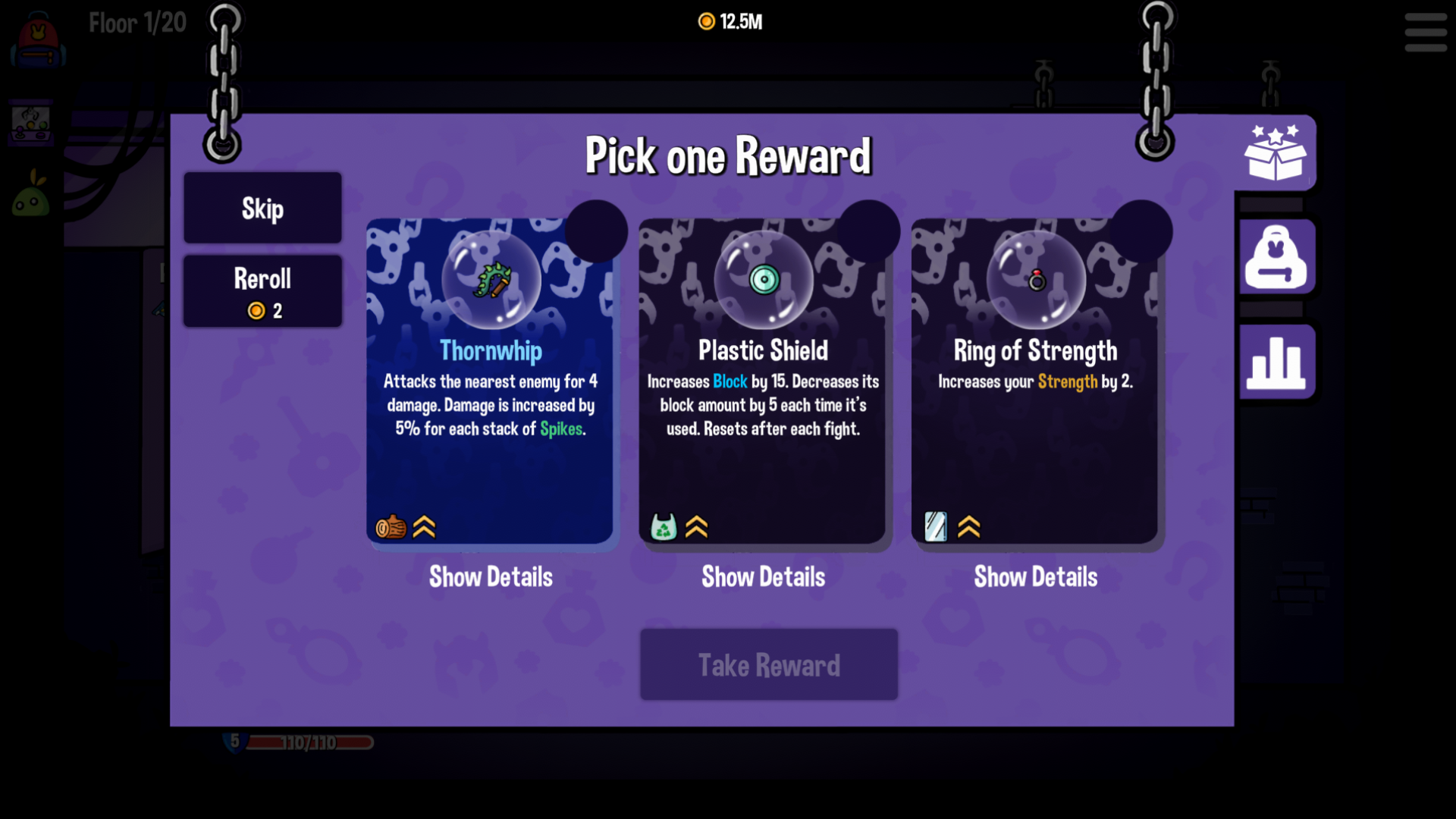
Clear the enemies and reach your rewards
The reward screen after clearing the current enemies with Kill All Enemies.
Reroll RewardsFree
Refresh the available choices in your open rewards tab without spending coins.
Open the reward selection, then trigger Reroll Rewards from the app.
Before you use it: Requires an open rewards tab. It does not create a reward screen or guarantee a particular item.
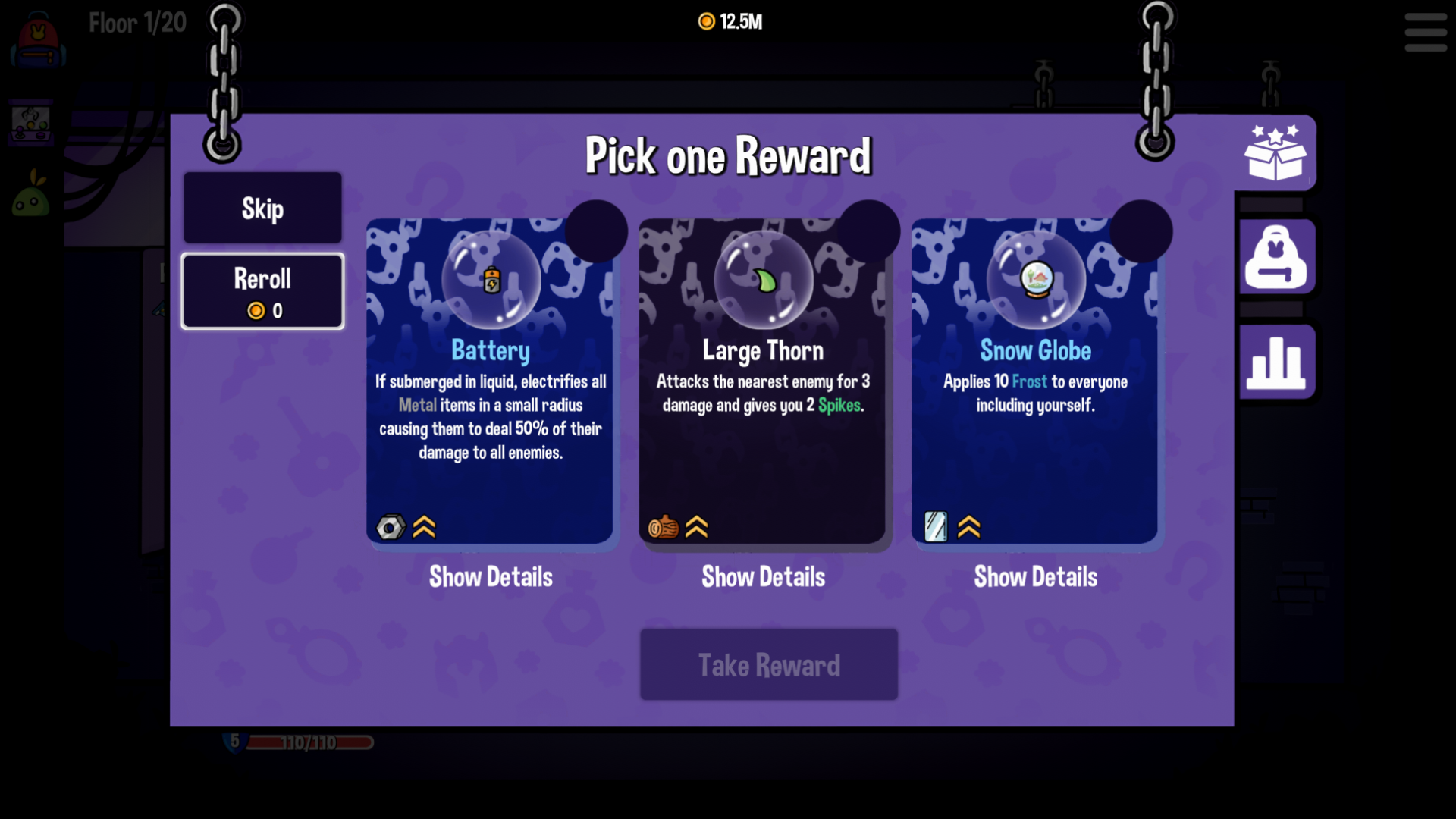
Refresh your reward choices
Reroll Rewards offered Battery, Large Thorn and Snow Globe in this selection.
More ways to customise Dungeon Clawler
- Dungeon Clawler resources
Adjust your current coin balance up or down.
- Dungeon Clawler rule modifiers
Toggle free reward rerolls, repeated healing or damage prevention.
Using these features
Choose the feature in the Windows app after connecting your game. Check its requirements before making a change.
Setup for Dungeon Clawler →