

Choose your player's strengths
Keep your health or stamina full, or adjust individual upgrade totals. Player Stats separates strength, sprint speed, health, stamina, extra jumps and the other supported upgrades so you can choose each total.

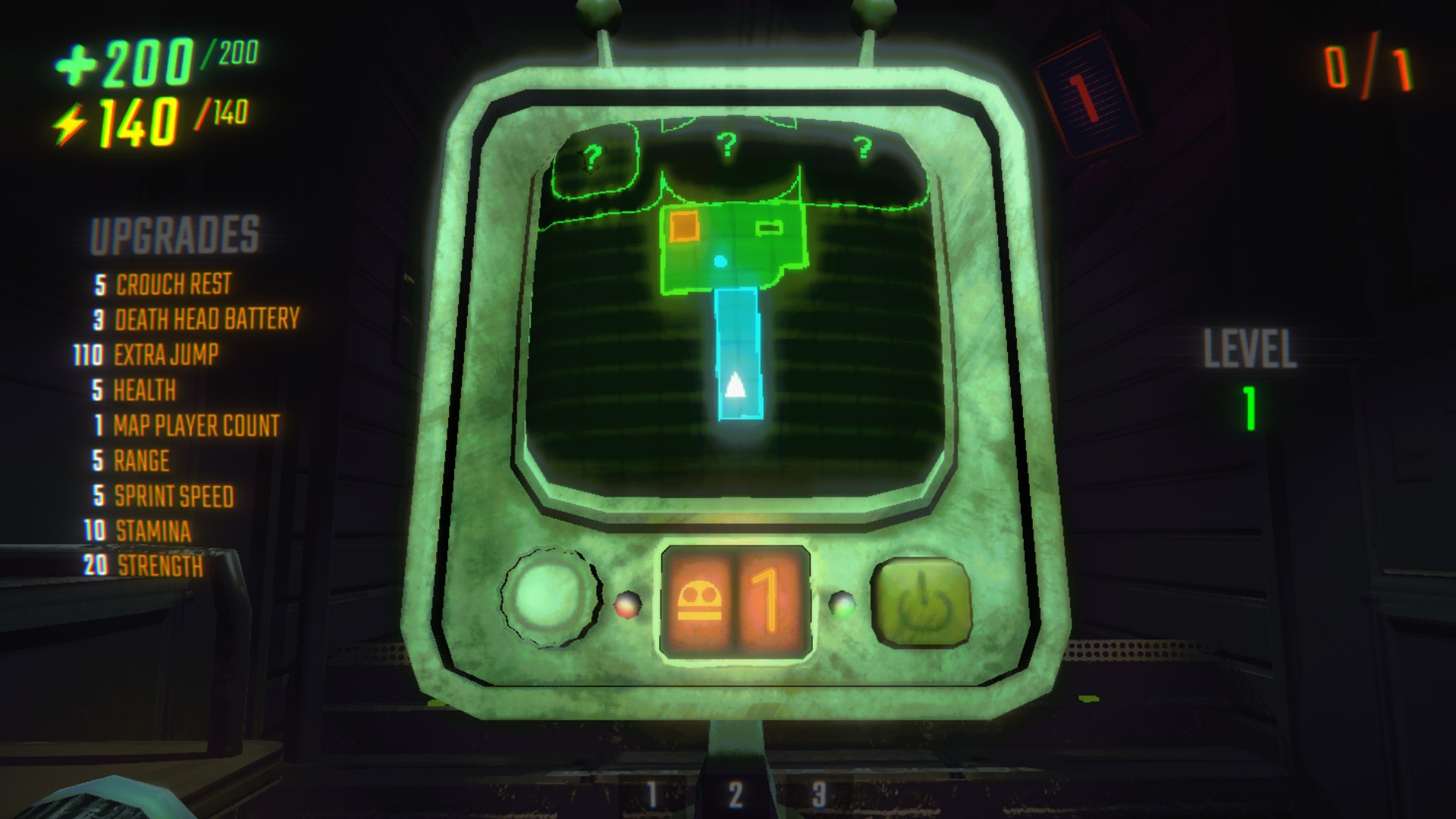
Choose your upgrade totals
Adjust each upgrade total separately. This level-one example includes 110 Extra Jump, 20 Strength and 10 Stamina upgrades.
Health for you or the group
Full Health for You targets your own player. Full Health for Everyone applies to the team when you are hosting. Choose the scope that fits your co-op session.
Set each upgrade total
Use each Player Stats card to choose a total or add upgrades. Health upgrades add 20 maximum health each, and stamina upgrades add 10 maximum stamina each. Other cards cover grabbing, movement, map and tumble upgrades.
Available stat modifiers
Full Health (Everyone)Premium
Restore the team’s health and prevent supported damage while you are hosting.
Full Health (You)Premium
Restore your own health and prevent supported damage without changing other players.
Full staminaFree
Keep your own player's stamina full while enabled.
Upgrades - Crouch RestPremium
Choose your total number of crouch rest upgrades. Use the card to set a total or add upgrades.
Upgrades - Death Head BatteryPremium
Choose your total number of death head battery upgrades. Use the card to set a total or add upgrades.
Upgrades - Extra JumpPremium
Choose your total number of extra jump upgrades. Use the card to set a total or add upgrades.
Upgrades - Player HealthPremium
Choose your total number of player health upgrades. Use the card to set a total or add upgrades.
Upgrades - Player Map CountPremium
Choose your total number of player map count upgrades. Use the card to set a total or add upgrades.
Upgrades - RangePremium
Choose your total number of range upgrades. Use the card to set a total or add upgrades.
Upgrades - Sprint SpeedPremium
Choose your total number of sprint speed upgrades. Use the card to set a total or add upgrades.
Upgrades - StaminaPremium
Choose your total number of stamina upgrades. Use the card to set a total or add upgrades.
Upgrades - StrengthPremium
Choose your total number of strength upgrades. Use the card to set a total or add upgrades.
Upgrades - ThrowPremium
Choose your total number of throw upgrades. Use the card to set a total or add upgrades.
Upgrades - Tumble ClimbPremium
Choose your total number of tumble climb upgrades. Use the card to set a total or add upgrades.
Upgrades - Tumble LaunchPremium
Choose your total number of tumble launch upgrades. Use the card to set a total or add upgrades.
Upgrades - Tumble WingsPremium
Choose your total number of tumble wings upgrades. Use the card to set a total or add upgrades.
More ways to customise R.E.P.O.
- R.E.P.O. resources
Adjust run currency and keep supported tools charged.
- R.E.P.O. unlocks
Add or clear cosmetic tokens, or unlock character cosmetics.
- R.E.P.O. rule modifiers
Choose object protection, grip response, tumble protection and game pace.
- R.E.P.O. ability modifiers
Explore with Fly, Free Walk or Board.
- R.E.P.O. perspective modifiers
Choose camera motion, flashlight settings, distance markers and a comfortable view.
- R.E.P.O. game actions
Spawn objects and control extraction while hosting.
Using these features
Choose the feature in the Windows app after connecting your game. Check its requirements before making a change.
Setup for R.E.P.O. →