

Choose your Jelly Run 2048 gem balance
Set Gems to a whole-number balance you choose. Apply the value while the game is open and check the gem counter to see the updated total.

Apply the amount you want
Enter a value within the control's displayed range and apply it once. The current balance updates to that amount, so you can make a small adjustment or choose a larger total. Use the visible gem counter to check the result.
Available resources
GemsPremium
Set your current gem balance to the amount you choose.
Enter a whole-number balance within the displayed range, apply it once and check the gem counter.
Before you use it: Changes your gem balance separately from course selection.
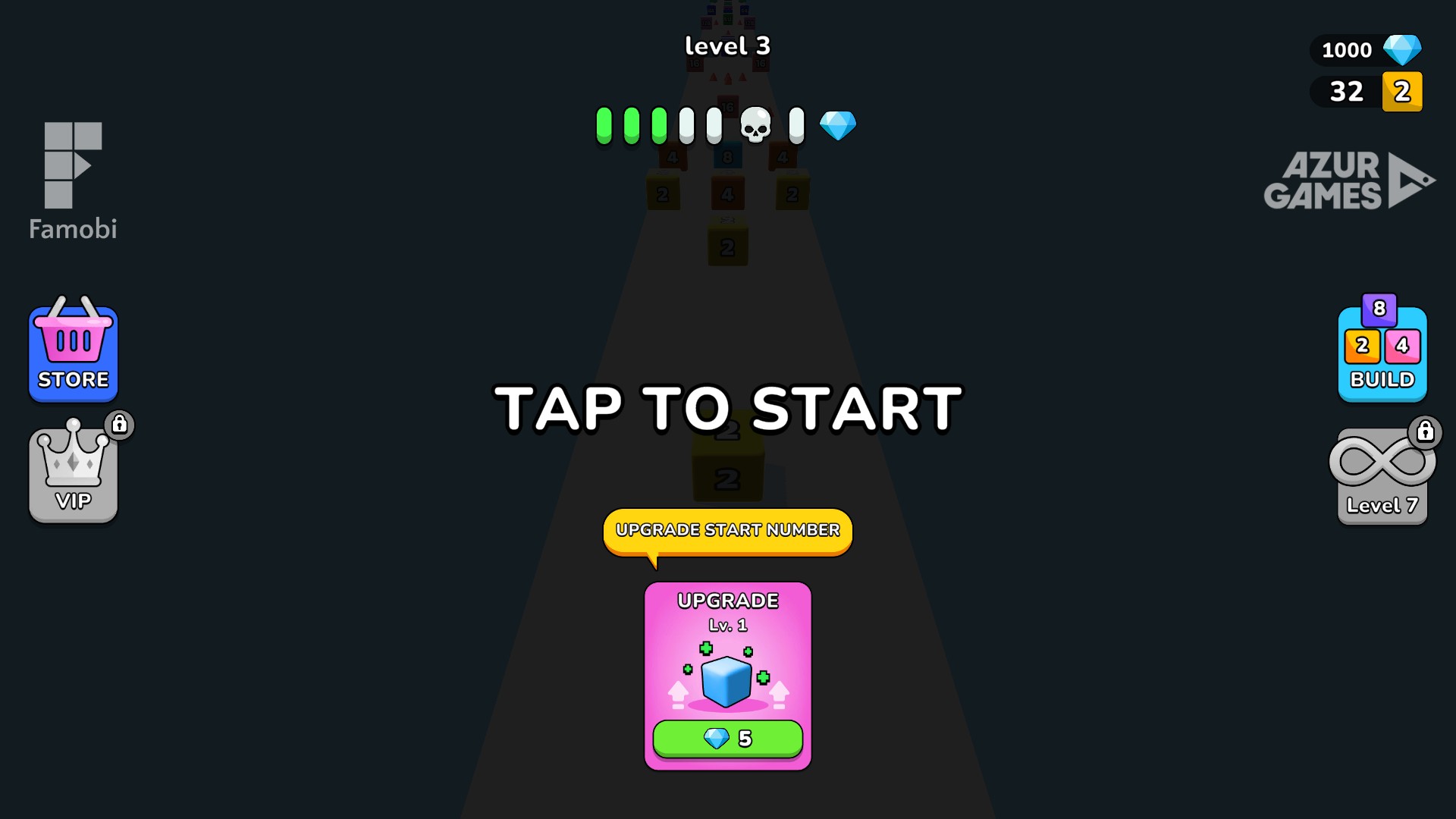
Ready for Level 3 with 1,000 gems
A Level 3 ready screen after setting the gem balance to 1,000 and advancing from Level 2 with Skip Course.
More ways to customise Jelly Run 2048
- Jelly Run 2048 game actions
Skip one course for free or open the hard challenge.
Questions about resources
- Where can I check the gem total?
- The ready screen displays the gem total beside the blue gem icon near the top-right corner.
- Does Gems keep the total fixed?
- Gems applies your chosen balance once. Normal play can change the total afterward; apply another amount when you want a different balance.
Using these features
Choose the feature in the Windows app after connecting your game. Check its requirements before making a change.
Setup for Jelly Run 2048 →