
Make the small crosshair easier to spot
A tiny white dot can blend into the school's light-colored surfaces. This toggle enlarges that dot and adds a dark outline, so the center point is easier to distinguish as you look around.

Turn the outline on or off
Enable the package and switch on High contrast crosshair. Switch it off to return to the original size and remove the added outline. The feature also restores its changes when you disable the package.
Keep the normal HUD behavior
The mod changes the existing dot's appearance. Its usual color and visibility still follow the game.
Use the normal crosshair layout. Another mod that replaces, resizes or outlines the dot can prevent this feature from applying.
Available presentation modifiers
High contrast crosshairFree
Make the existing center dot larger and add a dark outline so it is easier to see against bright school surfaces.
Enable the package and turn on High contrast crosshair under Presentation Modifiers. Turn it off to restore the original dot.
Uses the normal crosshair layout. A mod that replaces, resizes or already outlines the dot can prevent it from applying.
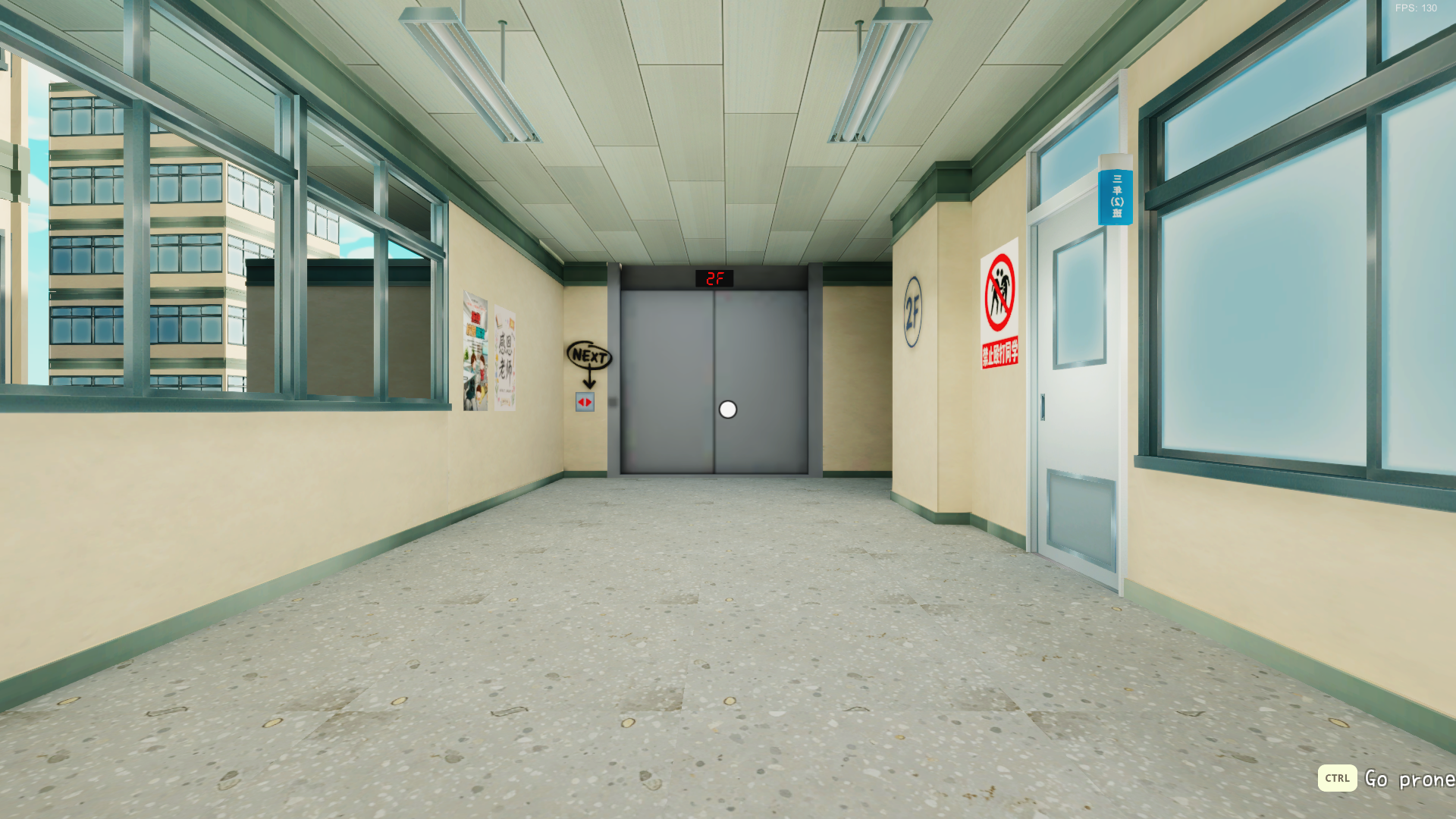
A clearer center dot
The larger white crosshair has a dark outline, making the center point easier to pick out against the school corridor.
Using these features
Choose the feature in the Windows app after connecting your game. Check its requirements before making a change.
Setup for Worst Class Ever →