
Keep a puzzle hint beside the scene
Leave the current clue visible while you inspect a puzzle. Hint Information Display brings the game's hint text onto the scene, so you can refer to it as you decide what to try next.
Hint Information Display
Turn the display on to read the current hint. For example, the bookshelf clue explains how to line up the star pieces in its mechanism. The hint stays alongside the scene while you look for the relevant objects.
When the game has no current hint, the display shows none. Turn the display off whenever you want an unobstructed view or prefer to solve the puzzle without a clue.
Available system modifiers
Hint Information DisplayFree
Show the game's current puzzle hint on screen while exploring.
Switch on Hint Information Display to read the clue. Switch it off to hide the text.
Shows none when the game has no current hint for the scene.
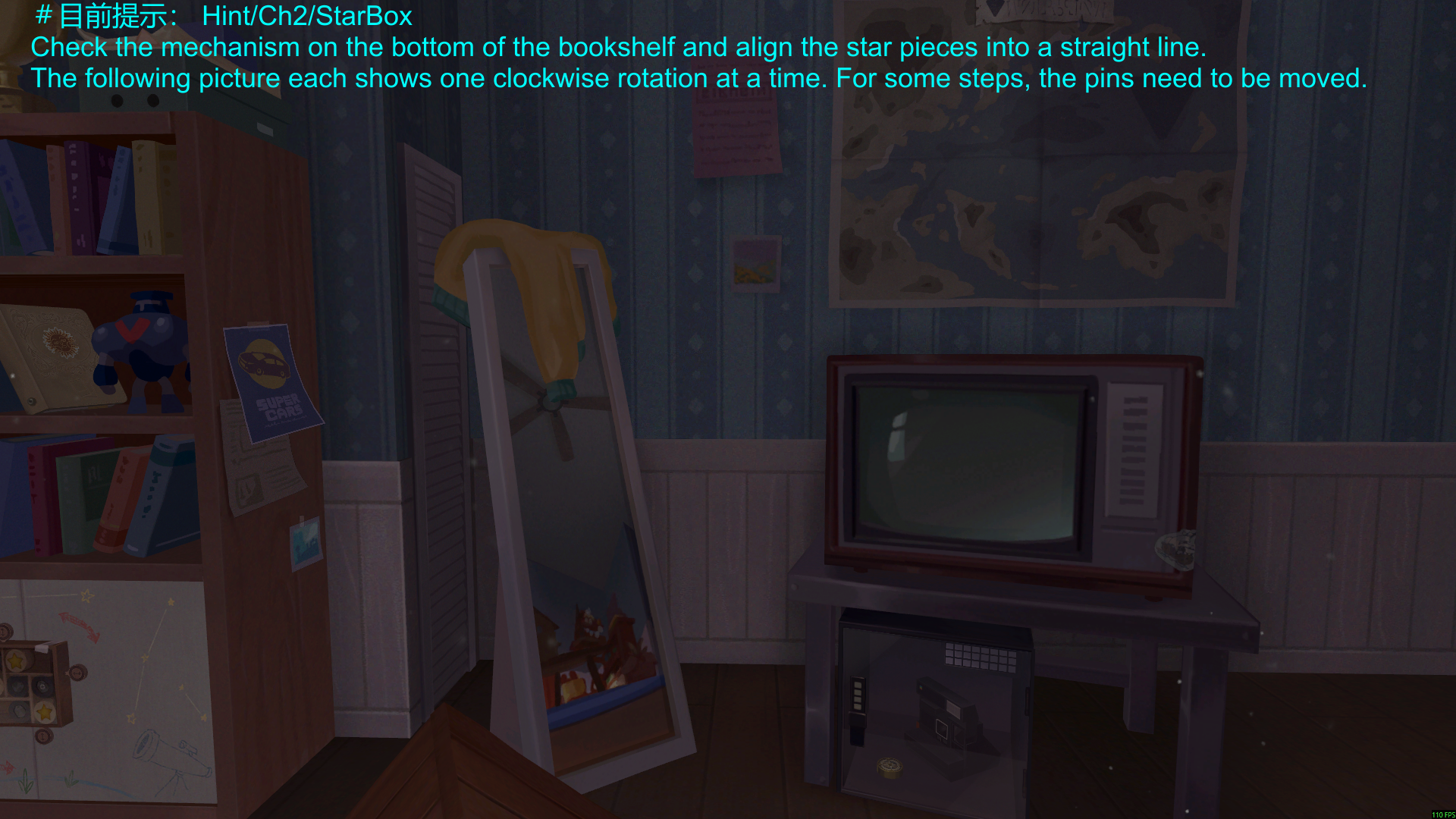
Keep the current puzzle hint visible
Read the current puzzle hint while exploring. Here, the hint explains how to align the star pieces on the bookshelf mechanism.
Using these features
Choose the feature in the Windows app after connecting your game. Check its requirements before making a change.
Setup for The Star Named EOS →