

Plan your shop budget
Choose how much cash your card shop has available. Set a balance directly, add funds for your plans or remove cash for a tighter budget.

Use the amount that fits your shop
Refresh Cash to read your current balance, then use Add, Remove or Set to make a one-time adjustment. The supported balance runs from zero to 100,000.
Apply changes during normal play
Load your Prologue shop and close in-game screens before changing cash. The opening tutorial may hide the cash display; it appears when the game shows its shop interface.
Available resources
CashFree
Adjust your shop cash to suit your next purchase or a tighter budget.
Refresh your balance, then add, remove or set the amount during normal shop gameplay.
Choose a balance from zero to 100,000. Close in-game screens first.
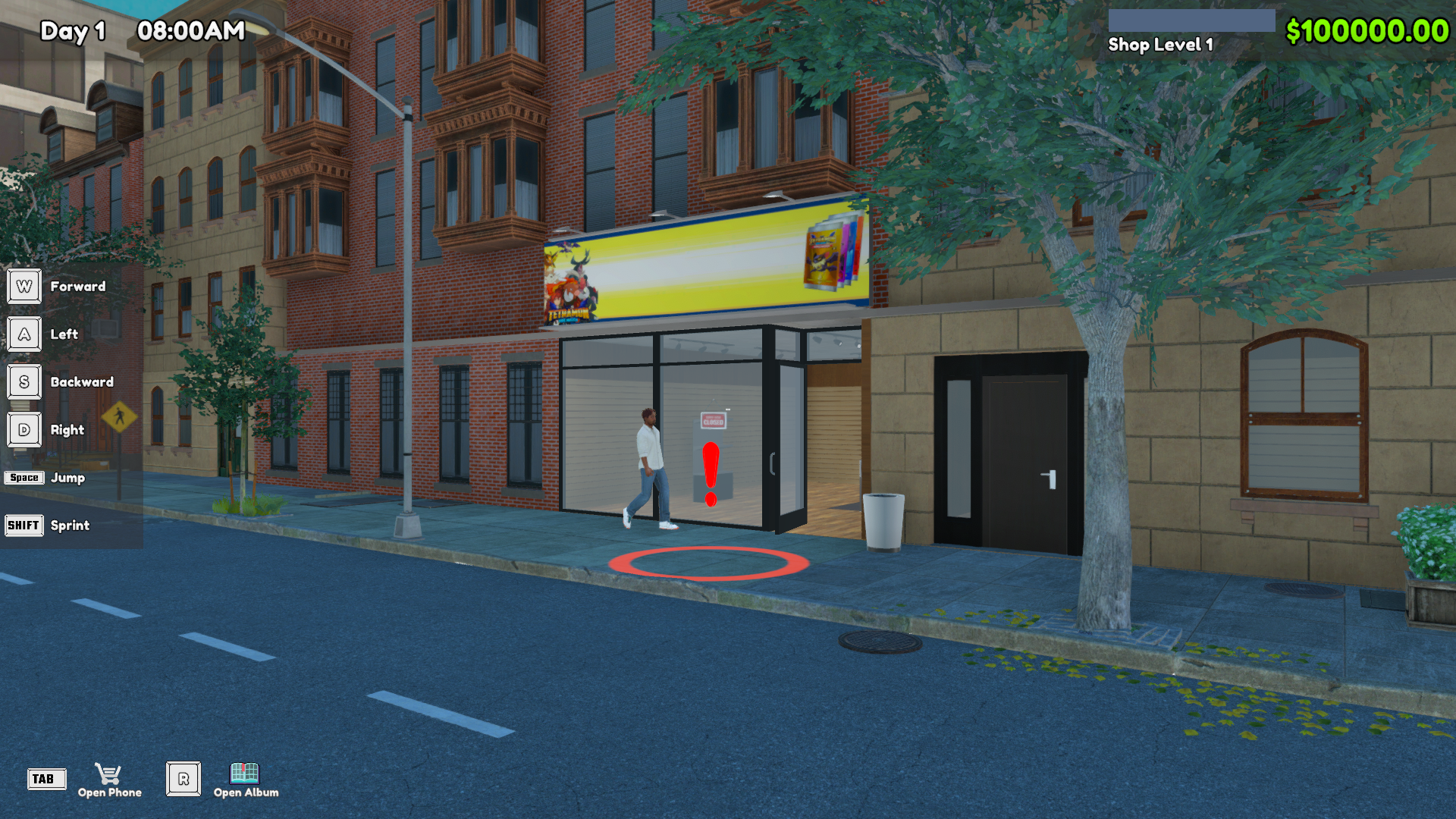
Choose your shop cash
Cash lets you set, add or remove your shop's money. The counter shows $100,000 after setting the amount.
More ways to customise TCG Card Shop Simulator: Prologue
- TCG Card Shop Simulator: Prologue game actions
Add an available stock item directly to your hands, one at a time.
Questions about resources
- Will this keep my cash at a fixed amount?
- Each change is a one-time adjustment. Use the controls again whenever you want a different balance.
Using these features
Choose the feature in the Windows app after connecting your game. Check its requirements before making a change.
Setup for TCG Card Shop Simulator: Prologue →