

Choose your State.io upgrade setup
Change Coins for the balance you want to spend on upgrades. Starting Units Level, Production Speed Level and Offline Earnings Level let you choose each upgrade separately, with levels from 1 to 10.
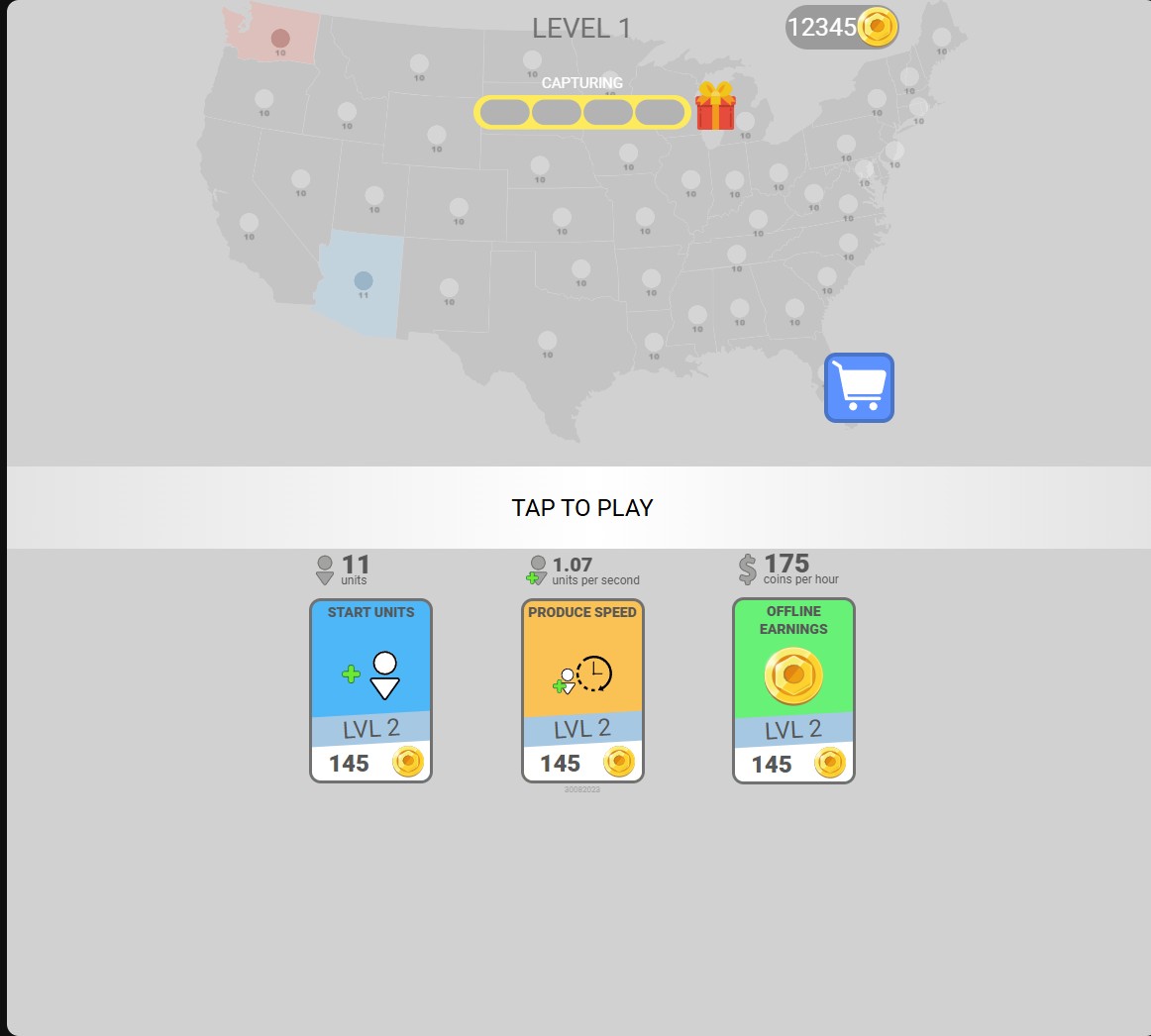
Coins for your next upgrades
Set the coin balance before choosing starting-unit, production-speed and offline-earnings upgrades. The menu here shows 12,345 coins.
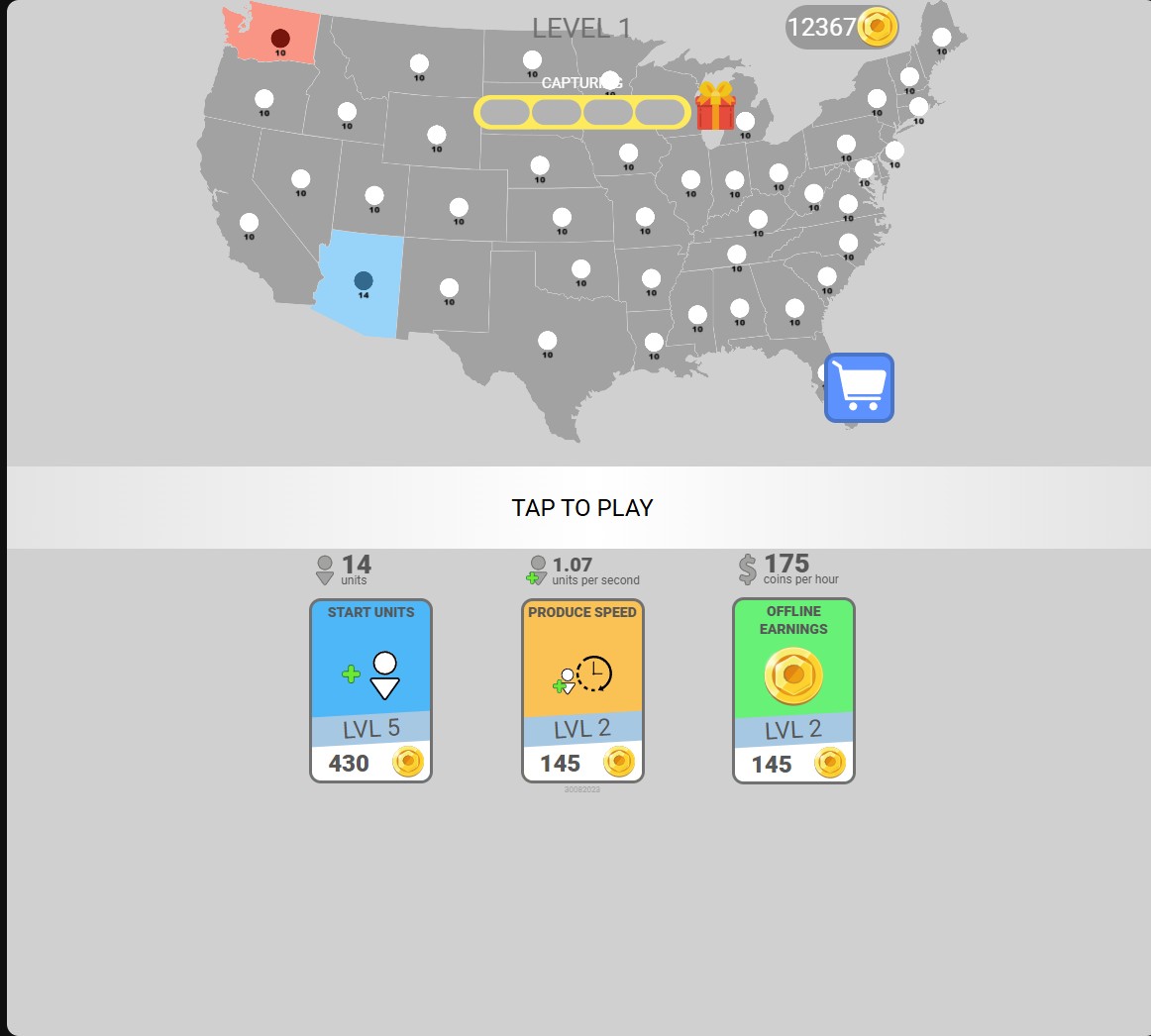
Start with more units
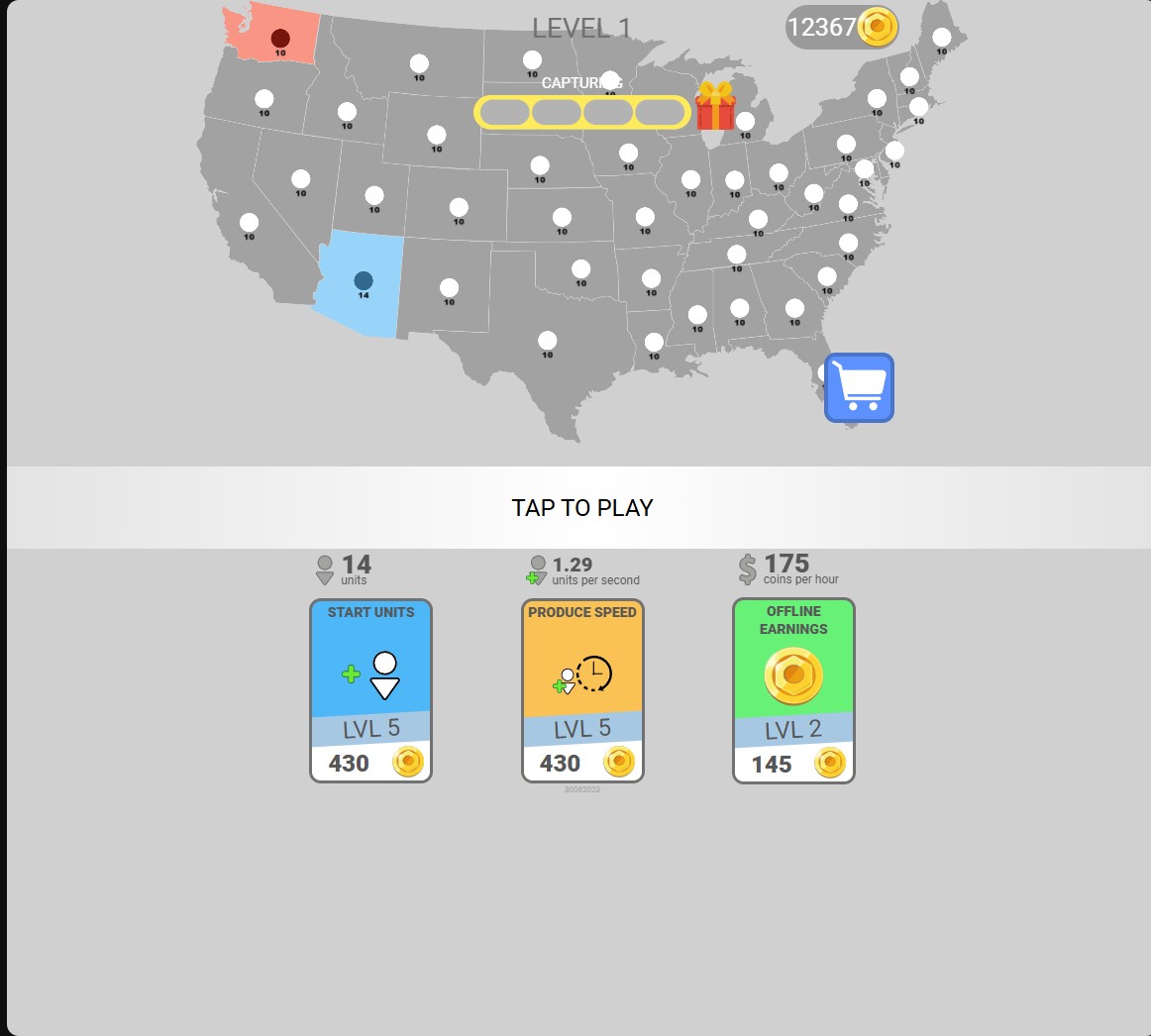
Choose your starting-units upgrade level before the next battle. Level 5 supplies 14 starting units in this menu.
Raise your production level
Choose the production-speed upgrade level before a battle. Level 5 shows 1.29 units per second in the upgrade menu.
Choose your offline earnings level
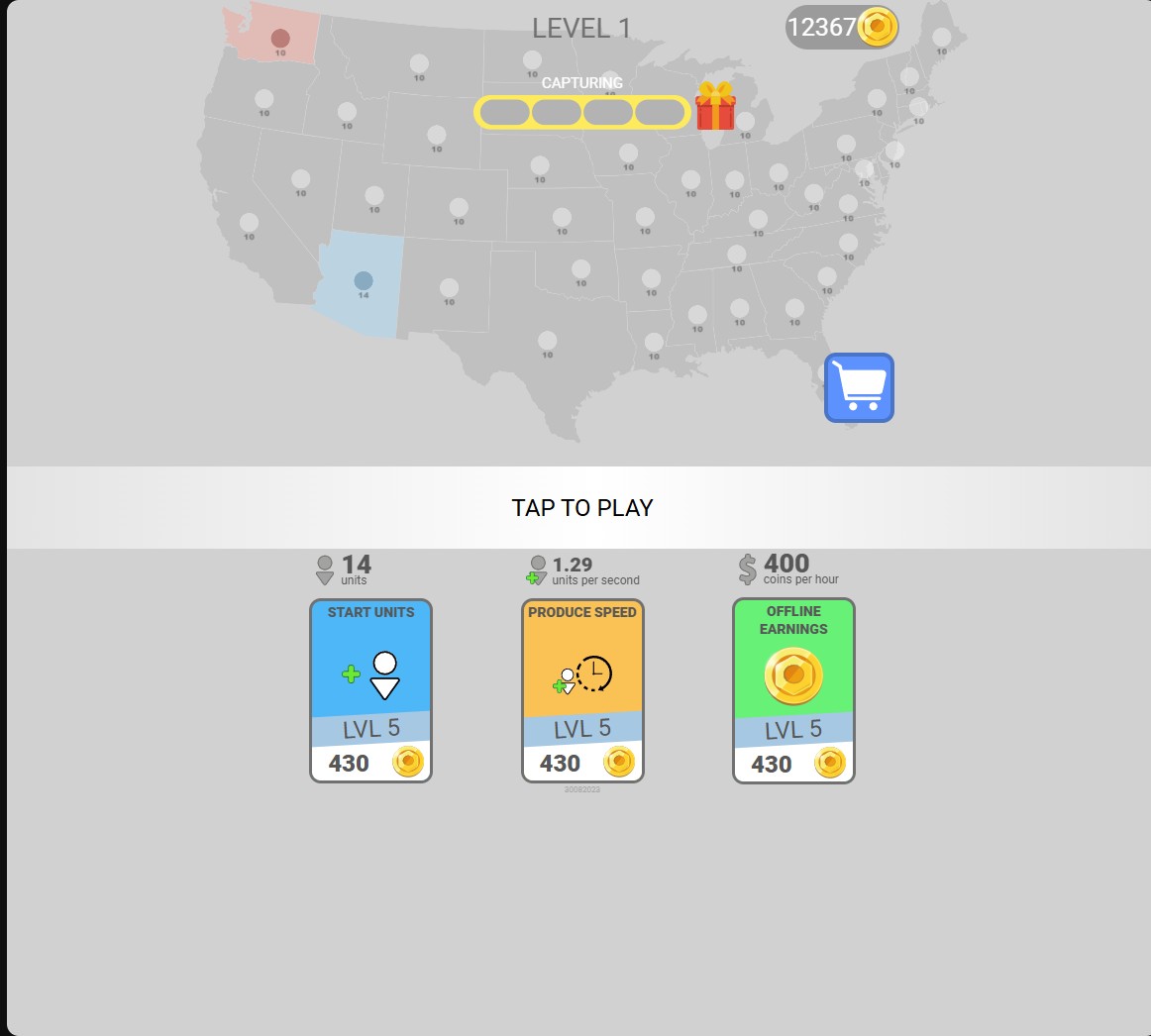
Set the offline-earnings upgrade level in the menu. Level 5 shows a rate of 400 coins per hour.
Three upgrades, three different benefits
Starting Units Level changes the force shown before a battle. Production Speed Level changes the rate shown in units per second. Offline Earnings Level changes the menu rate in coins per hour.
For example, level 5 shows 14 starting units, 1.29 units per second and 400 coins per hour. Each control changes its own upgrade, so you can choose a different level for each.
Apply your setup
Choose a control and enter the balance or level you want, then apply it. Return to the upgrade menu to check your coins and the three upgrade cards before starting a battle.
Available customise
CoinsPremium
Set the coin balance used for State.io menu upgrades.
Enter your chosen balance and apply it, then check Coins at the top of the upgrade menu.
Starting units levelFree
Choose the Starting Units upgrade level from 1 to 10. Level 5 shows 14 starting units.
Apply your chosen level, then check the Start Units card and blue starting territory.
Production speed levelPremium
Choose the Produce Speed upgrade level from 1 to 10. Level 5 shows 1.29 units per second.
Apply your chosen level, then check the units-per-second rate above Produce Speed.
Offline earnings levelPremium
Choose the Offline Earnings upgrade level from 1 to 10. Level 5 shows 400 coins per hour.
Apply your chosen level, then check the coins-per-hour rate above Offline Earnings.
Questions about customise
- Do I have to change all three upgrades together?
- No. Starting units, production speed and offline earnings each have a separate level control.
Using these features
Choose the feature in the Windows app after connecting your game. Check its requirements before making a change.
Setup for State.io →