
Choose the coins for your next ship upgrade
Set a budget for your next equipment choices without waiting for another flight. Read the balance shown on Equip Ship, then set a total or add or remove a whole amount.
Make one deliberate adjustment
At your solo station, open Equip Ship and refresh Coins. Enter a whole amount, then choose Add, Remove or Set to amount. The supported balance runs from 0 to 1,000,000.
Keep your next choice in view
The coin total updates on the equipment screen. Each action changes the balance once; buying and equipping items remains your next choice in the game.
Available resources
CoinsFree
Choose the coin balance for your ship's next equipment plan at the solo station.
Open Equip Ship, refresh Coins, then use Add, Remove or Set to amount with a whole number.
Available on the solo station's Equip Ship screen, with a supported balance from 0 to 1,000,000 coins.
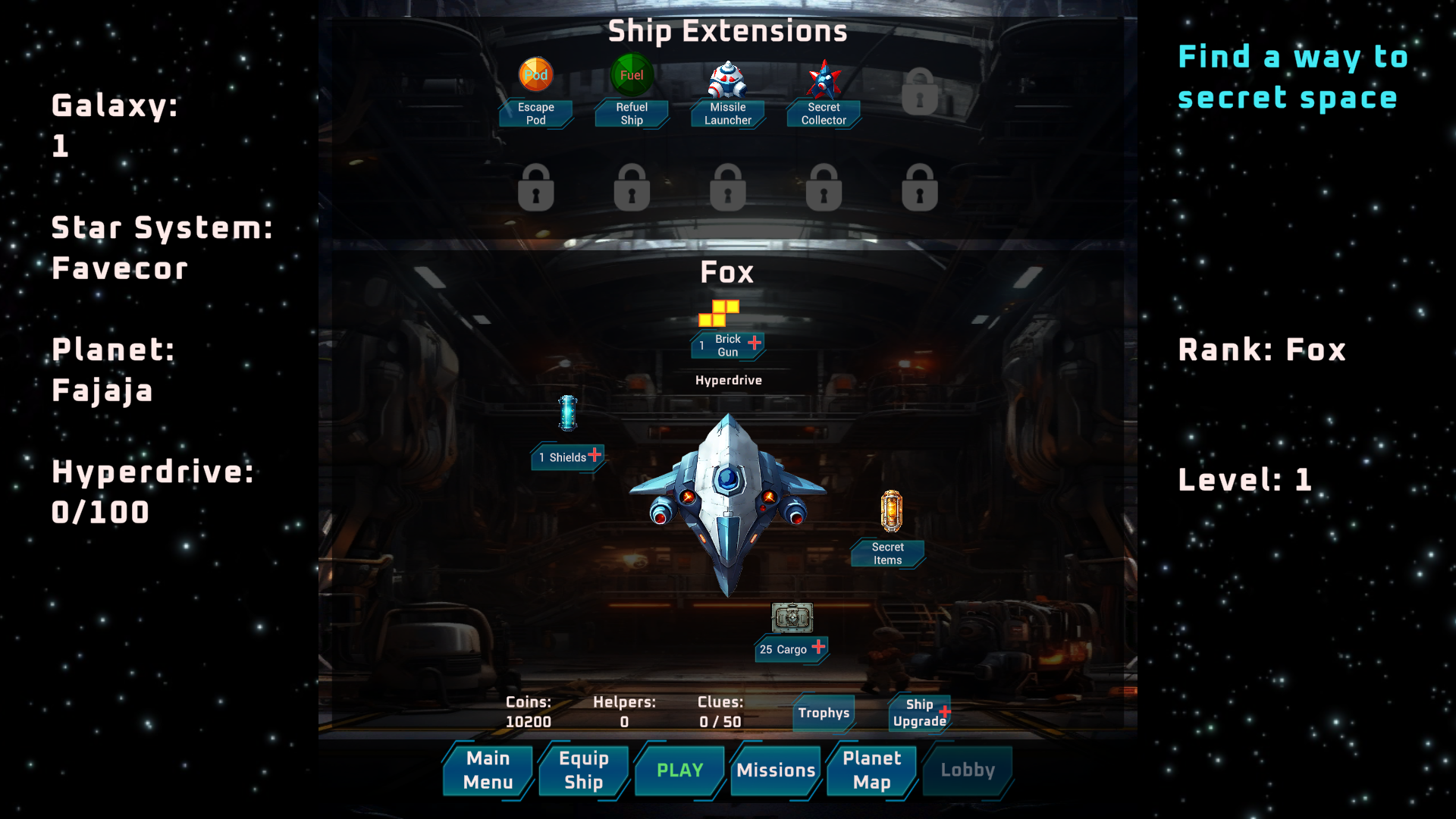
Choose your ship's coin balance
Coins set to 10,200 on the original Equip Ship screen, ready for your next equipment choices.
More ways to customise Starwulf - Seeker of Secret Space
- Starwulf - Seeker of Secret Space world modifiers
Choose a cargo kind and deliver one unit to a free space in your ship's hold.
Questions about resources
- Does this change my mission score?
- Coins changes your equipment coin balance. Mission score is a separate part of the game.
- Can I adjust Coins during a flight?
- Return to the solo station and open Equip Ship first.
Using these features
Choose the feature in the Windows app after connecting your game. Check its requirements before making a change.
Setup for Starwulf - Seeker of Secret Space →