

Travel between listed locations
Choose a destination from the location list, then use Teleport to travel there. The control works from normal gameplay in the main world.

Choose a destination, then travel
The Location menu lists the available destinations. Select the place you want, then press Teleport. Resume normal gameplay before using the action.
Unlock ranch expansions first
Buy The Lab or The Docks expansion through the normal ranch shop before teleporting there. Locked expansions stay unavailable. Resume the game before using Teleport.
About these tools
These independent, free tools are not approved or endorsed by Monomi Park. Slime Rancher and its artwork belong to Monomi Park, LLC. © Monomi Park LLC. Fan Content Policy: https://www.slimerancher.com/fan-content-policy/
Available utilities
Teleport to LocationFree
Travel to a destination selected from the location list.
Choose a location and press Teleport during normal gameplay in the main world.
The Lab and The Docks need their normal expansion purchases. Use Teleport during unpaused main-world gameplay.
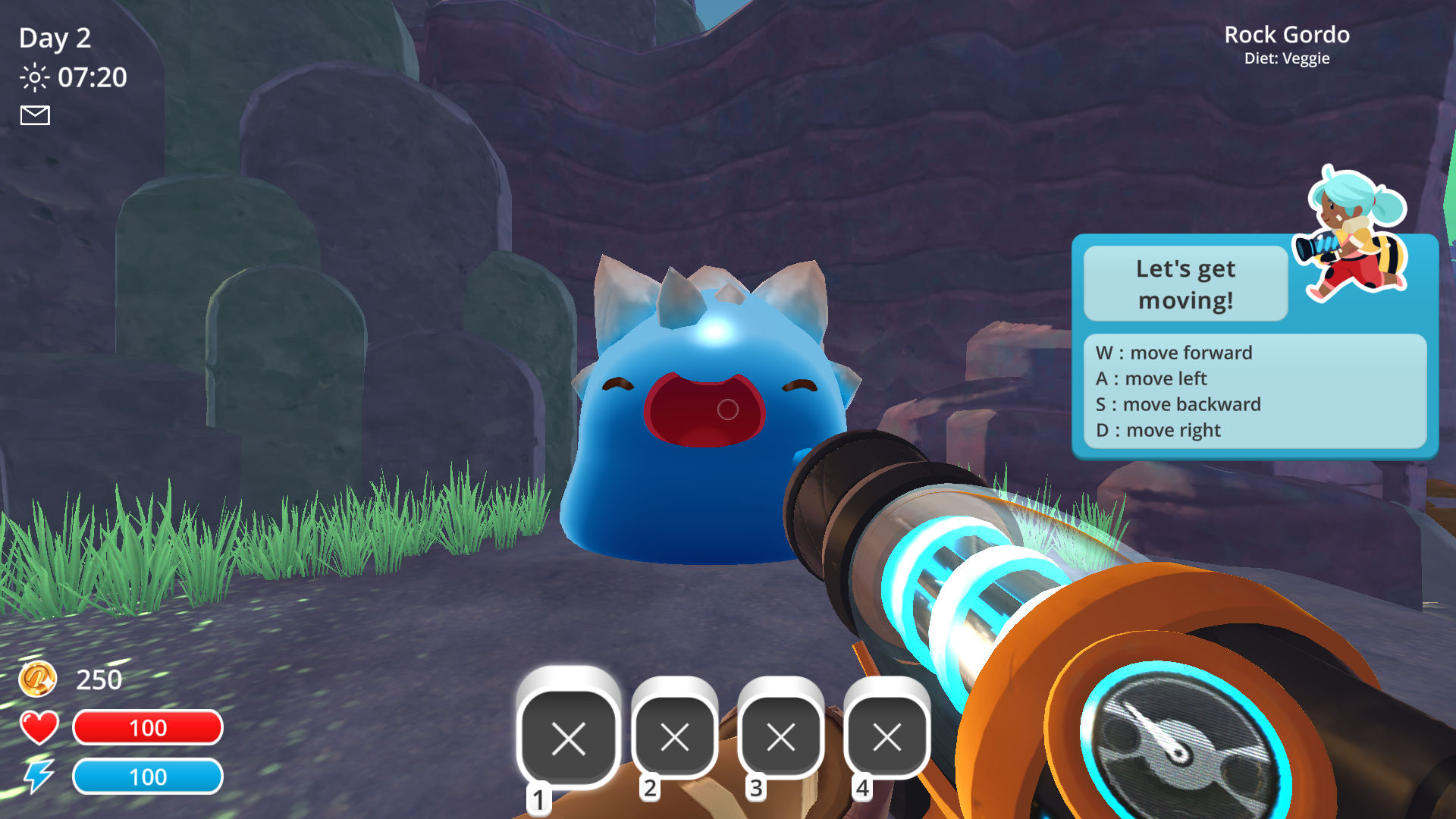
Teleport near a Rock Gordo
Choose Volcanic Island in the location list to arrive beside this Rock Gordo.
More ways to customise Slime Rancher
- Slime Rancher resources
Adjust your current health, Newbucks and Slime Key balances in Slime Rancher.
- Slime Rancher rule modifiers
Choose Slime Rancher rules for sprinting, radiation, knockout prevention and Ancient Water.
- Slime Rancher ability modifiers
Switch between flight, grounded walking and a momentum board, with adjustable travel and handling.
Using these features
Choose the feature in the Windows app after connecting your game. Check its requirements before making a change.
Setup for Slime Rancher →