

Resources
1 optionSet, add or remove whole coins while playing Normal mode.
View resources →Buy farm supplies with coins you choose or refill water and sprint stamina before heading back to work. Use the controls in PUMPKIN PANIC’s Normal mode while you tend crops, fish and watch for danger.

Start with free mods
Download Bytonian Mods for Windows and try these free features. Choose one to see how it works and any requirements.
Adjust the coins you can spend on seeds and farm upgrades during Normal play.
Open Settings on Coins, enter a whole Amount, then choose Add, Remove or Set to amount.
Use a balance from 0 to 100,000 with menus closed and your farmer alive. Coin changes also affect the game's money-based totals.
Refill water and sprint stamina together to their current maximum during Normal play.
Close the game's menus and press Refill water and stamina when you want to top up both meters.
Use it during active Normal gameplay with your farmer alive. Each press applies one refill.
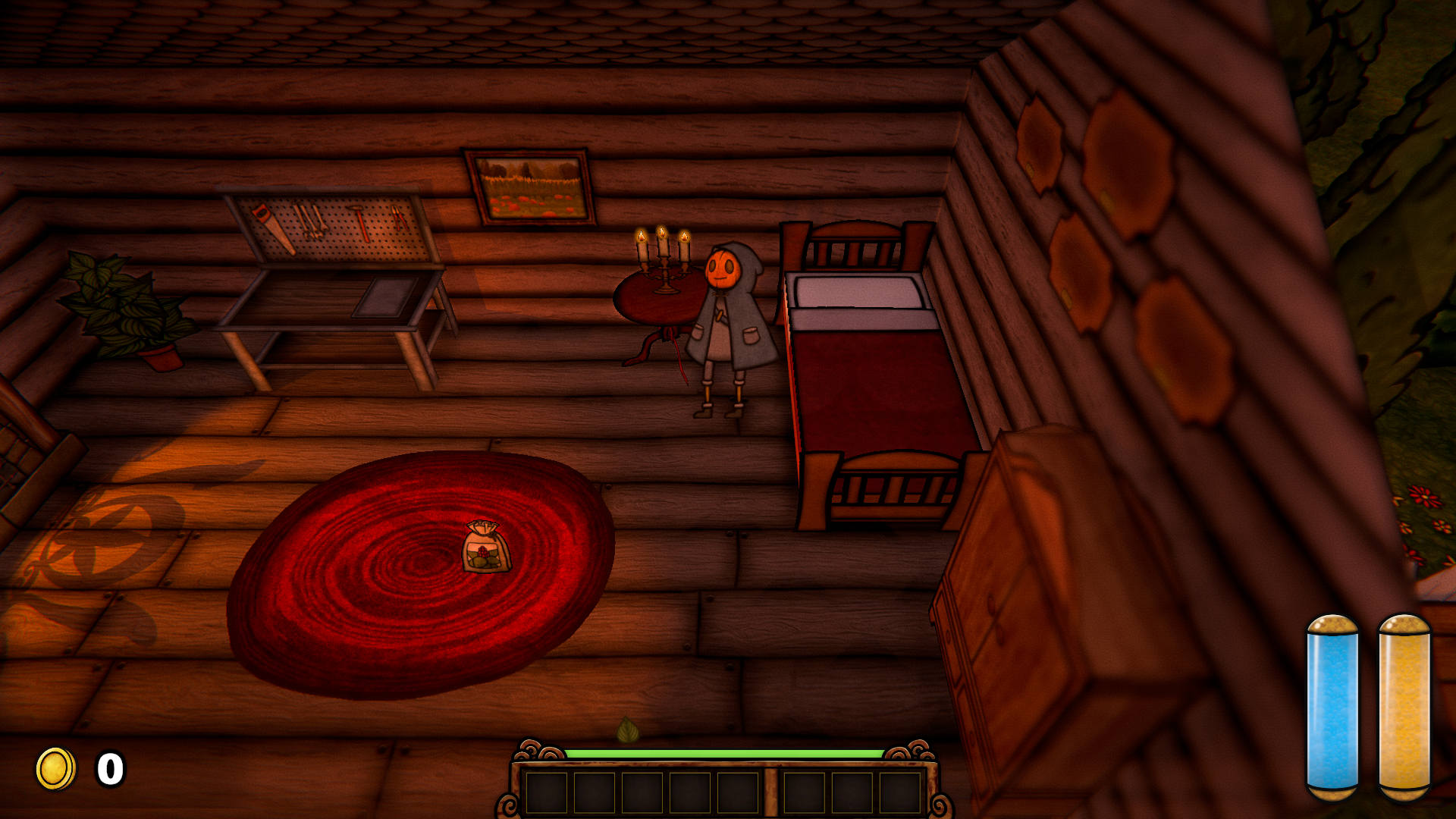
Starting out in the cabin
The pumpkin-headed farmer begins a Normal game inside the cabin, with the coin counter, hotbar and survival meters visible.
Choose Resources to manage the coins you spend on seeds and farm upgrades. Game Actions holds the water and stamina refill for a quick top-up while you play.
Install Bytonian Mods for Windows, open PUMPKIN PANIC and begin a Normal game. Once your farmer is active, close the game's menus and use the control you need.
Set, add or remove whole coins while playing Normal mode.
View resources →Top up water and sprint stamina together with one action.
View game actions →Browse the Steam achievement names and descriptions for PUMPKIN PANIC. Choose and unlock achievements for free with Bytonian Mods in the Windows app.
View all achievements →Download the Windows app and follow the setup prompts.
Open PUMPKIN PANIC and select it in Bytonian Mods. Follow the app’s connection prompts.
Review the available options in the app and choose the ones that suit how you play.