


Resources
2 optionsRead and change the phone game's coin and energy counters.
View resources →MiSide Demo opens with a phone game in which you meet Mita and help around her house. Choose your coin and energy balances while exploring this opening part of the demo.

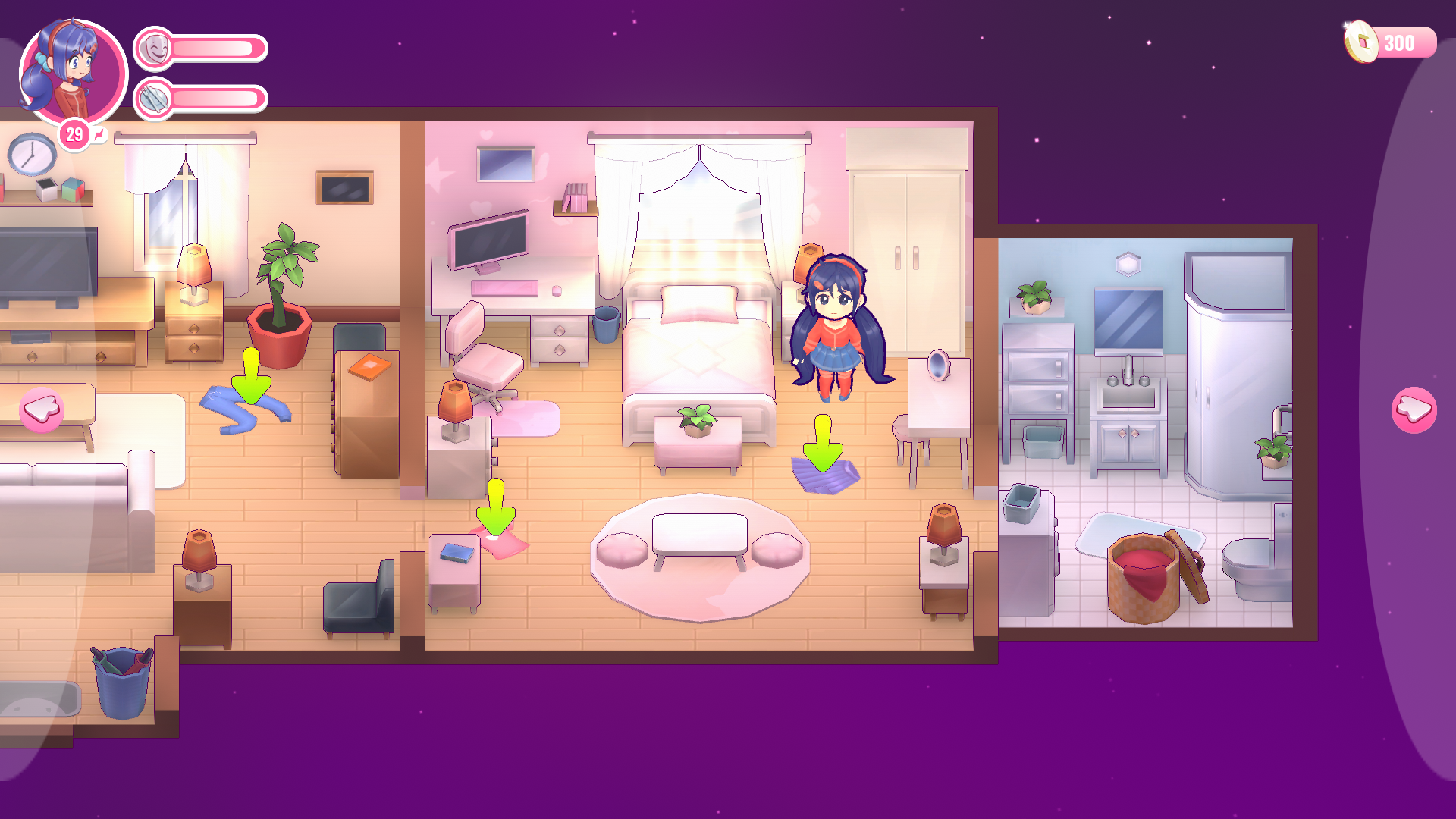
The demo's phone-game house
The opening phone game places Mita in a small furnished house, with coins and energy shown around the screen.
Use the free Coins control to read your balance and enter a different amount. The premium Energy control lets you choose your energy value in the same phone game.
Open Resources for each control's range and instructions.
Launch MiSide Demo with Bytonian Mods enabled. Finish the opening conversation and name entry so the phone-game interface is visible.
Enable the control you want, refresh its card to read the current amount, then enter a whole number and apply it. These controls are for MiSide Demo's phone-game phase.
Read and change the phone game's coin and energy counters.
View resources →Download the Windows app and follow the setup prompts.
Open MiSide Demo and select it in Bytonian Mods. Follow the app’s connection prompts.
Review the available options in the app and choose the ones that suit how you play.