

Choose your treasury balance
Adjust your kingdom's gold when you want more room for your plans. Set a new balance or add to what you already hold, while keeping the game's treasury storage limit.
Make room in the treasury
Build enough gold storage for the balance you want, focus your own island, then refresh the current amount. Set chooses a balance; Add increases the balance you already have.
Available resources
GoldFree
Choose your kingdom's gold balance or add extra gold for the plans you want to pursue.
Build treasury space and focus your own island. Refresh the balance, then use Set or Add.
Gold cannot exceed current treasury capacity. Changing the balance marks the kingdom as having used cheats.
Fill your kingdom's treasury
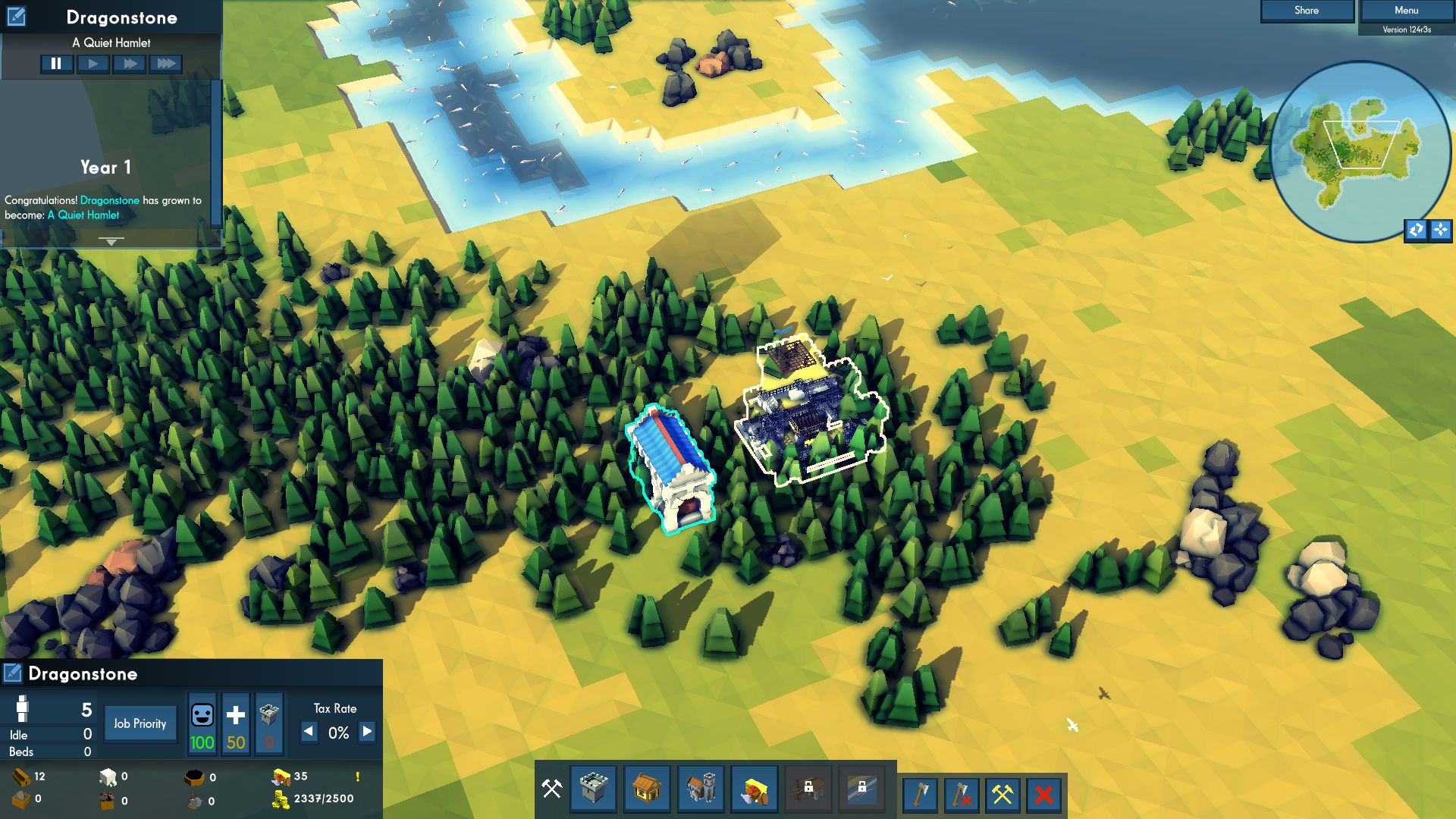
Set or add gold up to your treasury's storage capacity. This kingdom holds 2,337 of 2,500 gold.
More ways to customise Kingdoms and Castles
- Kingdoms and Castles rule modifiers
Remove building costs or keep villagers fed without consuming your food stock.
- Kingdoms and Castles presentation modifiers
Inspect terrain beneath fog before sending exploration or transport ships.
- Kingdoms and Castles game actions
Add buildings, supplies and villagers where your kingdom can use them.
Questions about resources
- Can gold exceed treasury capacity?
- No. The chosen balance must fit the kingdom's current gold storage. Build additional treasury space before adding more.
Using these features
Choose the feature in the Windows app after connecting your game. Check its requirements before making a change.
Setup for Kingdoms and Castles →