


Handle cleanup and recipe preparation
Skip a round of cleaning, add dirt for a fresh cleanup task, or complete the ingredient stage of a recipe. Clean Store and Dirty Store are free actions; Finish Recipe is Premium.
Playing the demo? View Ice Cream Simulator Demo mods.
Cleaning the store and making it dirty again
Clean the store in one action, or use the separate dirty action to change it back.
Clean or dirty the shop
Clean Store clears dirt marks and restores the cleanliness level. Dirty Store adds dust, footprints and splashes. Each action needs your shop loaded and makes its change when triggered.
Complete the ingredient stage
Start a recipe in the ice cream maker before using Finish Recipe. It marks the required ingredients complete so you can continue with the remaining preparation. It does not promise to freeze, serve or sell the result for you.
Available game actions
Clean StoreFree
Clear store dirt, footprints, dust and splashes, and restore cleanliness.
Load your shop and trigger Clean Store when you want a fresh start.
Before you use it: Cleans the current store once; it does not prevent new dirt from appearing.
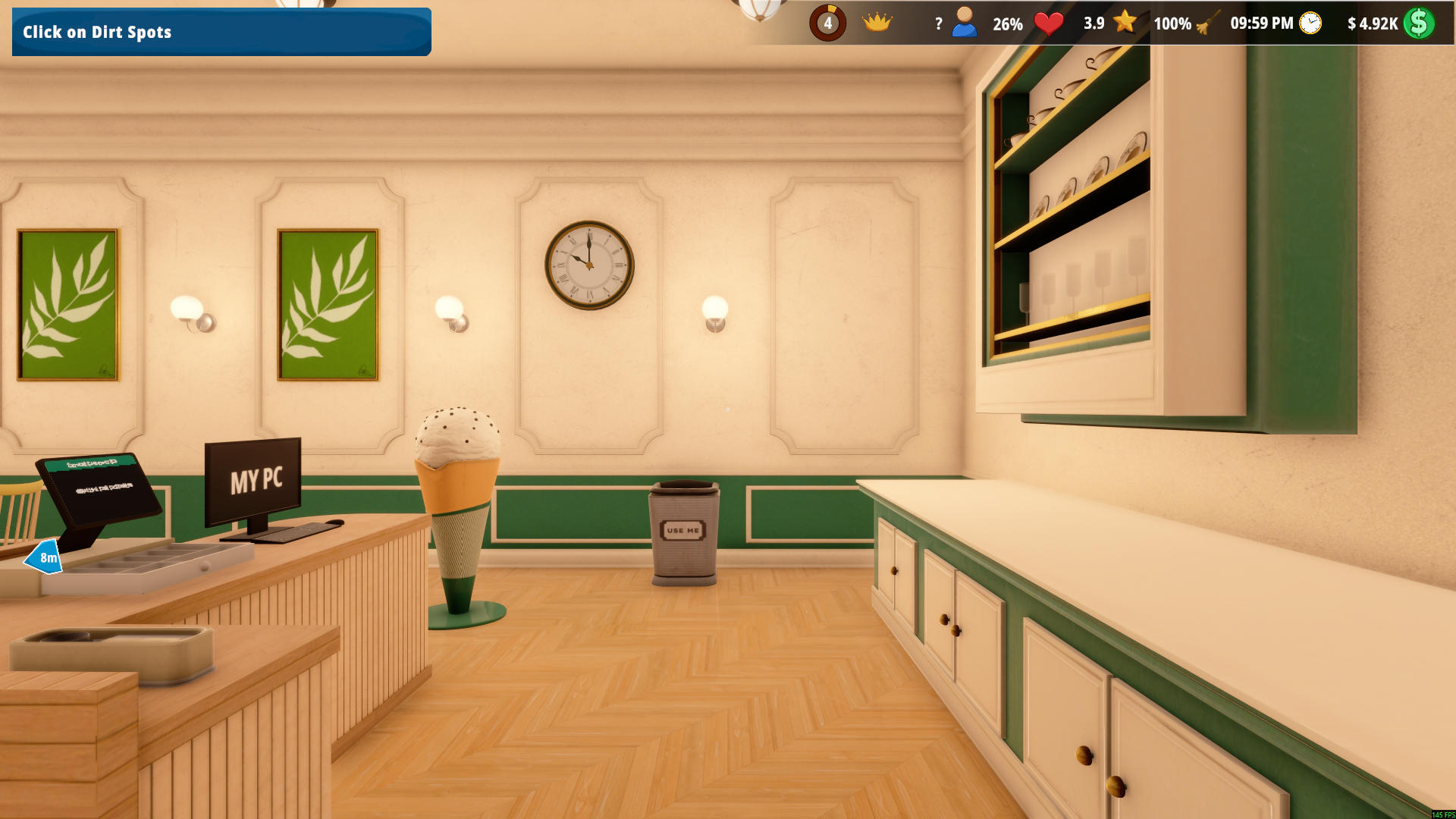
A clean shop in one action
Remove the dirt around your shop with Clean Store. The cleanliness meter now shows 100%.
Dirty StoreFree
Add dust, footprints and ice cream splashes when you want a messy shop to clean.
Load your shop, then trigger Dirty Store.
Before you use it: Deliberately adds dirt. Use Clean Store separately when you want to remove it.
Finish RecipePremium
Complete the remaining ingredient stage of the recipe you are preparing.
Start a recipe in the ice cream maker, then use Finish Recipe.
Before you use it: Does not promise to complete freezing, serving or selling; continue the remaining preparation steps.
Video demonstrations
More ways to customise Ice Cream Simulator
- Ice Cream Simulator resources
Set your available money up or down.
- Ice Cream Simulator rule modifiers
Free rules for freezing prepared ice cream and replenishing display scoops.
- Ice Cream Simulator ability modifiers
Adjustable flight for exploring the shop environment.
- Ice Cream Simulator progression systems
Grant experience during a loaded game.
Using these features
Choose the feature in the Windows app after connecting your game. Check its requirements before making a change.
Setup for Ice Cream Simulator →