

Set the resource balances you need
Take control of the resources you want to change: cash, diamonds, metal, steel and skill points. Each has its own mod, so you can adjust one balance without choosing every resource feature.
More cash for your next upgrade
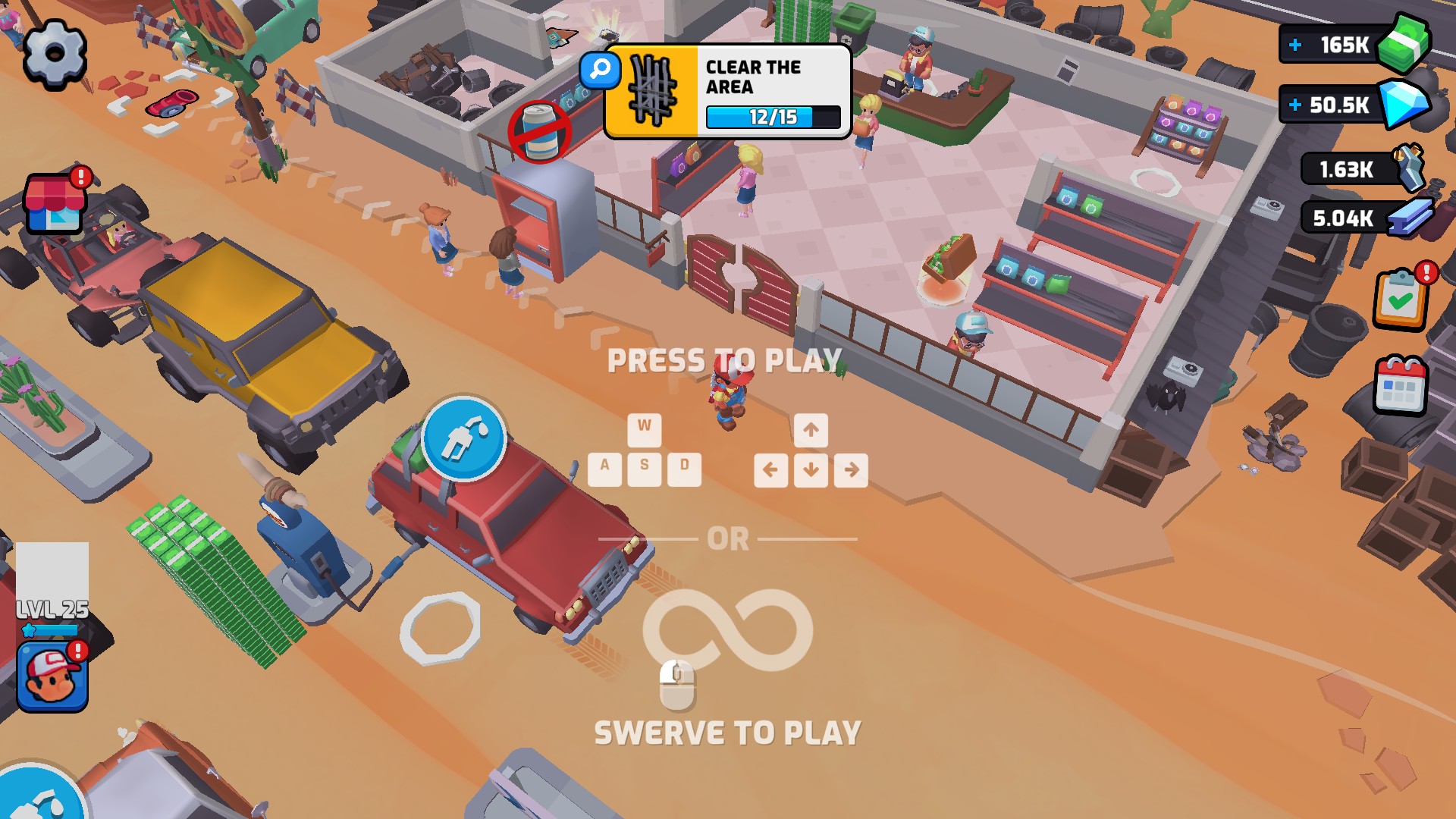
Top up your cash and get back to building your junkyard. This run has 165K to spend with the Money mod.
Choose the balance you need
Cash and materials have separate controls. Pick the resource you want in the app, check your current balance, then choose the amount that fits your next step.
The Money screenshot shows a cash balance of 165K after adding 123,000. That example demonstrates the cash feature; the other resource mods have their own controls.
Available resources
DiamondsPremium
Choose your diamond balance with a dedicated resource control.
MetalFree
Adjust your metal balance separately from cash, diamonds and steel.
MoneyPremium
Top up your cash or choose the balance you want for your next purchases.
Check your current cash in the app before changing the amount. The screenshot above shows the result of adding 123,000.
Skill pointsPremium
Choose your skill-point balance using its own resource control.
SteelPremium
Set the steel balance you want without changing your other resources.
More ways to customise Gas Station: Junkyard Tycoon
- Gas Station: Junkyard Tycoon stat modifiers
Adjust tool damage or level, with separate controls for each.
- Gas Station: Junkyard Tycoon customise
Choose your player level and current tool power.
- Gas Station: Junkyard Tycoon game actions
Refresh the tool shown in the game without choosing a new level.
- Gas Station: Junkyard Tycoon progression systems
Manage collected-card copies and upgrades in Collections.
Questions about resources
- Does changing cash also change diamonds or materials?
- No. Money, Diamonds, Metal, Steel and Skill points are separate resource features. Choose the balance you want to change rather than expecting one option to adjust them all.
Using these features
Choose the feature in the Windows app after connecting your game. Check its requirements before making a change.
Setup for Gas Station: Junkyard Tycoon →