

Game Actions
1 optionOpen the built-in menu from your active family game.
View game actions →Guide your family through work, relationships and life's choices. Open the game's built-in cheat menu from an active family game and choose its normal controls.
Use Open cheat menu to bring the game's own controls over your family screen. The menu includes a +100 Life Point button for adding to your balance.
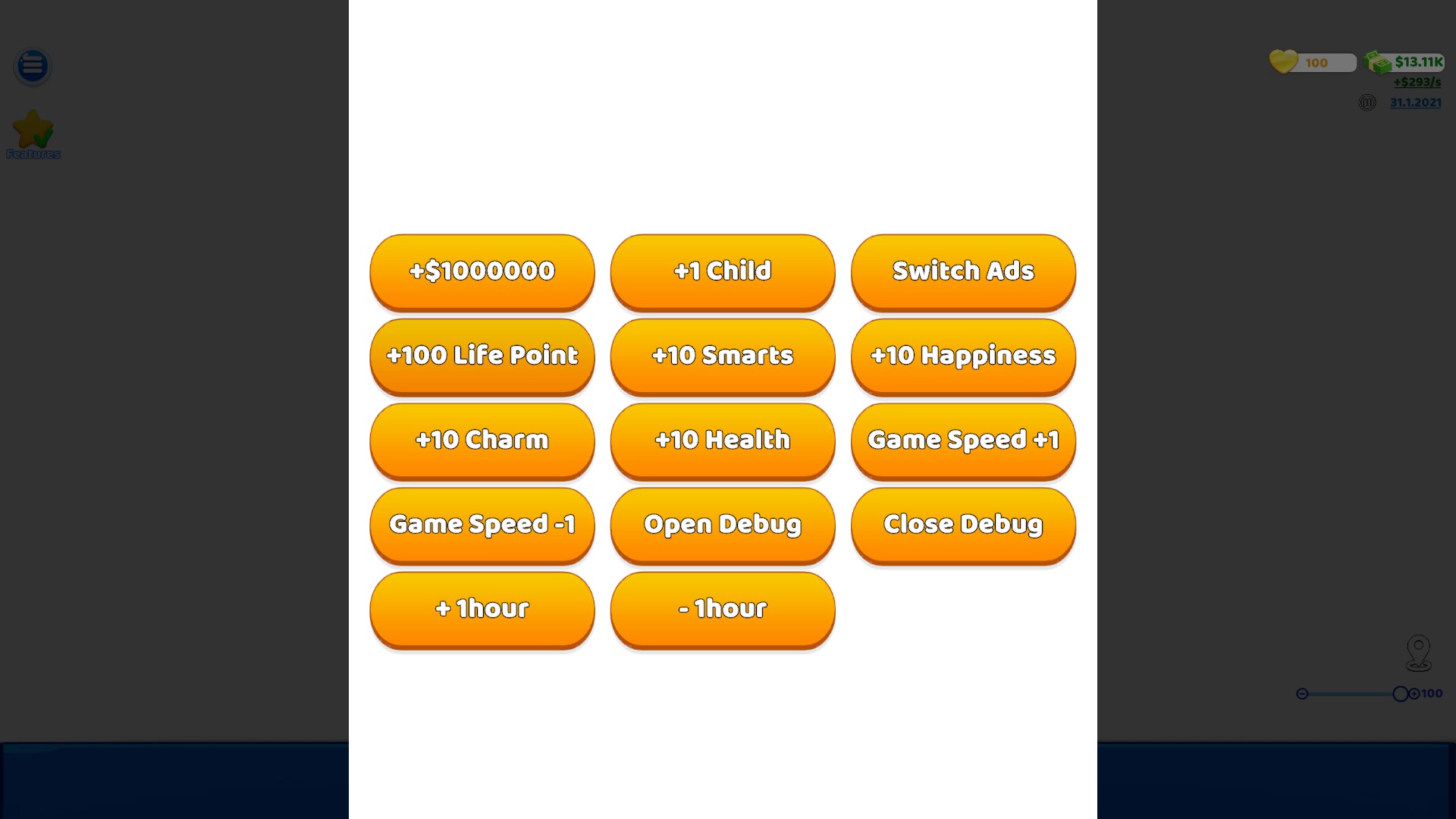
Explore Family Life's cheat menu
Open the built-in menu during your family game and choose its normal controls.
Open the built-in menu from your active family game.
View game actions →Download the Windows app and follow the setup prompts.
Set up the browser extension in Chrome or Edge, then open the supported YouTube Playable. Follow the connection guide if the game is already running.
Review the available options in the app and choose the ones that suit how you play.