

Choose a DOP 4 picture
Jump to a different drawing challenge with Picture number. The free control lets you choose a number from 1 to 100 and keeps the number displayed by the game in step with your selection.
Keep your selection
Finish the first puzzle before changing Picture number. After Apply & reload, solve or complete the selected picture and press the game's Next button before closing it. Applying the number alone may not keep the change after another reload.
Available customise
Picture numberFree
Choose a puzzle from 1 to 100 in your current picture order.
Finish the first puzzle, enter a number and select Apply & reload.
Before you use it: Complete the chosen puzzle and press Next before leaving to keep your progress. Different players may have different picture orders.
More ways to customise DOP 4: Draw One Part
- DOP 4: Draw One Part game actions
Finish a stuck puzzle or reveal a dotted guide for the shape you need to draw.
Choose your next picture
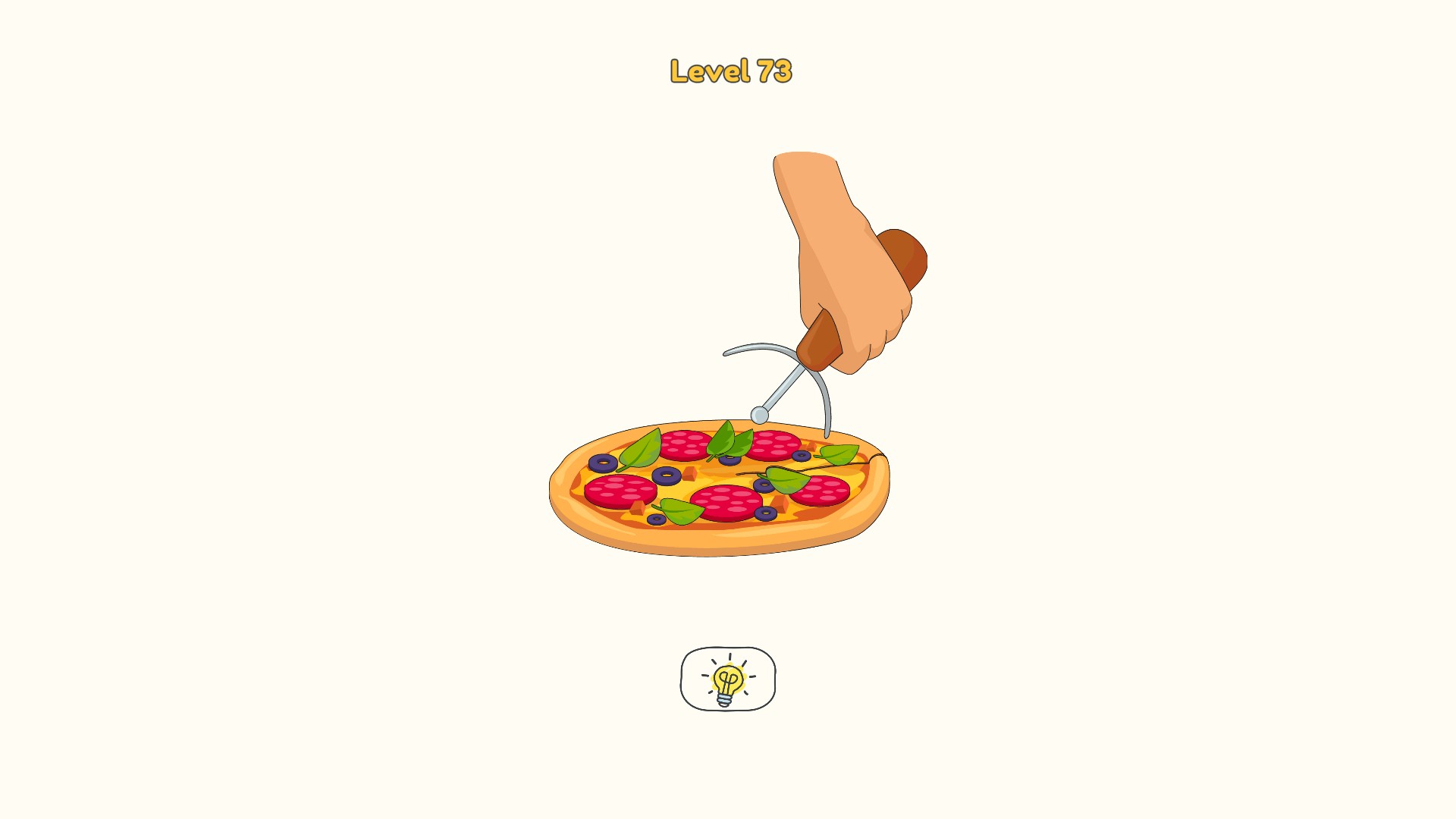
Picture number 73 opens a pizza puzzle with a missing cutter wheel.
Questions about customise
- Does the number always open the same picture?
- The game uses a shuffled picture order. A number selects a position in your current order, so the picture can differ between players.
Using these features
Choose the feature in the Windows app after connecting your game. Check its requirements before making a change.
Setup for DOP 4: Draw One Part →