

Coins for your next look
Choose a coin balance to cover the environment styles you want. Once the balance is set, head to the palette shop and pick a new look.
Requires the Windows app and the Bytonian Mods browser extension for Chrome or Edge. Browser setup guide

Choose your amount
Refresh Coins to read your current balance. Enter a whole-number amount from zero to 1,000,000, then choose Set.
Spend it in the shop
Use the palette icon on the home screen to open the Environment shop. Styles with a coin price can be bought individually, so you can choose the ones you like.
If the shop was already open when you changed Coins, close it and open it again to refresh the purchase buttons.
Available resources
CoinsFree
Set your Coins and pick new environment styles from the shop.
Refresh Coins, enter the balance you want and choose Set. Open the palette shop and select a style to buy it.
Reopen the Environment shop after changing Coins to refresh its purchase buttons.
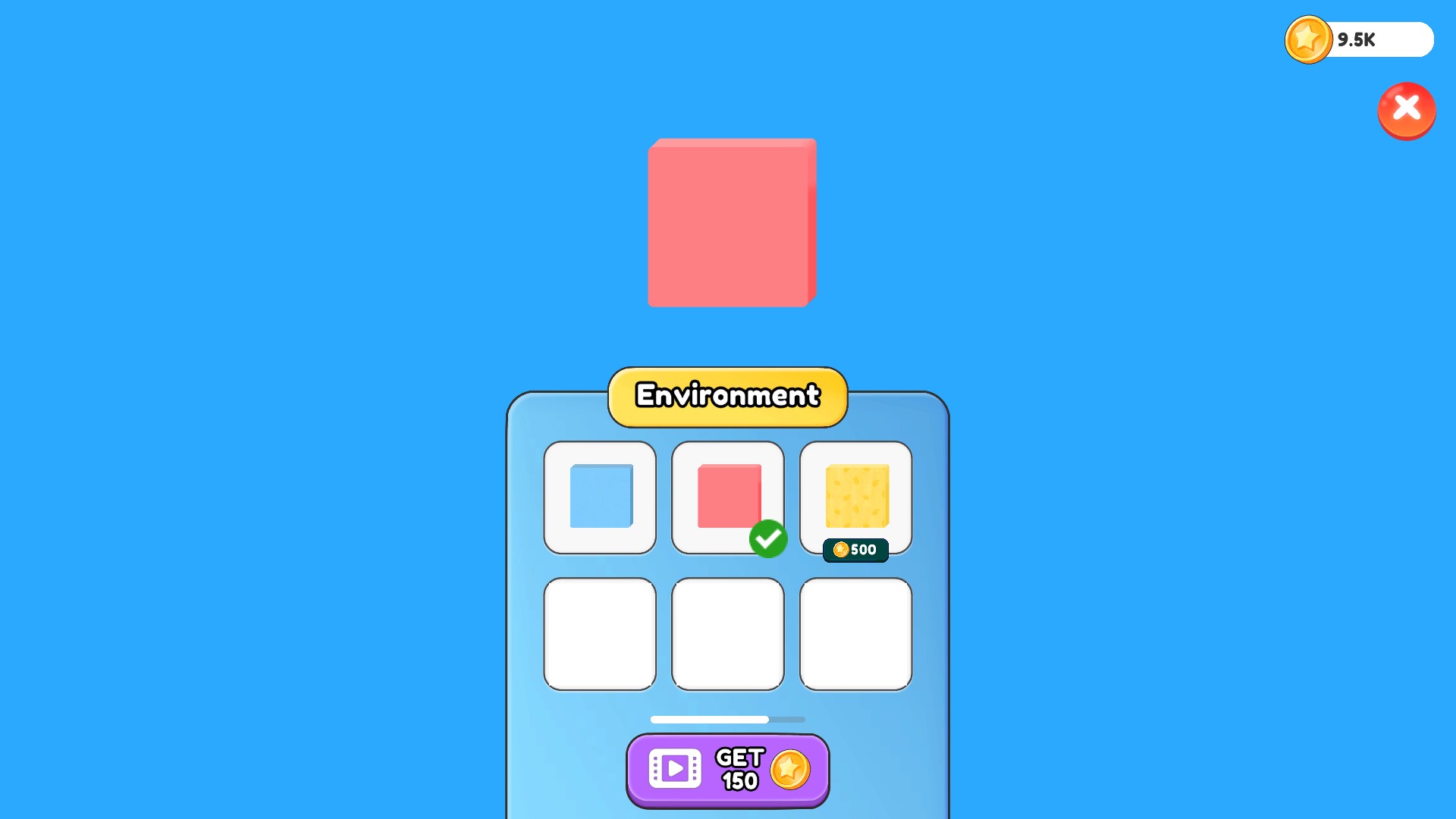
Pick a new environment style
Choose your Coins, then pick a look from the shop. The pink style is selected here with 9,500 coins left to spend.
Using these features
Choose the feature in the Windows app after connecting your game. Check its requirements before making a change.
Setup for Craft Car DIY →