
Customise
1 optionA free control for Cat Cruise's saved Coins balance.
View customisation options →Furnish rooms aboard Cat Cruise and watch the cruise earn Coins over time. Choose your saved Coins balance, then decide which room goods to buy through the game's normal menus.
Requires the Windows app and the Bytonian Mods browser extension for Chrome or Edge. Browser setup guide
Start with free mods
Download Bytonian Mods for Windows and try these free features. Choose one to see how it works and any requirements.
Choose the saved Coins balance used for Cat Cruise room furnishings.
Enter a whole-number amount from 0 to 100,000 and apply it, then use the game's room menu for normal furnishing choices.
Changes Coins only; furnishings, gems and energy are not added directly. The balance can rise as the cruise earns income.
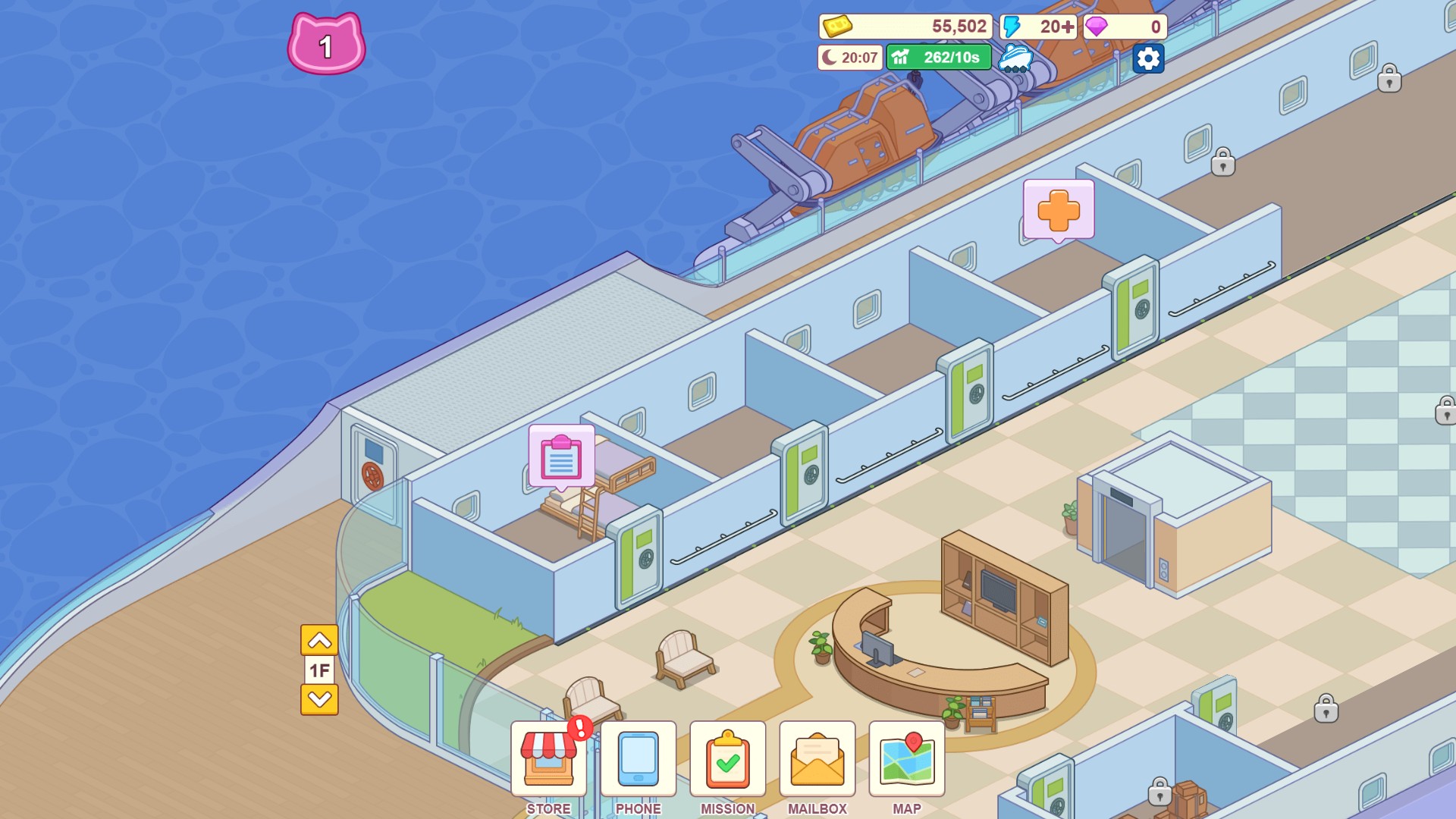
Cat Cruise deck and rooms
The Cat Cruise deck shows a furnished Bunk Bed room and the current Coins balance as the cruise earns income.
Rooms use Coins for furnishings. Adding a Simple Bunk Bed increased the cruise's income in normal play, while the bed remained in place after reloading.
Set a whole-number Coins balance before returning to the cruise. The game can keep earning Coins after you set it, so the displayed amount may rise during play.
A free control for Cat Cruise's saved Coins balance.
View customisation options →Download the Windows app and follow the setup prompts.
Set up the browser extension in Chrome or Edge, then open the supported YouTube Playable. Follow the connection guide if the game is already running.
Open Customise in Bytonian Mods, choose an option and follow its instructions. Check the available values and any limits before making your change.