
Game Actions
3 optionsRestore health and treat injuries, or refill three survival needs together.
View game actions →Heal injuries, refill food, water and energy or bring supplies within reach before your next ZED ZONE run. Choose a recovery action or create an item beside your survivor to collect normally.
Start with free mods
Download Bytonian Mods for Windows and try these free features. Choose one to see how it works and any requirements.
Search 422 items across 15 categories and create supplies beside your character for normal collection.
Open Spawn in a local Standard world with a living character. Search or filter, choose 1 to 10 items, select an item and collect it through Nearby Items.
Items appear nearby. Collect them normally; clear loose supplies when the world item limit is reached.
Restore current health and heal body-part injuries in one action, useful after an encounter leaves your survivor hurt.
Load a living character in a local Standard world, enable the feature and press Heal injuries.
One-time treatment; it does not revive dead characters or prevent later damage.
At the crash site
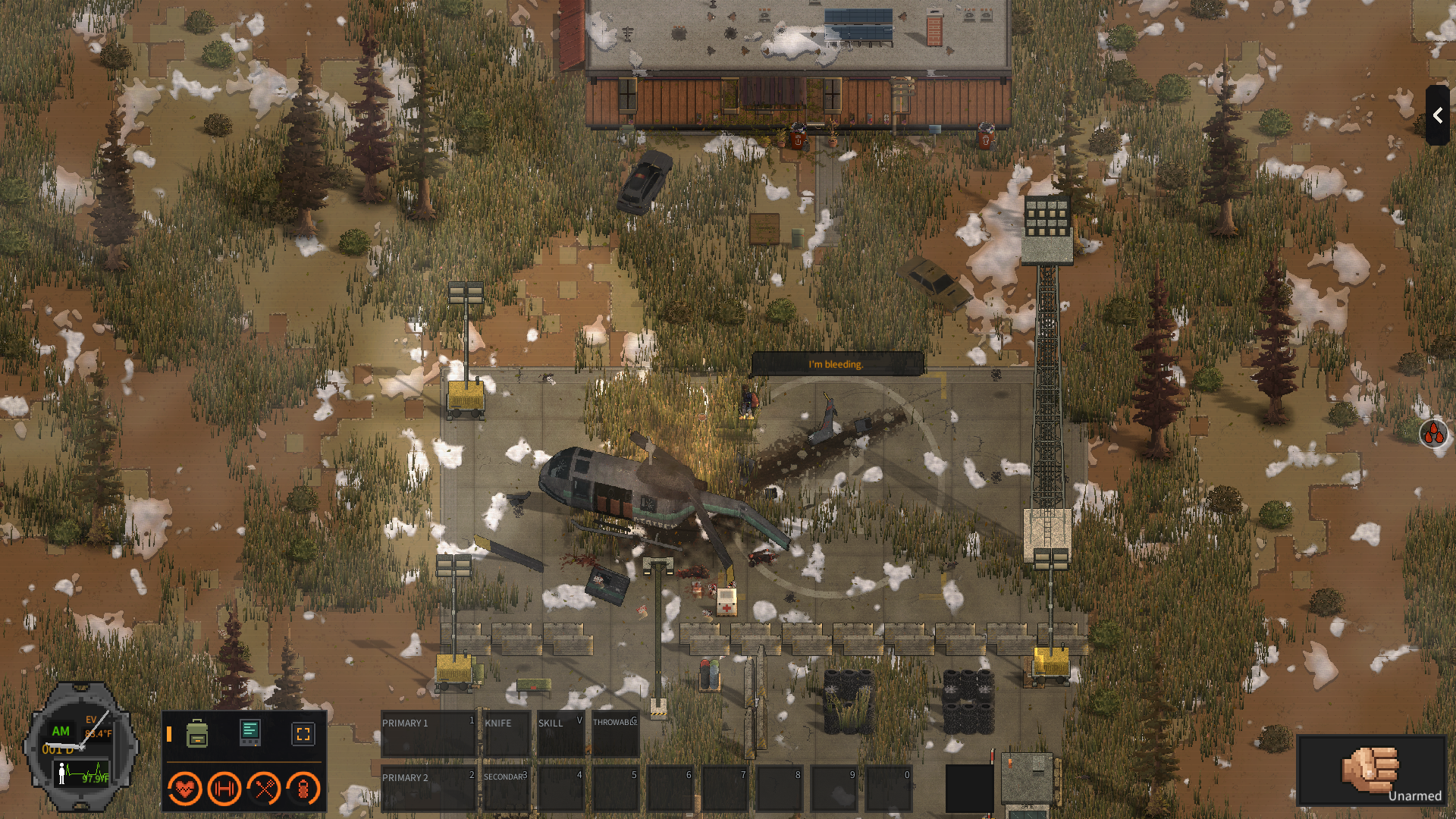
A survivor stands beside the crashed helicopter, with the condition display and quick slots visible below.
Heal injuries restores health and treats body-part injuries. Refill food, water and energy tops up those three needs together. Spawn items lets you search 422 items across 15 categories and place supplies nearby for collection.
Healing and item spawning are free. The combined needs refill requires Premium.
Install Bytonian Mods for Windows, select ZED ZONE and enable the features you want. Load a living character in a local Standard world before using the controls. These features do not run in online or competitive modes.
Restore health and treat injuries, or refill three survival needs together.
View game actions →Download the Windows app and follow the setup prompts.
Open ZED ZONE and select it in Bytonian Mods. Follow the app’s connection prompts.
Review the available options in the app and choose the ones that suit how you play.