

Add coins for shop purchases
Use Add 50,000 coins when you want to afford a mask in the shop. After the opening tutorial, add coins and spend them with the game's normal purchase buttons.

Buy and select a mask
Open the shop's Masks tab and choose an available purchase. Chef costs 1,000 coins in the shop shown here; buying it also selects it. Check the displayed price and requirements before choosing another item.
Keep normal progression requirements
Coins pay for purchases; they do not replace level locks, the opening tutorial or other item requirements. Some masks come from progression or other rewards instead of a coin price.
Available resources
Add 50,000 coinsFree
Add 50,000 coins to fund normal shop purchases, including masks.
Finish the opening tutorial, use the coin control, then buy an available item through the normal shop.
Before you use it: Tutorial, level locks and other item-specific requirements still apply.
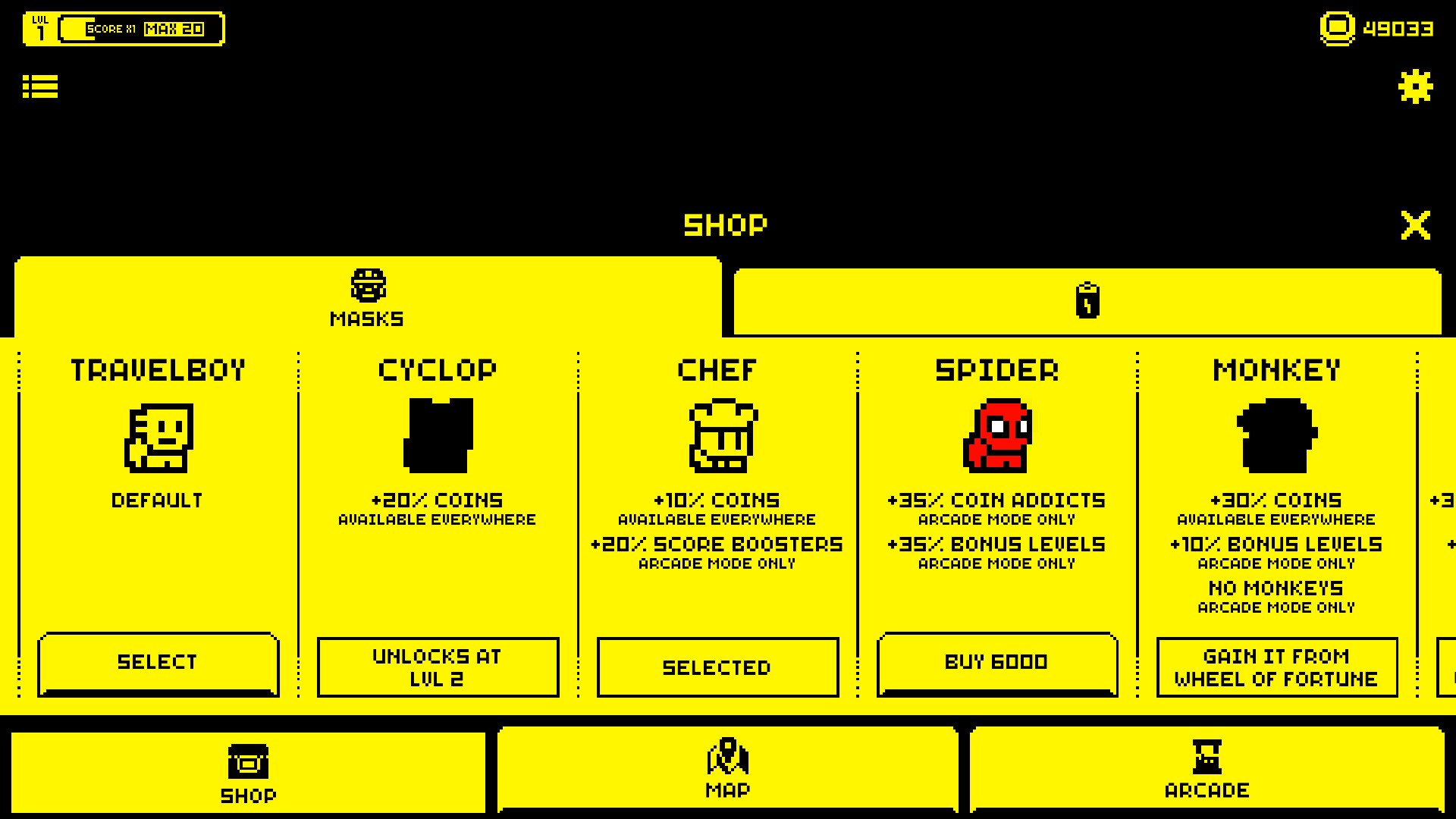
Buy masks with extra coins
Use added coins for normal shop purchases, including the Chef mask. Tutorial and item unlock requirements still apply.
Questions about resources
- How many coins does the control add?
- It adds 50,000 coins to your current balance.
Using these features
Choose the feature in the Windows app after connecting your game. Check its requirements before making a change.
Setup for Tomb of the Mask →