

Choose a Thief Puzzle level
The free Choose puzzle level control lets you open a particular early puzzle. Use it to return to a scene you want to try again or move ahead within the first ten levels.
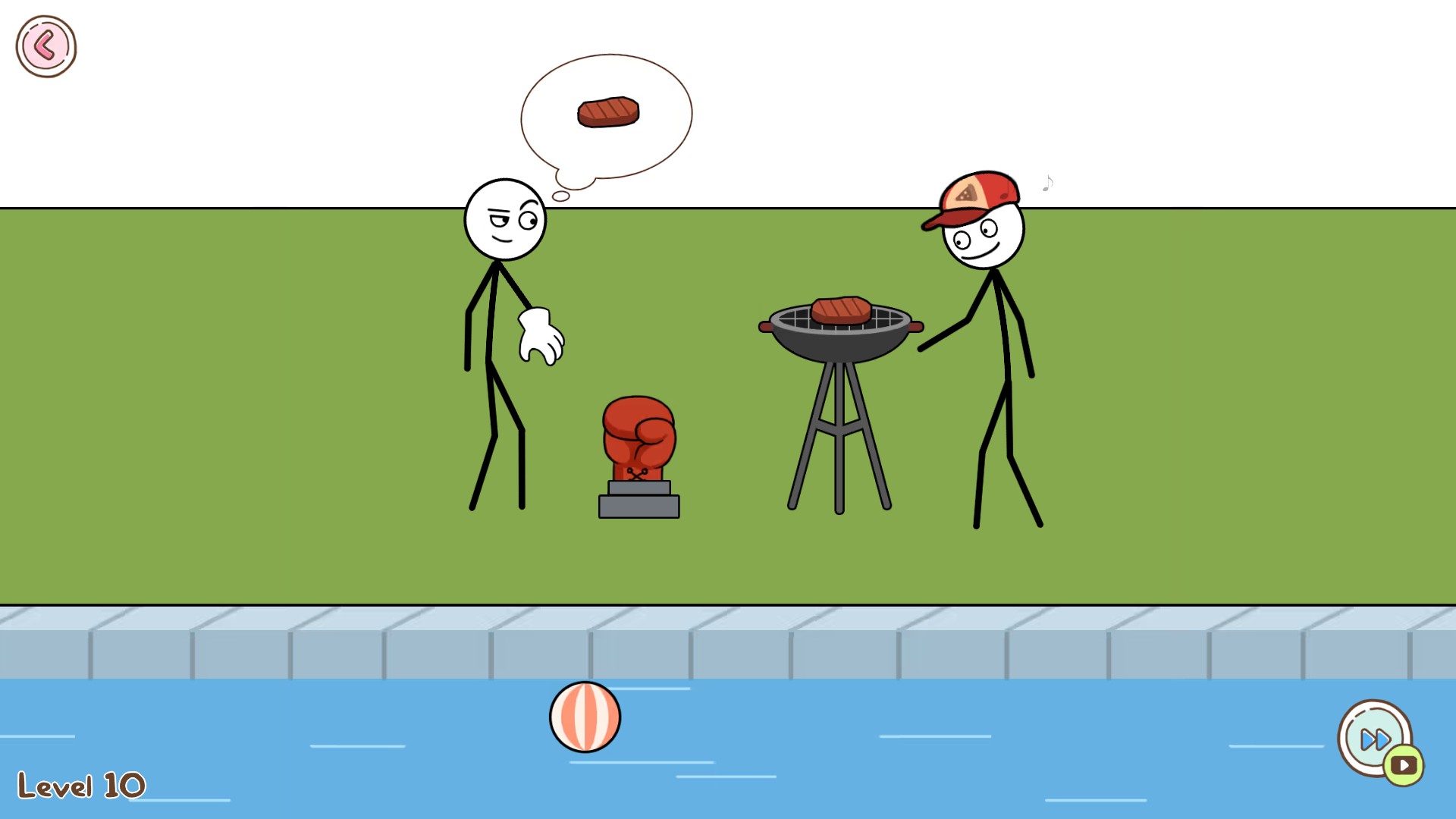
Jump to the barbecue puzzle
Level 10 loaded after applying the puzzle choice. You still solve the selected puzzle yourself.
What this initial version covers
Choose a puzzle from 1 to 10. Level 10 opens the barbecue puzzle shown here. You still solve the selected puzzle yourself.
Applying your choice
Enter a whole number from 1 to 10 and apply it. The game reopens with your selection; press Play to enter the puzzle. See the overview for setup instructions.
Available customise
Choose puzzle levelFree
Open an early puzzle by choosing its level from 1 to 10.
Apply your choice and press Play after the game reopens.
Before you use it: Choose from the first ten puzzles. Selecting a puzzle does not complete it.
Using these features
Choose the feature in the Windows app after connecting your game. Check its requirements before making a change.
Setup for Thief Puzzle →