


Coins for character outfits
Choose how many coins you want before shopping for your runner's next outfit. The Coins card gives you control of your wallet while you make purchases through the usual cosmetic menu.

Pick your balance
Refresh the Coins card to see your current wallet, then set, add or subtract the amount you need. Balances from 0 to 1,000,000 coins are supported.
Unlock the outfit you choose
Select a coin-priced outfit and use its Unlock button. The game deducts the price and adds the outfit to your available looks. Ad-only offers still use their normal ad requirement.
Available resources
CoinsFree
Set, add or subtract coins for character outfit purchases.
Open the outfit menu, refresh your coin balance, choose an amount and use the game's Unlock button for a coin-priced outfit.
Before you use it: Supports balances from 0 to 1,000,000. Ad-only offers keep their normal requirements.
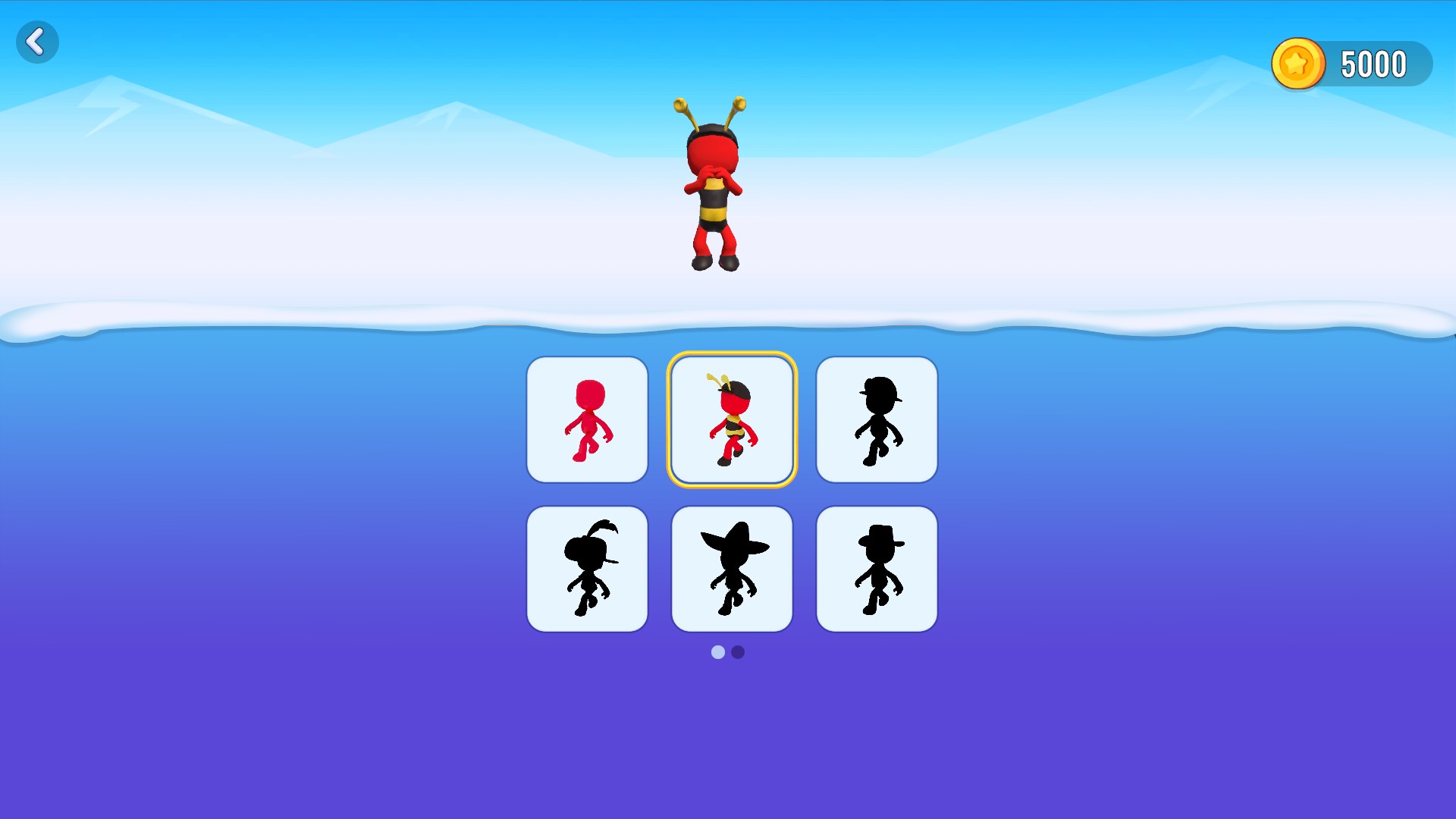
Coins for a new race outfit
The bee outfit selected after a coin purchase, with 5,000 coins left in the wallet.
Using these features
Choose the feature in the Windows app after connecting your game. Check its requirements before making a change.
Setup for Snowball Race 3D: Ice Bridge →