
Customise
4 optionsFour free amount controls let you prepare for awkward pieces and crowded boards.
View all customisation options →Keep Undo, Redeal and Bomb ready when the grid gets crowded, or set coins for normal booster purchases. Complete rows or columns to clear room for the next set of shapes.
Requires the Windows app and the Bytonian Mods browser extension for Chrome or Edge. Browser setup guide

Start with free mods
Download Bytonian Mods for Windows and try these free features. Choose one to see how it works and any requirements.
Choose your Bomb supply to clear a cluster of blocks and make more room on the grid.
Use Bomb after unlocking it through normal play and when its button is available for the current board.
Choose your coin balance for normal booster purchases when you need another use.
Set an amount, continue your puzzle and use the coin purchase button offered when a booster supply is empty.
Boosters must be unlocked and eligible for use.
Choose your Redeal supply to replace the pieces waiting in the tray and look for a better fit.
Press Redeal during your puzzle to change the remaining offered pieces.
Choose how many Undo uses you have to recover eligible placements and try another position.
Place a piece without clearing a line, then press Undo while other offered pieces remain.
A line-clearing move or the last piece of a completed set cannot be undone.
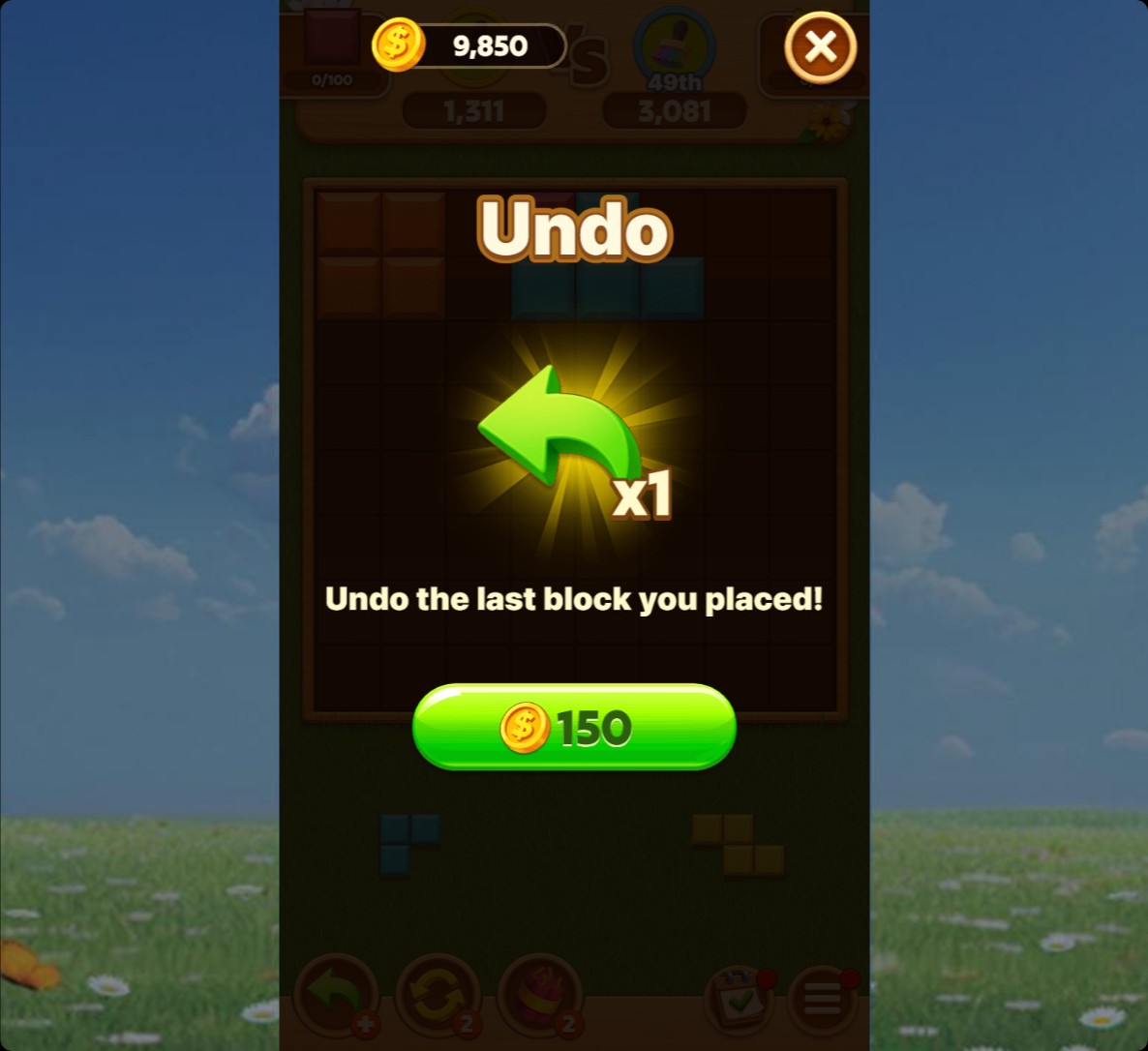
Coins for another Undo
A coin-funded Undo reverses an eligible move. The balance shows 9,850 coins after a 150-coin use.
Undo takes back an eligible placement, Redeal changes the pieces waiting to be played, and Bomb clears an eligible cluster of blocks. Extra coins can fund booster uses when your supply runs out.
Set the amounts you want before continuing your puzzle. Boosters unlock through the game's normal score milestones and keep their usual use conditions.
Four free amount controls let you prepare for awkward pieces and crowded boards.
View all customisation options →Download the Windows app and follow the setup prompts.
Set up the browser extension in Chrome or Edge, then open the supported YouTube Playable. Follow the connection guide if the game is already running.
Open Customise in Bytonian Mods, choose an option and follow its instructions. Check the available values and any limits before making your change.