

Stat Modifiers
1 optionChoose separate bonuses across ten crew attributes, including digging.
View stat modifiers →Give your Duplicants a helping hand with crew care, larger hauling loads, instant construction and selected research completion. Add camera and simulation controls, or browse the free Spawn catalog to try different colony setups.

Start with free mods
Download Bytonian Mods for Windows and try these free features. Choose one to see how it works and any requirements.
Place finished buildings without waiting for material deliveries or construction work.
Enable Instant Build, then use the game's normal building menu and placement controls.
Also exposes normally locked building choices. Selecting research while this mode is on can complete it too.
Browse available creatures, eggs, food, seeds, materials, supplies and bottled elements, then place them on visible ground near your view.
Open Spawn after loading your colony. Move your view to visible open ground, choose an item and select a quantity.
Hot materials retain their normal temperatures. The selection follows the items available in your game.
Refill selected crew needs or clear stress with a one-time action for living Duplicants.
Choose a care target, then press Crew Care. Choose All listed needs to apply the listed care options together.
Crew Care is a one-time action, so needs can change again as the colony runs.
Add separate bonuses across ten Duplicant attributes, including Digging, without replacing their original values.
Enable Crew Skills and set each attribute bonus independently. Zero leaves that attribute without an added bonus.
The bonuses change attributes, rather than granting learned skill perks.
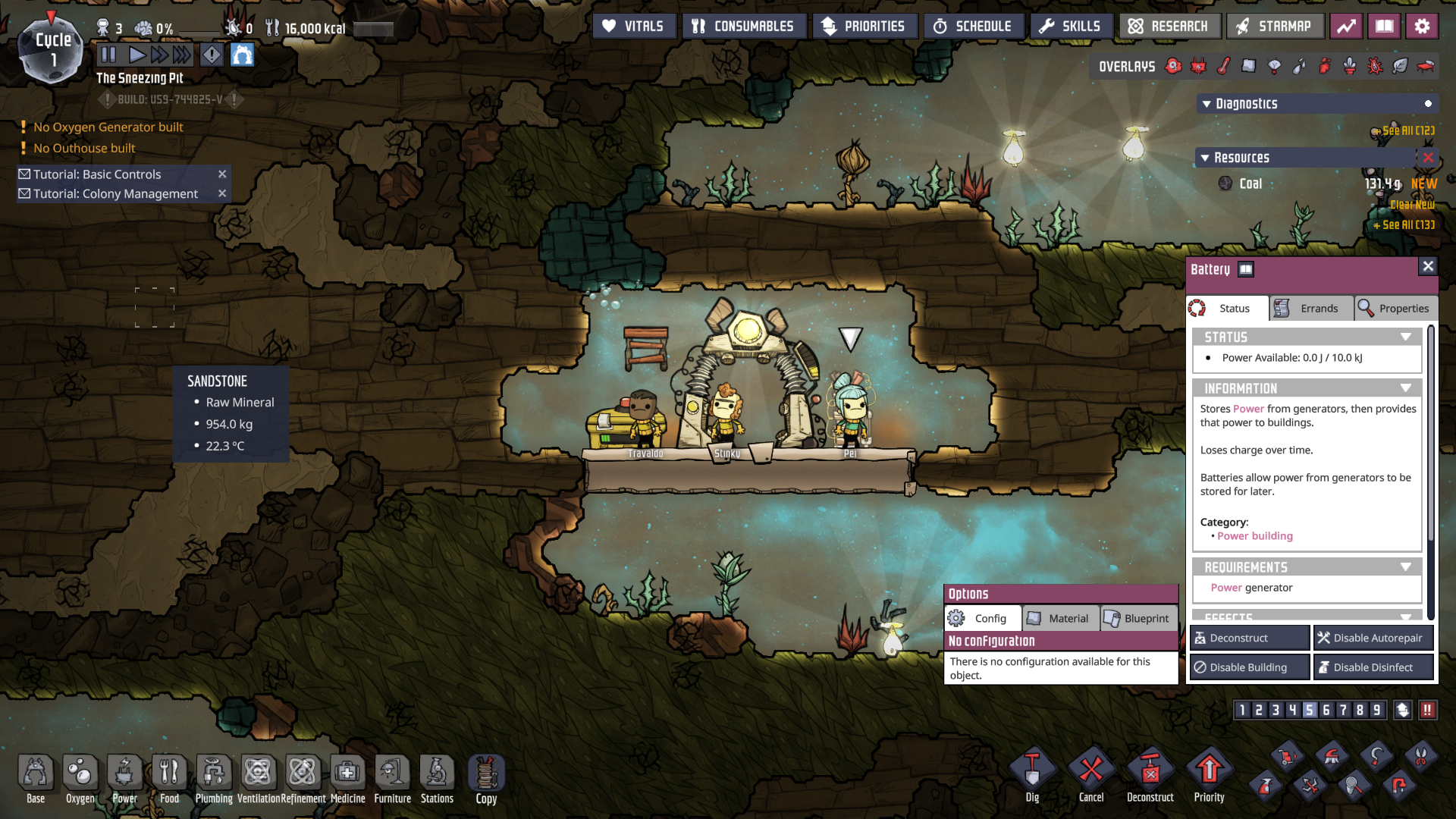
Build without waiting
Instant Build places finished structures without material deliveries or construction time. The completed ladder and battery were placed while the colony was paused.
My Duplicants Flooded Their Own Base by Breathing
Breathing fills the starting room with water. Digging a drain helps the crew breathe again, but now the lower chamber is filling.
Use Game Actions for one-time care, research, repairs and battery refills, plus the Spawn catalog. Rules change ongoing needs, construction and simulation pace. Crew attributes, carrying capacity and camera zoom have their own controls.
Install the Bytonian Mods Windows app, choose Oxygen Not Included and enable the controls you want. Load your colony before applying actions or opening Spawn. Start with one adjustment, then add more as your colony develops.
Building Repair restores condition, but overheating and other hazards can cause damage again. Spawned hot materials retain their normal temperatures, so choose their location with care.
Choose separate bonuses across ten crew attributes, including digging.
View stat modifiers →Protect crew needs, use instant construction and adjust the pace of your colony.
View rule modifiers →Add carrying capacity so Duplicants can haul larger loads.
View ability modifiers →Extend the camera range for close inspection and wider colony overviews.
View perspective modifiers →One-time colony help for crew care, research, repairs, batteries and spawning.
View all game actions →Browse the Steam achievement names and descriptions for Oxygen Not Included. Choose and unlock achievements for free with Bytonian Mods in the Windows app.
View all achievements →Download the Windows app and follow the setup prompts.
Open Oxygen Not Included and select it in Bytonian Mods. Follow the app’s connection prompts.
Review the available options in the app and choose the ones that suit how you play.