

Bring more bean enemies into the arena
Add another group of bean enemies when you want more targets to fight. Spawn uses the level's existing enemy spawn points, and the enemies chase the player through the arena as they normally do.

Choose an enemy in Spawn
Open Spawn, choose Evil Boy and select the amount to add. The arena has four spawn points, so you can add up to four enemies at a time. Resume gameplay with your pistol ready first.
Let enemies move away from a spawn point before adding another group. If the points are occupied, wait for room instead of repeatedly adding enemies.
Enemies remain in the level
Enemies you add become part of the current fight. Disabling the Spawn package leaves those enemies in the level; defeat them or leave the level when you are finished.
Available world modifiers
Spawn enemiesFree
Add bean enemies at the level's own spawn points for more targets and extra fights.
Open Spawn, choose Evil Boy and select an amount. In the arena you can add up to four at a time.
Requires a level with enemy spawn points, a ready pistol and resumed gameplay. Occupied points must clear before another group can be added.
What you can spawn
- Enemies (1)
- Including Evil Boy.
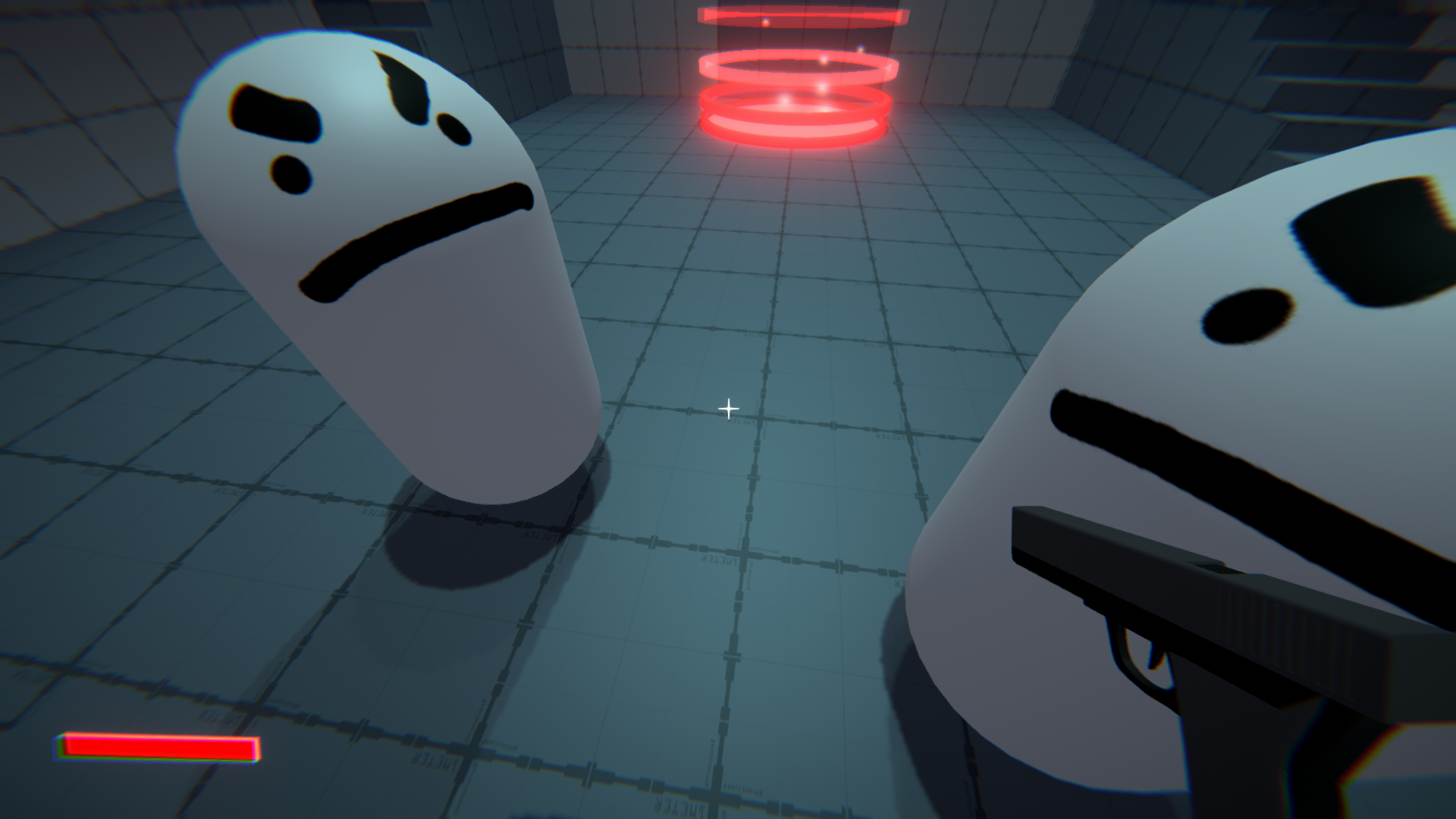
Add extra bean enemies
Choose bean enemies from Spawn and add them at the level's own spawn points. In the arena, you can add up to four at a time while gameplay is running.
More ways to customise Owinka Shooter
- Owinka Shooter stat modifiers
Adjust pistol strength and restore its original damage with the same control.
Questions about world modifiers
- Can I put enemies anywhere?
- They appear at the existing enemy spawn points in the current level.
- When can I use Spawn?
- Use it during gameplay in a level with loaded enemy spawn points, with your pistol ready. The arena provides four points.
Using these features
Choose the feature in the Windows app after connecting your game. Check its requirements before making a change.
Setup for Owinka Shooter →