

Resources
3 optionsControl gold, food and people independently between road encounters.
View resources →Prepare Red's column for the road in March of the Red Queen. Adjust gold, food and people between encounters as you make choices and face card duels on the way to rival keeps.
Start with free mods
Download Bytonian Mods for Windows and try these free features. Choose one to see how it works and any requirements.
Choose how much gold the Queen carries for paid road choices and supplies.
Return to the road after an encounter, refresh Gold and set, add or subtract from the balance.
Paid choices still spend gold normally.
Open Resources to choose the gold, food and people your column carries between encounters. Change one balance at a time while the game's ordinary costs and rewards remain in play.
Open March of the Red Queen in the Bytonian Mods Windows app and enable the resource controls you want. Start a march, finish any open encounter and return to the road. Refresh a resource card before setting, adding or subtracting a value.
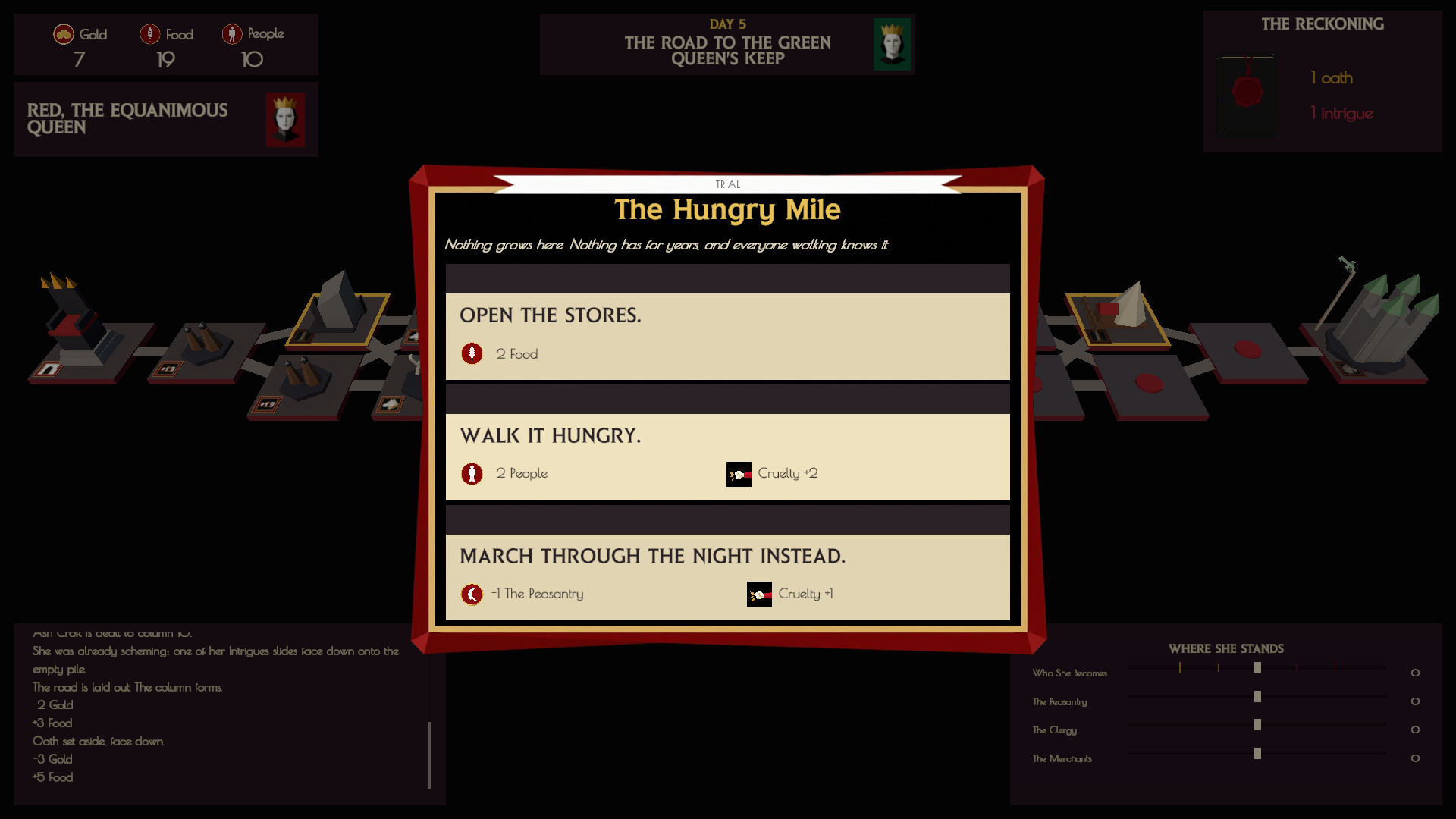
Choices on the Hungry Mile
Road encounters make you weigh food, people and reputation as the Queen advances toward a rival keep.
Control gold, food and people independently between road encounters.
View resources →Browse the Steam achievement names and descriptions for March of the Red Queen. Choose and unlock achievements for free with Bytonian Mods in the Windows app.
View all achievements →Download the Windows app and follow the setup prompts.
Open March of the Red Queen and select it in Bytonian Mods. Follow the app’s connection prompts.
Review the available options in the app and choose the ones that suit how you play.