
Choose Coins for hints
Set a saved Coin balance for Letter Crossword, then use the Hint menu when a clue slows you down. The game offers a random letter and a way to hide extra keyboard letters.
Requires the Windows app and the Bytonian Mods browser extension for Chrome or Edge. Browser setup guide
Spend Coins on a hint
Set your balance in Saved Coins before loading the puzzle. The Hint menu shows each choice's Coin price so you can choose the help you want.
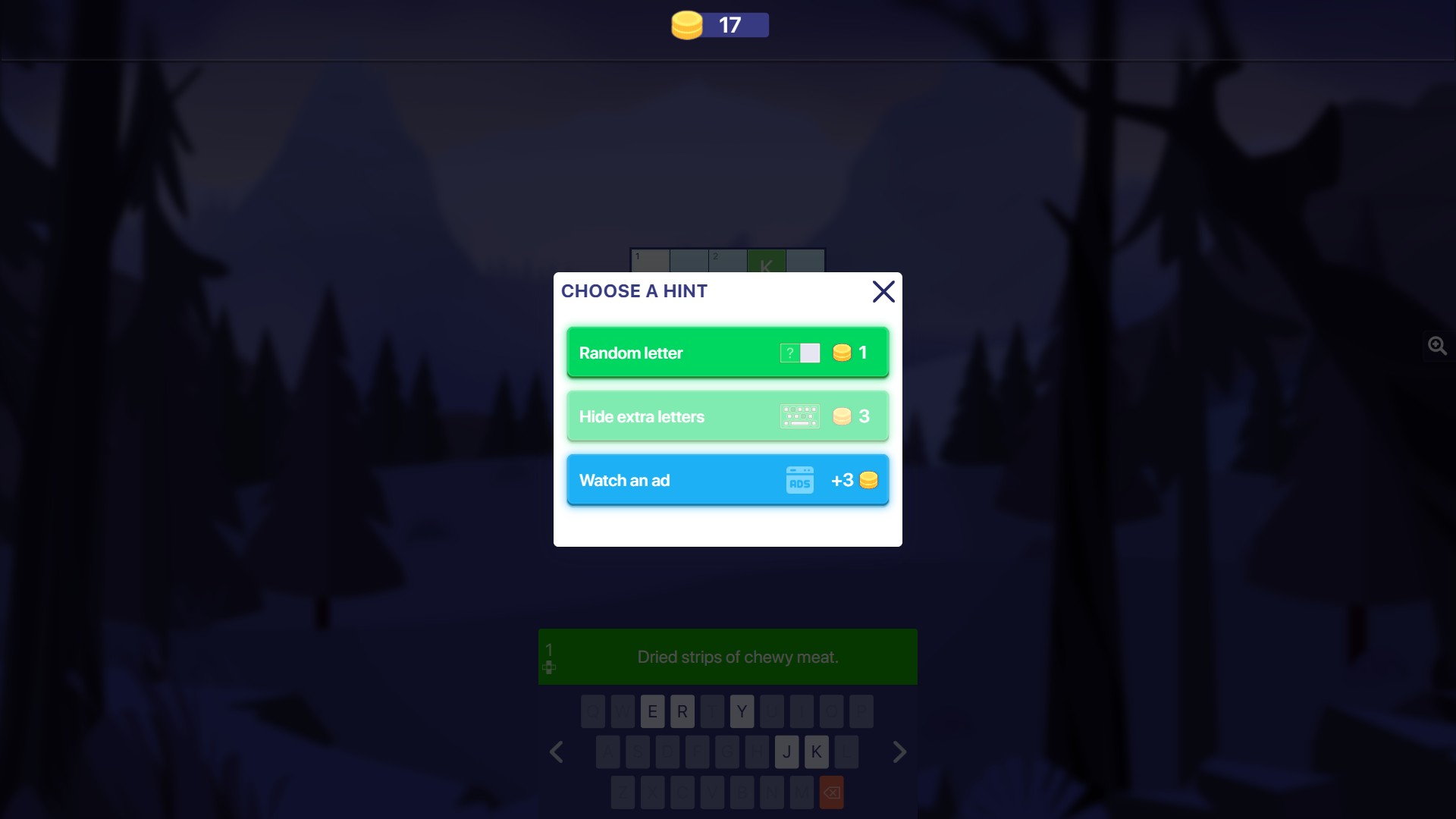
Coins for crossword hints
Choose a saved Coin balance, then buy a random letter or hide extra keyboard letters while solving.
Available customisation options
Saved CoinsFree
Choose the saved Coins available for Letter Crossword hints.
Set a Coin balance in Customise, apply it, then open a crossword and choose a Hint when you need help.
Changes Coins only. It does not fill in answers or change puzzle progress.
Questions about customisation options
- Does Saved Coins solve the crossword?
- No. It changes the Coin balance only. You still choose each Hint and solve the remaining clues in the game.
Using these features
Connect your game, then open Customise in the Windows app. Choose an option, check its available values and follow its instructions. Each option lists its own requirements and limits.
Setup for Letter Crossword →