
Customise
4 optionsFour controls for puzzle selection and normal booster use.
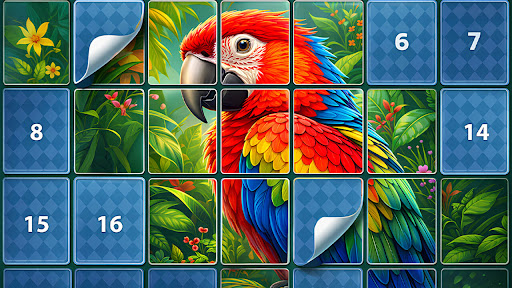
View all customisation options →Stock up on Hints and Magnets, set coins for the shop or choose an early puzzle in your current episode. Move cards into place and join the matching parts of each picture.
Requires the Windows app and the Bytonian Mods browser extension for Chrome or Edge. Browser setup guide

Start with free mods
Download Bytonian Mods for Windows and try these free features. Choose one to see how it works and any requirements.
Choose your magnet stock to assemble several cards at once.
Apply the stock and press the normal magnet control during a puzzle.
Magnets become available from level 6.
Hints show a card and where it belongs. Magnets assemble several cards automatically, helping turn scattered pieces into a larger part of the picture. Hints become available from level 4 and magnets from level 6.
Select puzzle positions 2 to 6 within your current episode, then enter through the normal level button. The episode itself stays the same.
Set coins for normal booster purchases, or choose the hint and magnet stock directly. The magnet stock control is free; coins, hints and early puzzle positions are Premium features.
Four controls for puzzle selection and normal booster use.
View all customisation options →Download the Windows app and follow the setup prompts.
Set up the browser extension in Chrome or Edge, then open the supported YouTube Playable. Follow the connection guide if the game is already running.
Open Customise in Bytonian Mods, choose an option and follow its instructions. Check the available values and any limits before making your change.