

Pin a tooltip for easier reading
Choose a comfortable text size, hover a standard tooltip in the game, then use Pin Tooltip. Its description opens in a separate reading panel and stays there when you move away from the original tooltip.

Refresh when you need current values
Pinned text does not update automatically. Hover the tooltip and pin it again to replace the snapshot. The reader supports the game's standard description tooltip; other popup layouts may not be available.
Available game actions
Pin TooltipFree
Keep a visible standard tooltip open in a separate reading panel after moving the pointer away.
Choose Text size, hover a standard tooltip in the game, then use Pin Tooltip. Pin it again to refresh the text or use Close to dismiss the panel.
Before you use it: Pinned text is a snapshot and does not update automatically. Supports standard description tooltips.
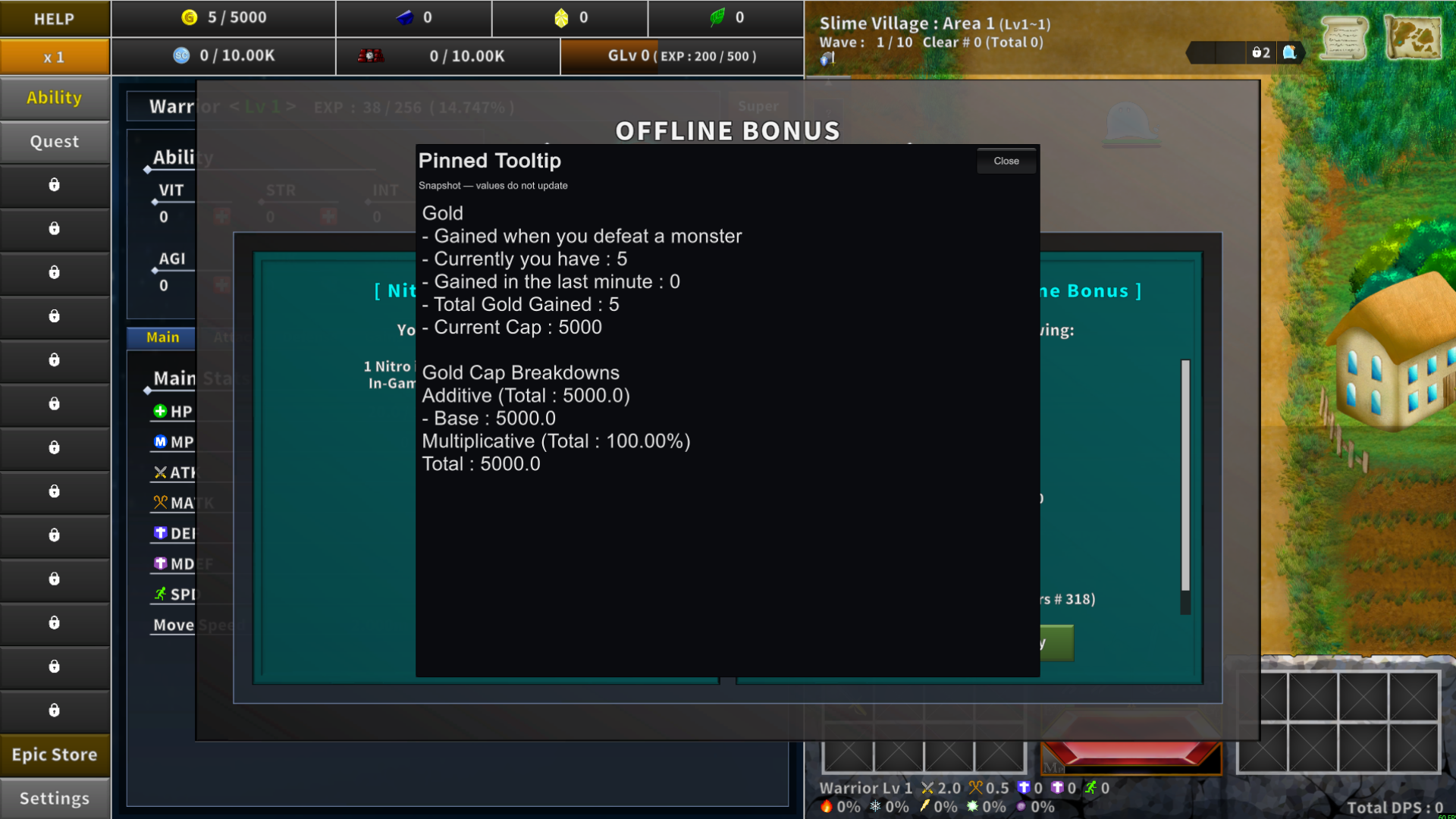
Keep a tooltip open for easier reading
Pin the current standard tooltip in a separate reading panel. This Gold example keeps its captured description visible after the original tooltip closes. The panel shows a snapshot; values do not update.
Using these features
Choose the feature in the Windows app after connecting your game. Check its requirements before making a change.
Setup for Incremental Epic Hero 2 →