

Coins for the Classic Skins shop
Choose the coin balance you want before opening Costumes. Buy through the normal Classic Skins buttons, then select your new outfit for the next run.
Requires the Windows app and the Bytonian Mods browser extension for Chrome or Edge. Browser setup guide

Buy through the normal shop
The first Classic Skin purchase costs 1,000 coins. Buying it selects the new outfit and reveals the next purchase price, so keep an eye on your remaining balance as you choose your look.
Available customisation options
CoinsFree
Choose a coin balance to spend on Classic Skins in the costume shop.
Enter your balance and apply it, then open Costumes and buy a Classic Skin using its coin button.
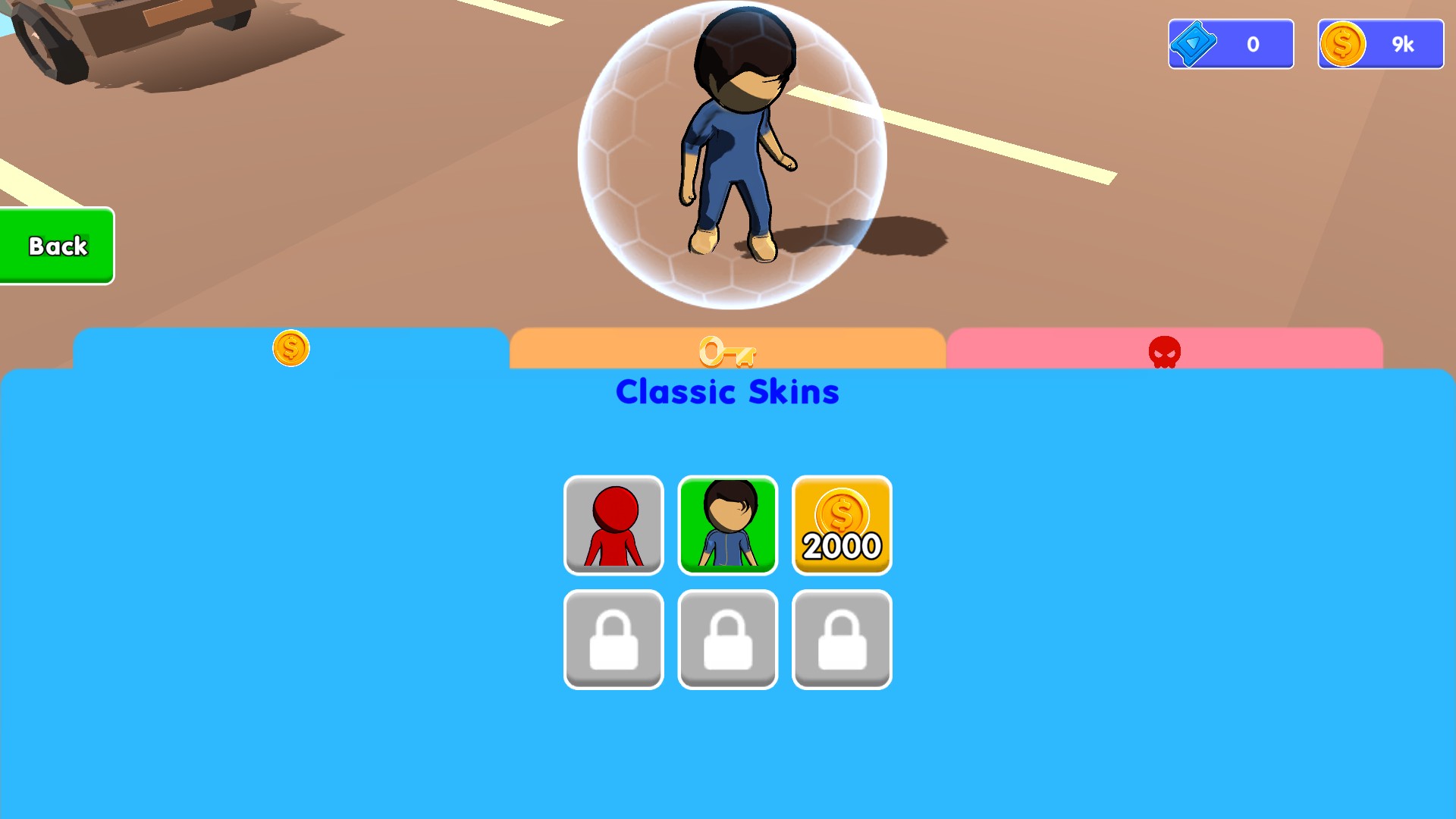
Buy a new Classic Skin with your chosen coin balance
The costume shop shows a newly selected Classic Skin after a 1,000-coin purchase, with 9,000 coins left for more choices.
Questions about customisation options
- How do I get a different costume?
- Apply your chosen coin balance, open Costumes and select the Classic Skins coin tab. Buy the next costume using its displayed coin price.
Using these features
Connect your game, then open Customise in the Windows app. Choose an option, check its available values and follow its instructions. Each option lists its own requirements and limits.
Setup for Hero VS Criminal →