
Cash for normal tool purchases
Choose a cash balance from 0 to 1,000,000. Once the game reloads, visit the tool shop to unlock a new look.
Requires the Windows app and the Bytonian Mods browser extension for Chrome or Edge. Browser setup guide
Spend your cash on new tool looks
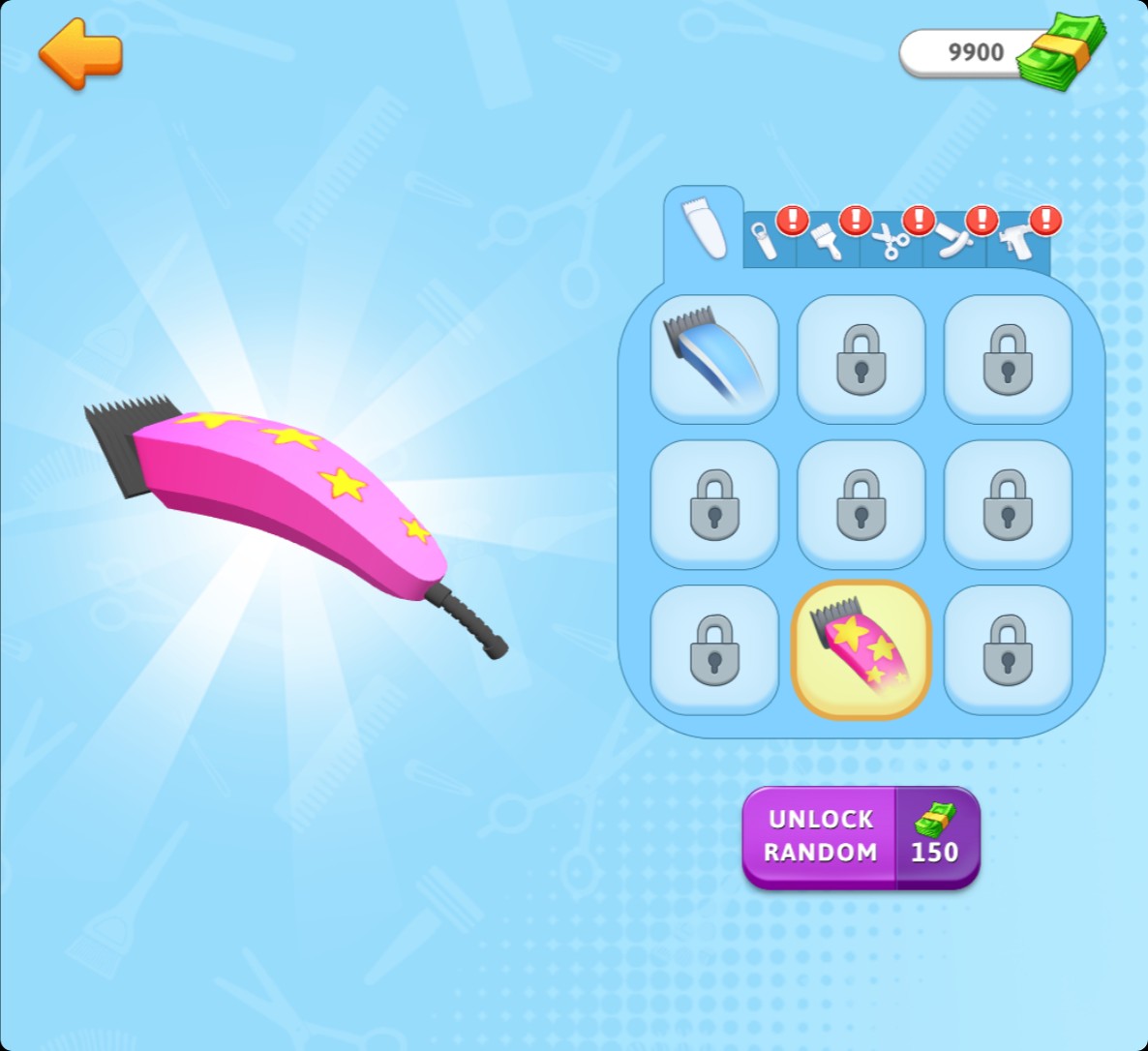
Choose your saved cash balance and unlock tool looks through the normal shop. Shown after a 100-cash purchase, with 9,900 remaining.
How to use Cash
Set the balance you want and apply the change. Wait for the reload, open Shop and choose a tool category.
Press Unlock Random to spend the displayed price. The shop selects a new tool look, which you can use during a normal haircut.
Available customisation options
CashFree
Choose your saved cash balance for normal tool purchases. Applying reloads the game.
Choose 0 to 1,000,000, apply, wait for the reload, then spend cash in the normal shop.
Questions about customisation options
- Will applying Cash change my customer progress?
- You can continue with your current customer after applying the new balance.
Using these features
Connect your game, then open Customise in the Windows app. Choose an option, check its available values and follow its instructions. Each option lists its own requirements and limits.
Setup for Hair Tattoo: Barber Shop Game →