

Set saved gold and hearts
Choose a gold balance or a heart count from 1 to 5, then apply your customization to reload the game.

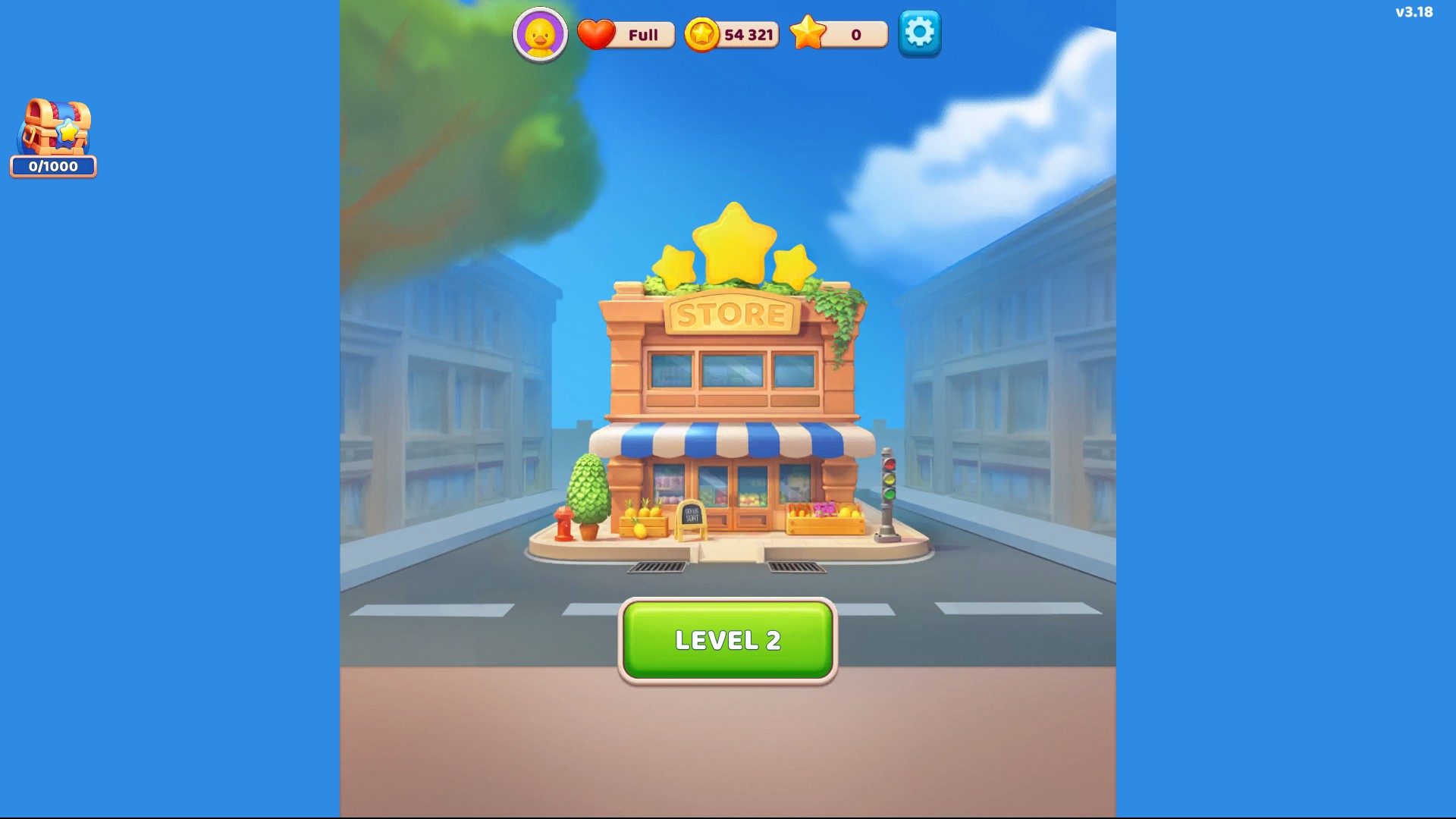
Choose your gold balance
Choose a gold balance before returning to the home screen. This example shows 54,321 gold.
Check your changes after applying
Choose Gold and Hearts before applying the changes. Gold appears on the home screen; the Hearts display can show its regeneration timer rather than an exact heart count.
Review all the settings you want together before applying them. Applying a separate customization can return other settings to their earlier values.
Available customise
GoldPremium
Set your saved gold balance.
Choose a value and apply it to reload the game. Review your other customization settings before applying.
Before you use it: Review your other customization choices before applying.
HeartsPremium
Set your saved heart count from 1 to 5.
Choose the count and apply to reload. Below full, the home screen displays a regeneration timer rather than a numeric count.
Before you use it: The display can show a regeneration timer rather than an exact heart count.
More ways to customise Goods Puzzle: Sort Challenge
- Goods Puzzle: Sort Challenge game actions
Give yourself another minute or pause the current level's countdown.
Using these features
Choose the feature in the Windows app after connecting your game. Check its requirements before making a change.
Setup for Goods Puzzle: Sort Challenge →