

Choose your Star Fruit balance
Enter the balance you want before visiting Sensei's Swag. Buy a blade through the normal shop controls, such as Shiny Red for 500 Star Fruit.

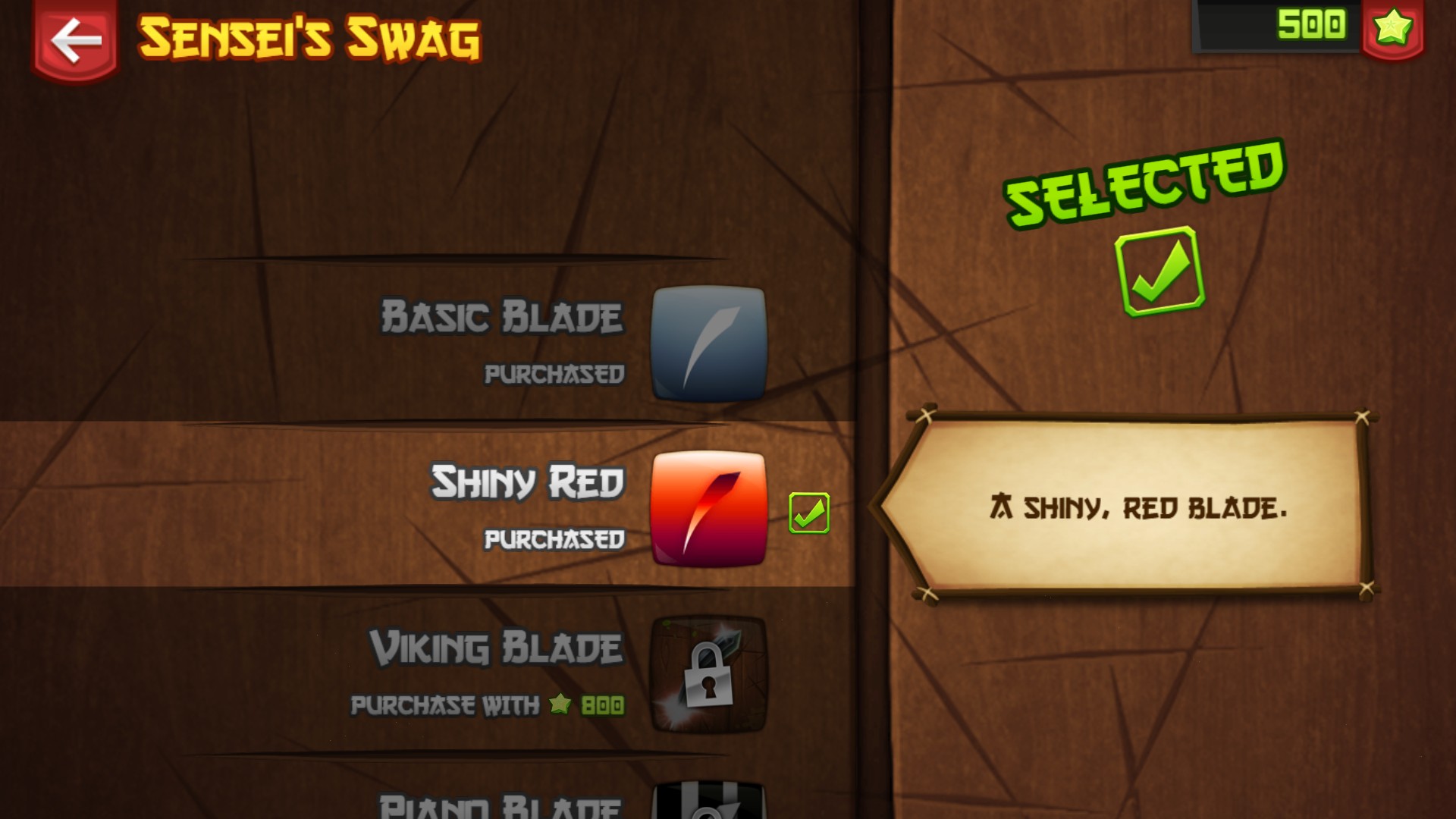
Buy a new blade with Star Fruit
Choose your Star Fruit balance, then purchase cosmetics in Sensei's Swag. Shiny Red is purchased and selected here, with 500 Star Fruit left.
Buy through Sensei's Swag
Apply a whole-number balance, open Sensei's Swag and scroll the list until your chosen cosmetic is highlighted. Slice the Purchase fruit to buy it. Shiny Red becomes purchased and selected after buying it.
Available customise
Star FruitFree
Choose your Star Fruit balance for cosmetic purchases.
Enter a whole number from 0 to 100,000 and apply it. Open Sensei's Swag, scroll to a cosmetic and slice Purchase.
Before you use it: Cosmetics still need to be purchased through Sensei's Swag.
Questions about customise
- Does this unlock every blade automatically?
- No. This changes your Star Fruit balance. Purchase cosmetics through Sensei's Swag.
Using these features
Choose the feature in the Windows app after connecting your game. Check its requirements before making a change.
Setup for Fruit Ninja →