


Give selected item details a larger view
Use Item Details Reader while examining equipment. Its opaque panel keeps the selected item's information clear against the game background.

Choose a comfortable text size
Set the reader's text size from 18 to 36 before opening it. Longer details can be scrolled inside the panel.
Select an item first
The reader needs a selected item and a visible equipment description. Deselecting the item clears the panel. Use Close to dismiss it, or disable Item Reader to remove its panel.
Available game actions
Item Details ReaderFree
Open the current equipment description in a larger, opaque reading panel.
Open the equipment menu and select an item. Choose a text size from 18 to 36, then use this action. Close the reader in game when finished.
Before you use it: Shows the currently selected item's displayed details.
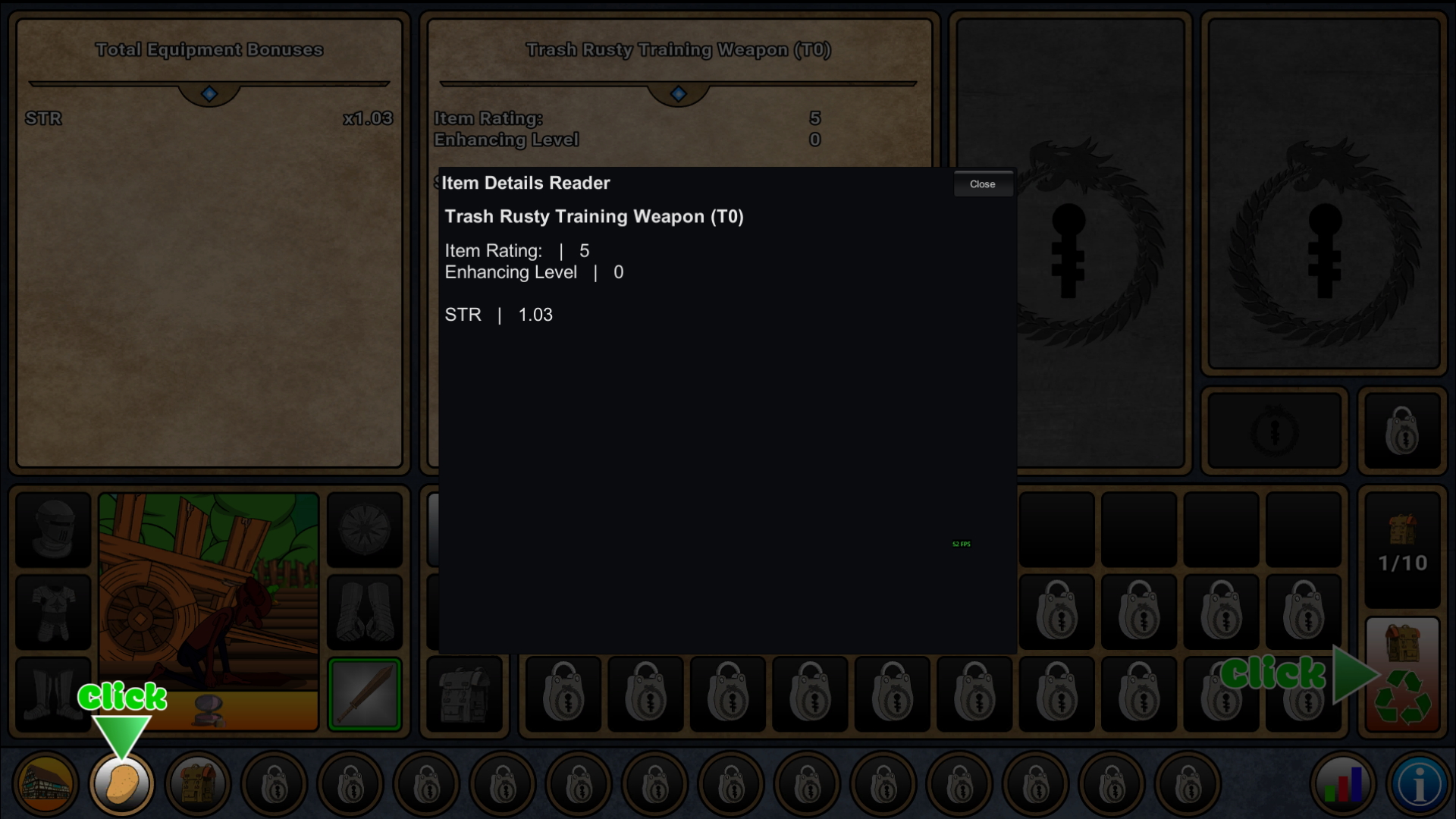
Selected equipment in the Item Details Reader
The reader shows the selected training weapon's item rating, enhancing level and STR value in an opaque panel.
Using these features
Choose the feature in the Windows app after connecting your game. Check its requirements before making a change.
Setup for Farmer Against Potatoes Idle →