
Game Actions
3 optionsPractical controls for a clue, a different puzzle, or a completed scene.
View game actions →Reveal a dotted guide when you need a clue, change puzzles or finish the picture in front of you. Spot what belongs in each scene and draw in the missing detail.
Requires the Windows app and the Bytonian Mods browser extension for Chrome or Edge. Browser setup guide
Start with free mods
Download Bytonian Mods for Windows and try these free features. Choose one to see how it works and any requirements.
Reveal a dotted guide for the missing part of the drawing.
Open a puzzle and press Show a hint when you want help finding the right shape.
A broken power cord or missing swing rope can be the clue to a picture's solution. Show a hint reveals a dotted guide for the part you need to draw.
Use Change puzzle to move to the next drawing or return to the previous one. Complete this puzzle reveals the current picture's finished scene.
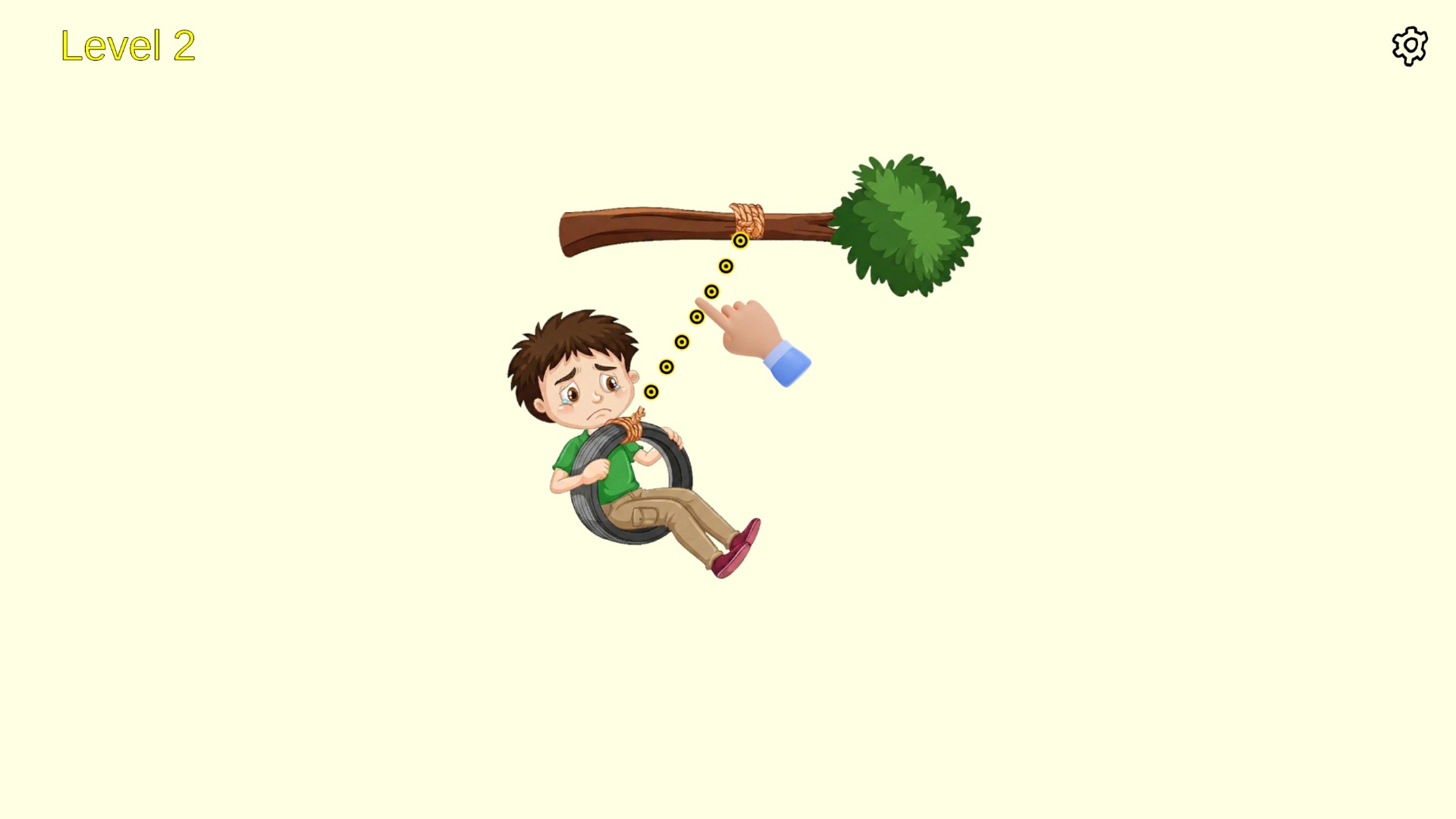
Draw the missing piece
Look for the missing detail and draw it into the scene. Each picture offers a new little puzzle to solve.
Practical controls for a clue, a different puzzle, or a completed scene.
View game actions →Download the Windows app and follow the setup prompts.
Set up the browser extension in Chrome or Edge, then open the supported YouTube Playable. Follow the connection guide if the game is already running.
Review the available options in the app and choose the ones that suit how you play.