
Customise
1 optionA fixed coin balance for your next round of unit purchases.
View customisation options →Build a formation of dinosaurs and archers, combine matching units and send them into campaign fights. A larger coin budget gives you more room to hire units before you battle.
Requires the Windows app and the Bytonian Mods browser extension for Chrome or Edge. Browser setup guide
Start with free mods
Download Bytonian Mods for Windows and try these free features. Choose one to see how it works and any requirements.
Set your coins to 10,000 for normal dinosaur and archer purchases.
Select the control, apply it, then buy units with the normal buttons on the board.
Sets the balance to 10,000 rather than adding coins. Normal prices and available board space still apply.
Use the coin control to set your balance to 10,000. Hire dinosaurs or archers with the normal purchase buttons, then arrange and merge matching units before starting a fight.
Open Dinosaurs Merge Master with Bytonian Mods connected. In Customization, select 10,000 Coins and apply it. Return to the board to buy units at their displayed prices.
A fixed coin balance for your next round of unit purchases.
View customisation options →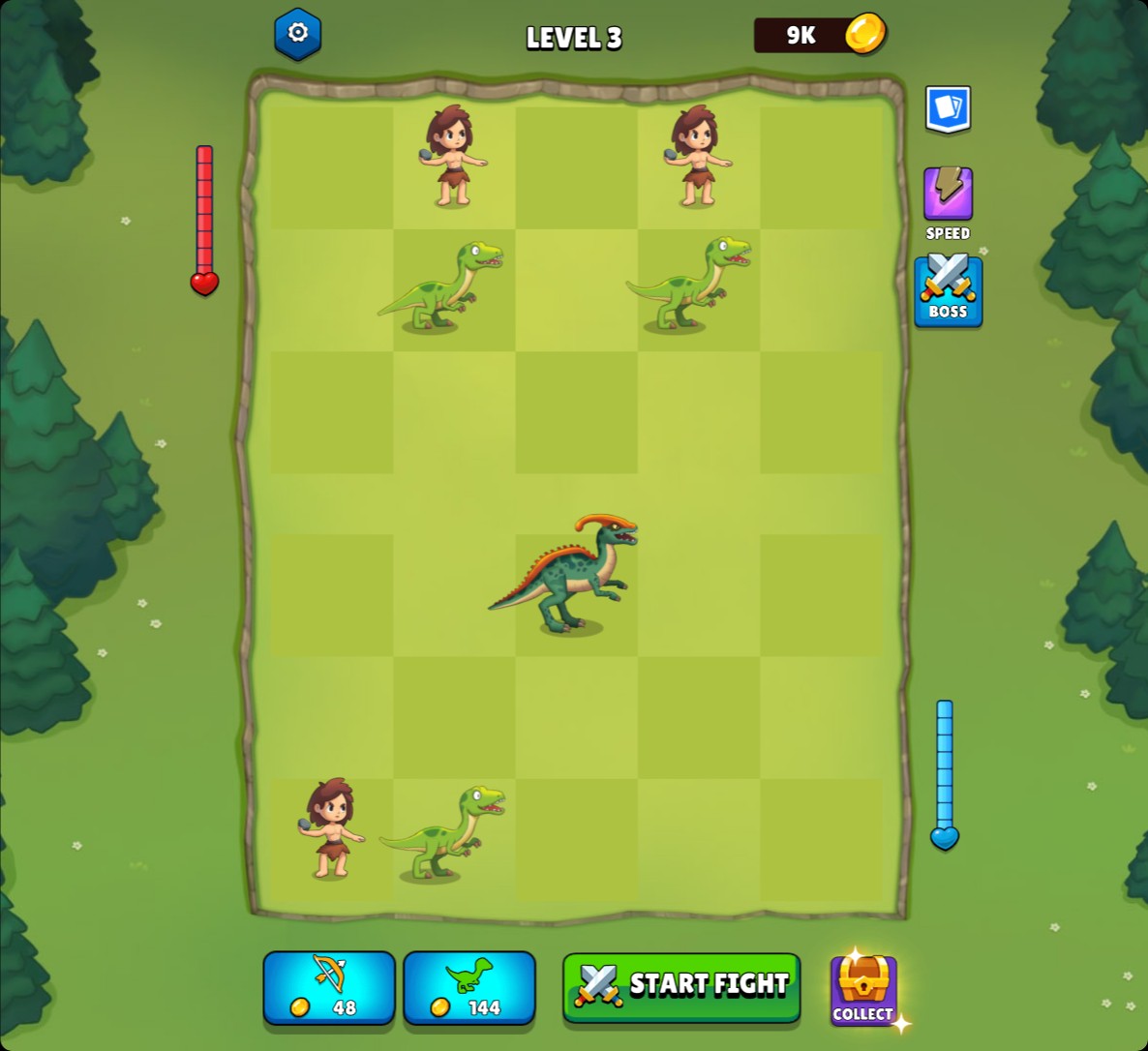
Build your formation
Hire units with your coin budget and arrange them before the next campaign fight. This level 3 formation includes a newly purchased dinosaur.
Download the Windows app and follow the setup prompts.
Set up the browser extension in Chrome or Edge, then open the supported YouTube Playable. Follow the connection guide if the game is already running.
Open Customise in Bytonian Mods, choose an option and follow its instructions. Check the available values and any limits before making your change.