

Choose Coins and Combat Moves
Prepare your balance for the shop or add another way to attack. Select your settings, apply them, and use the normal controls when you return to the game.
1,000 Coins for the Journey
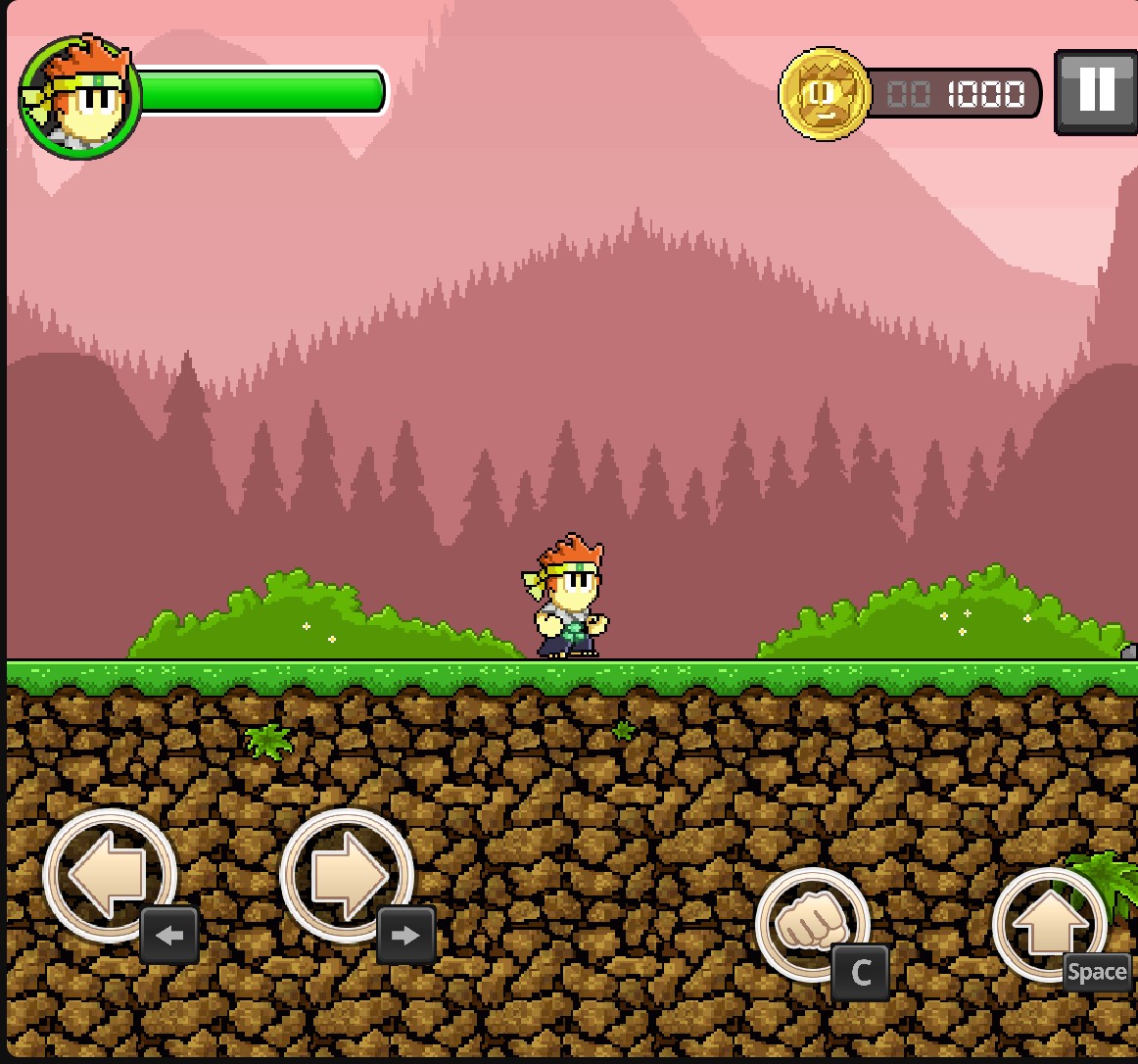
Dan starts the route with 1,000 coins shown in the counter. Set your balance before heading to the in-level shop for health or a weapon.
Coins for Shop Choices
Set the Coins value before continuing your route. At the in-level shop, coins pay for health or a weapon when the item is available. You still need to reach and enter the shop; changing your balance does not equip an item automatically.
Two Different Attack Opportunities
High-Jump Kick unlocks air attacks: jump, then press Attack while airborne. This free choice adds an attack rather than increasing your jump height.
Uppercut unlocks a move for close-range grabs. Once Dan is holding an enemy, press Jump to launch the uppercut. It does not grab enemies for you.
Available customise
CoinsPremium
Choose your coin balance for health and weapon purchases at the in-level shop.
Set the Coins value and apply your choice. Reach the shop, then select an available item.
Before you use it: Shop access and item availability still apply.
High-Jump KickFree
Unlock air attacks with the high-jump kick.
Enable the unlock, then jump and press Attack while airborne.
Before you use it: This adds an attack; it does not increase jump height.
UppercutPremium
Unlock an uppercut to use while holding an enemy.
Enable the unlock, grab an enemy through normal combat, then press Jump.
Before you use it: Dan must be holding an enemy before the uppercut can be used.
Questions about customise
- Does High-Jump Kick make Dan jump higher?
- No. It unlocks attacks during a jump; it does not change the height of the jump.
- When do I use the uppercut?
- Use Jump while Dan is holding an enemy. Pressing Jump without a grab uses the normal jump instead.
- Do coins give me a weapon immediately?
- No. Reach the in-level shop and choose an available item there.
Using these features
Choose the feature in the Windows app after connecting your game. Check its requirements before making a change.
Setup for Dan The Man →