
Choose your Cube Tower upgrade balance
Upgrade currency sets the wallet used by the Cube and Tower shop. It gives you a balance to spend while keeping each purchase in the game's own menus.
Requires the Windows app and the Bytonian Mods browser extension for Chrome or Edge. Browser setup guide

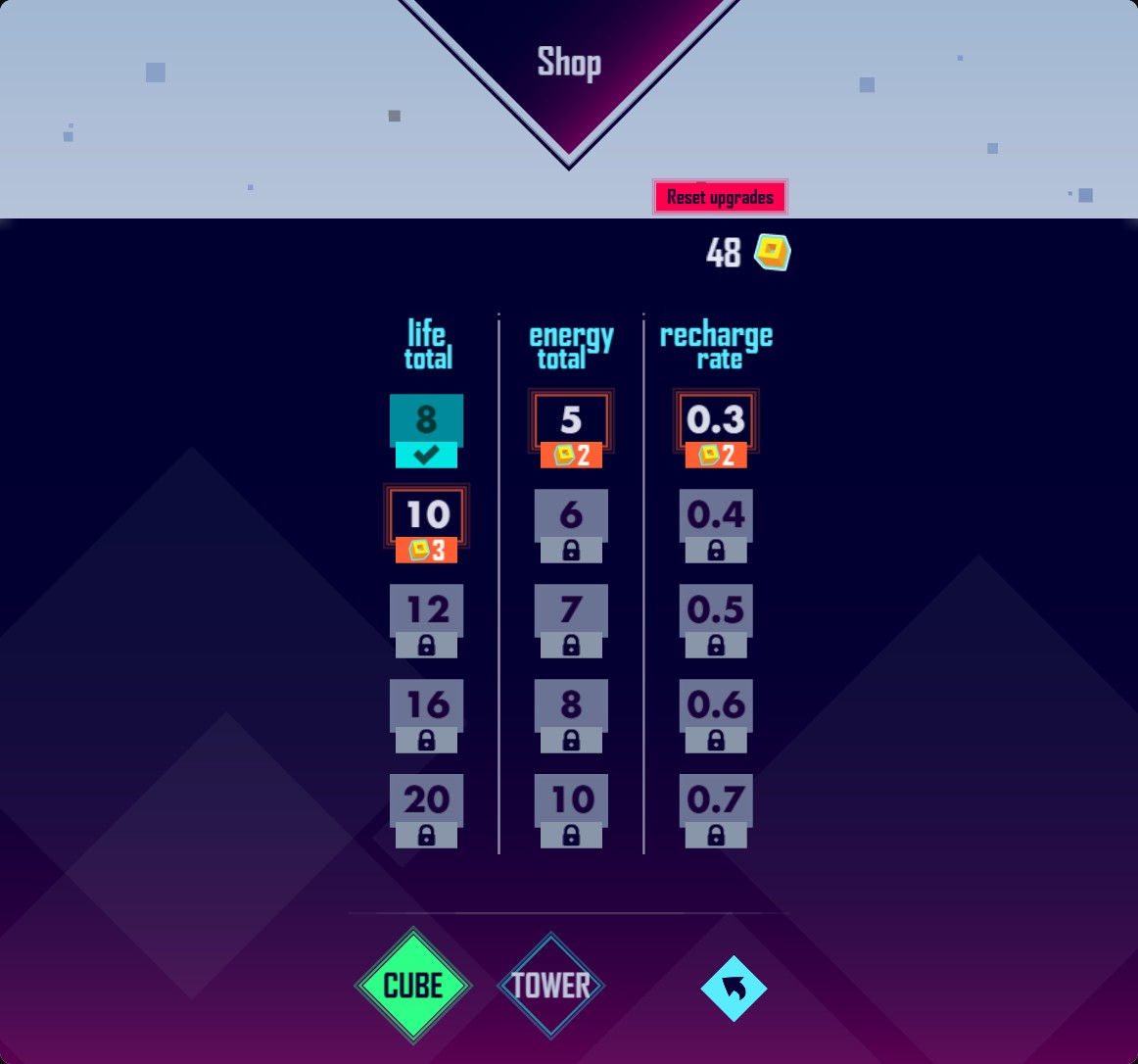
Buy Cube upgrades with your chosen balance
Upgrade currency funds normal shop purchases. The first life upgrade is owned at8HP, with48currency left after its2currency price.
Spend through the normal shop
Choose a whole-number balance from 0 to 1,000 and apply it. Open Shop, select an available improvement and confirm the displayed cost.
For example, the first life improvement costs 2 and raises maximum HP from 6 to 8. Buying it marks that tier as owned and makes the next life tier available.
Use an initialized currency balance
Use a save that already contains upgrade currency. If the control is unavailable on a new save, earn the first currency through normal level play before editing it.
Reset upgrades restores the balance from earned stars and removes purchased upgrades through the game's normal reset flow. Apply a new balance afterward if you want to continue shopping.
Available customisation options
Upgrade currencyFree
Choose upgrade currency for normal Cube and Tower shop purchases.
Set a whole-number balance from 0 to 1,000, apply it and buy an available improvement in Shop.
Use a save with initialized upgrade currency. Reset upgrades restores the balance from earned stars.
Questions about customisation options
- Why did my chosen balance change?
- Shop purchases spend the displayed cost. Reset upgrades also replaces the wallet using the game's earned-star refund rules.
- Does the control buy upgrades for me?
- No. Choose the currency balance, then select and confirm each improvement in the shop.
Using these features
Connect your game, then open Customise in the Windows app. Choose an option, check its available values and follow its instructions. Each option lists its own requirements and limits.
Setup for Cube Tower →