
Choose Coins for your puzzle tools
Set a Coins balance from 0 to 1,000,000, apply the change and return to your puzzle. Use the normal tool buttons to buy the help you want.
Requires the Windows app and the Bytonian Mods browser extension for Chrome or Edge. Browser setup guide
Spend Coins on Undo
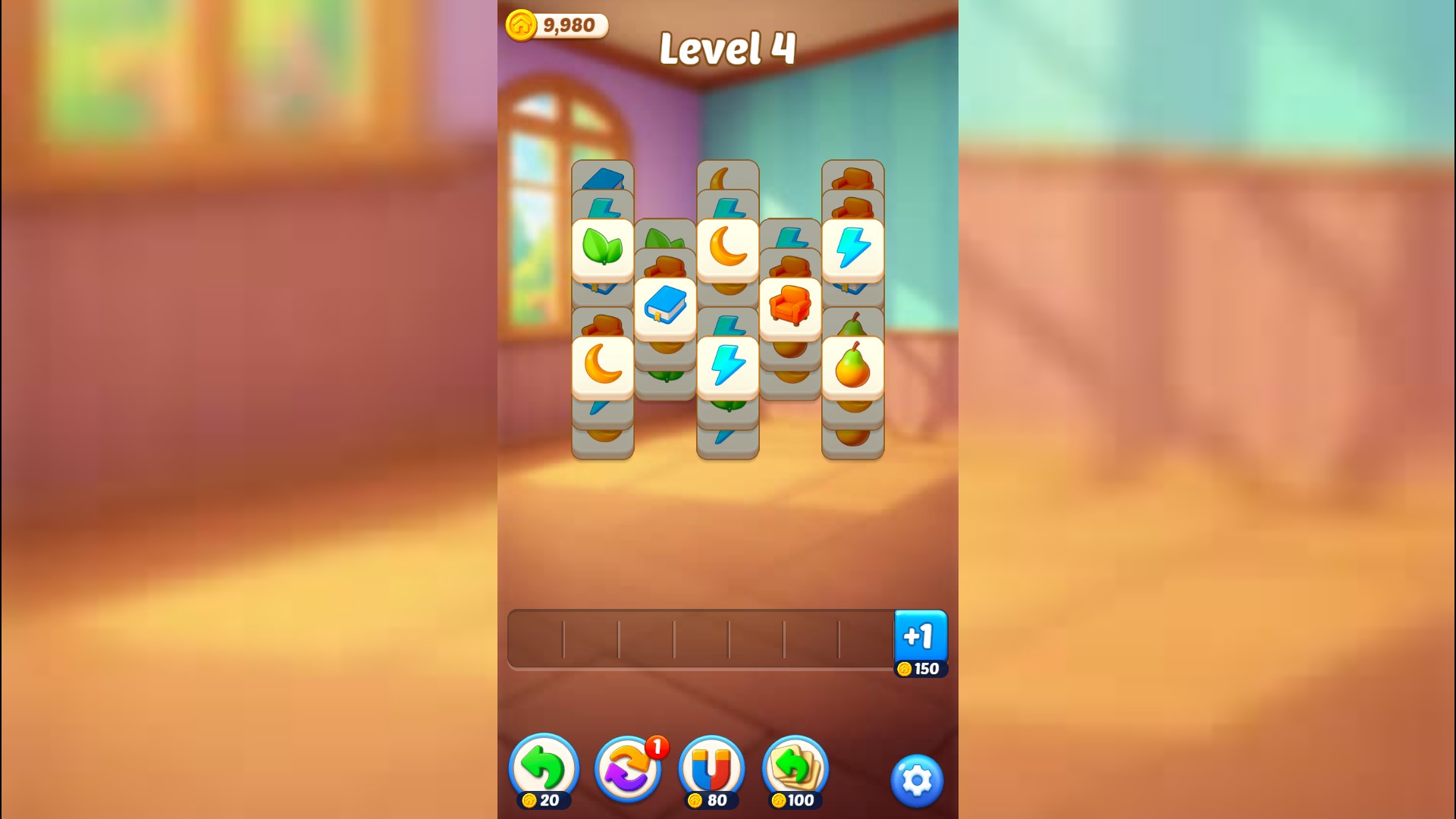
A purchased Undo has returned the book tile to the board, leaving 9,980 Coins for more puzzle tools.
Buying and using Undo
When you have no Undo stock, its button shows the Coin price. Buy one, then press the button again to use it and return your last selected tile to the board.
Available customisation options
CoinsFree
Set your Coins balance to buy puzzle tools such as Undo.
Apply your chosen balance and return to the puzzle. Buy a tool with its normal Coin button, then use it through the game's controls.
Questions about customisation options
- Does changing Coins clear the puzzle?
- No. Coins pay for normal tools; you still choose tiles and make matching sets.
Using these features
Connect your game, then open Customise in the Windows app. Choose an option, check its available values and follow its instructions. Each option lists its own requirements and limits.
Setup for Cozy Tiles →