

Set your farm's Money balance
Choose the amount you want, apply the change and return to Comfy Farm. Your balance is ready for the normal Farmer's Market.
Requires the Windows app and the Bytonian Mods browser extension for Chrome or Edge. Browser setup guide

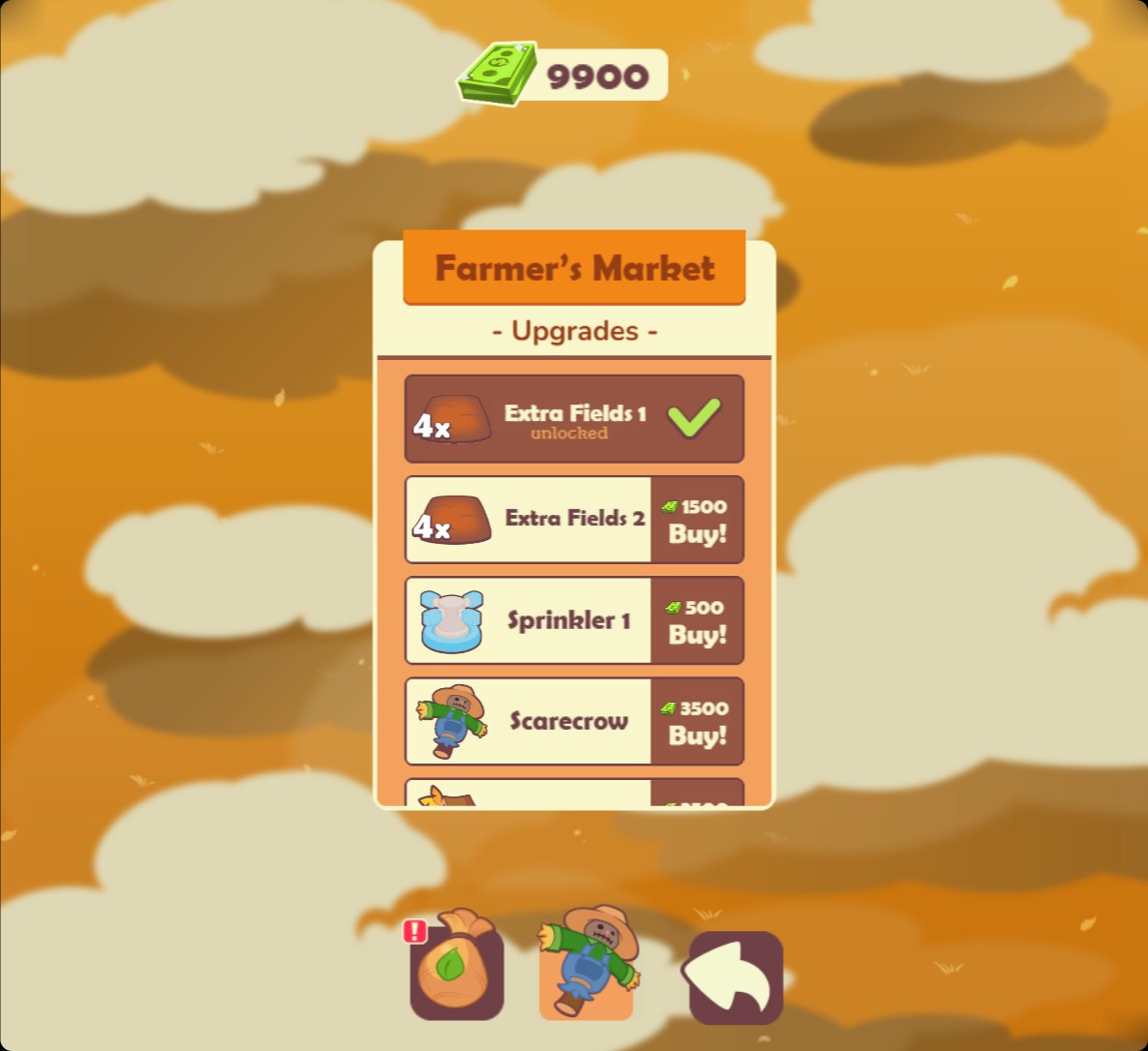
Money for a growing farm
Build a Money reserve for normal Farmer's Market purchases, including extra fields and farm equipment.
Choose an amount
Set a whole-number balance from 0 to 1,000,000. The amount replaces your current Money balance.
Buy through the market
Open the Farmer's Market, choose an available item and confirm the purchase. The game deducts its normal price and grants the purchased upgrade.
Available customisation options
MoneyFree
Set your Money balance for normal Farmer's Market purchases.
Choose an amount, apply it, then open the Farmer's Market and confirm the items you want to buy.
Questions about customisation options
- Does this automatically buy upgrades?
- No. Choose and confirm purchases through the Farmer's Market.
- Can I expand my plots?
- Yes. Money can fund the normal Extra Fields purchases. Extra Fields 1 costs 100 Money and adds four plots.
Using these features
Connect your game, then open Customise in the Windows app. Choose an option, check its available values and follow its instructions. Each option lists its own requirements and limits.
Setup for Comfy Farm →