

Fill matching cells or clean up a mistake
Pick a palette color to fill its remaining numbered cells. If you’ve colored outside the right numbers, clear the misplaced colors and keep the correctly filled cells.

Work through one color
Select a swatch from the game’s palette before using Fill Selected Color. Choose another swatch whenever you want to work on a different number.
Keep the squares you got right
Clear Incorrect Pixels returns mismatched cells to blank so you can color those squares again.
Available game actions
Clear Incorrect PixelsFree
Erase incorrectly colored pixels while keeping the squares that already match their numbers.
Open the picture with the misplaced colors and use the action to return those squares to blank.
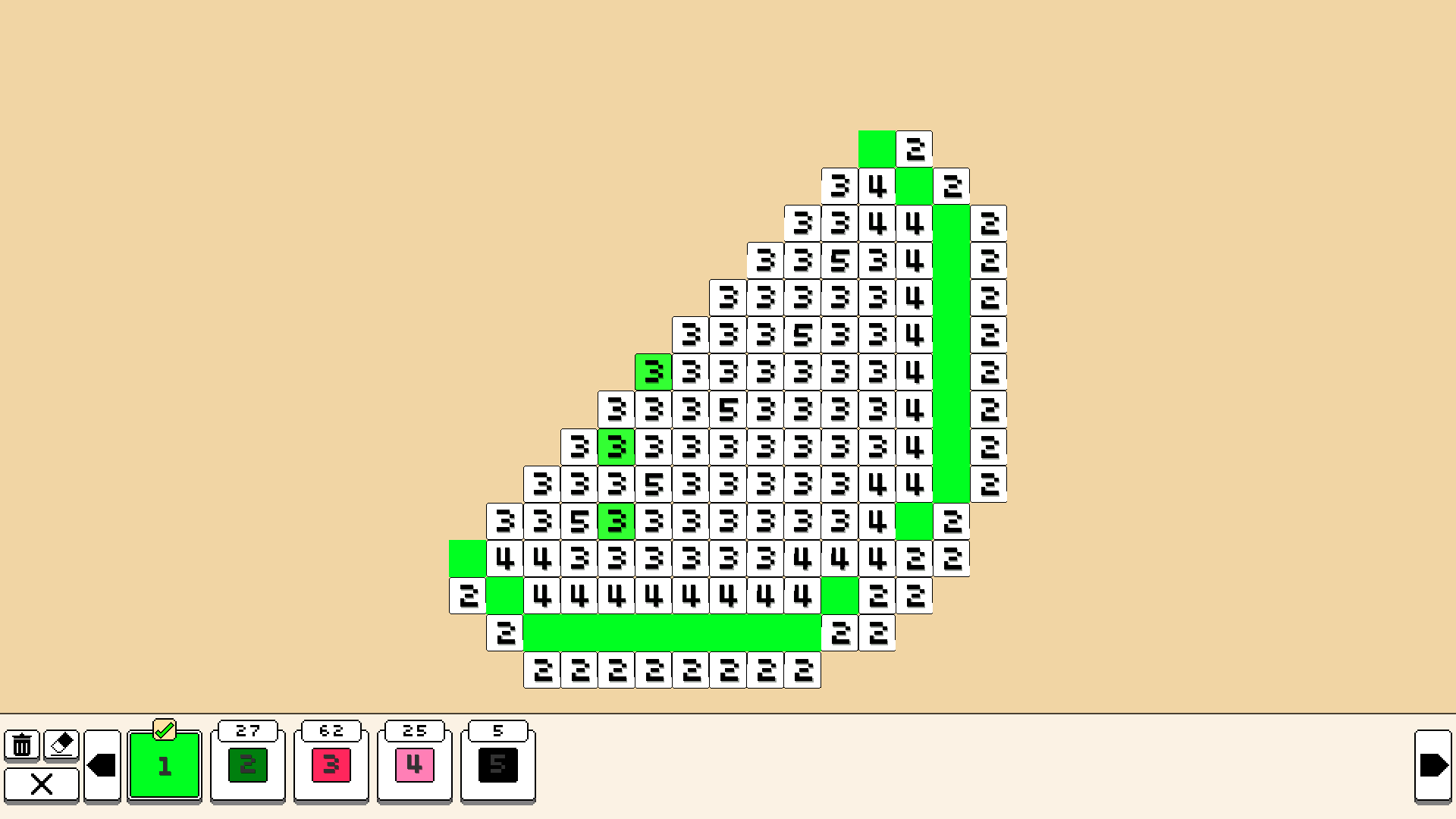
Before Clear Incorrect Pixels
Three cells marked 3 were painted green by mistake. The correctly colored green rind is already complete.
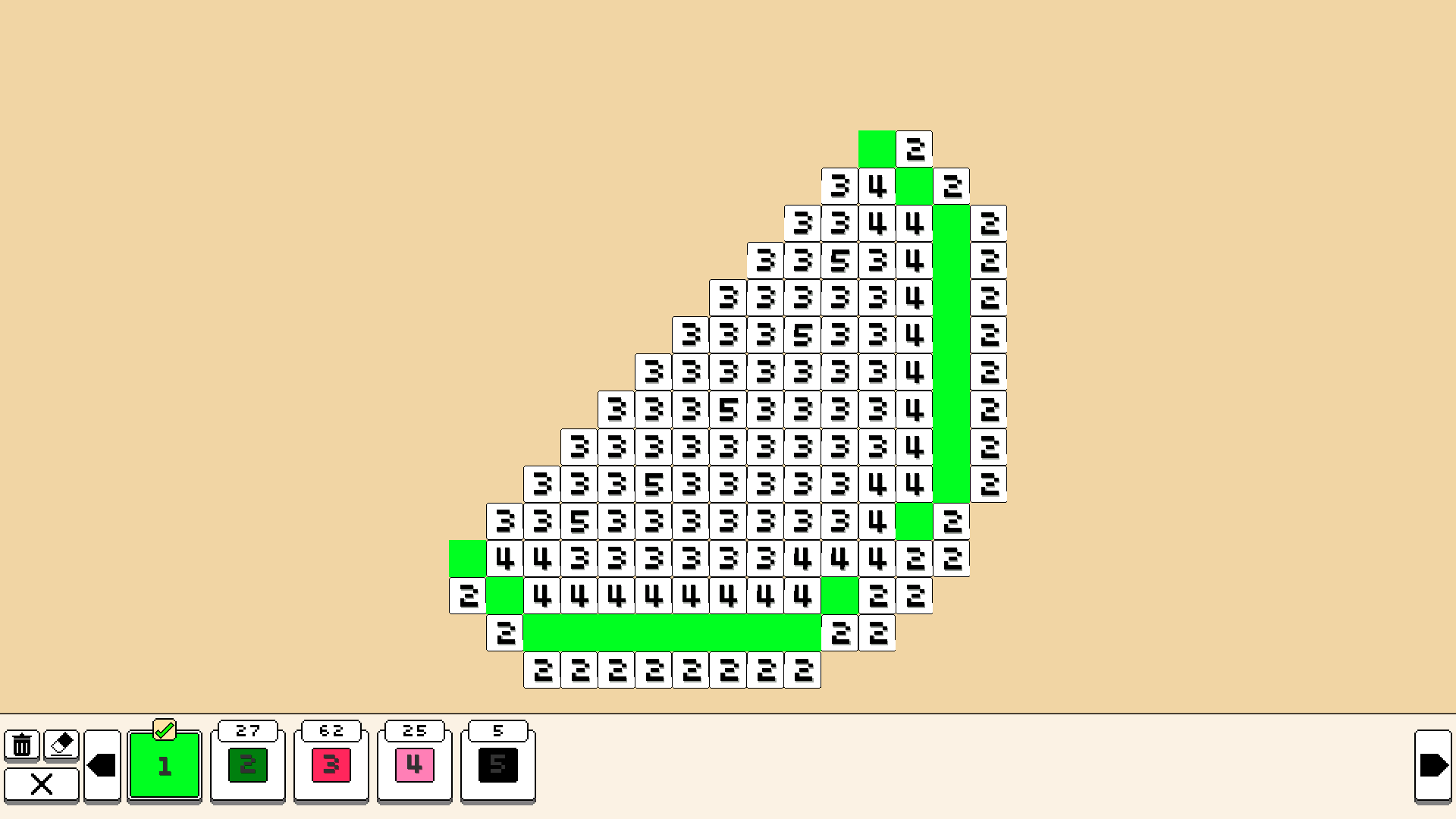
After Clear Incorrect Pixels
The three cells marked 3 are blank again. The correctly colored green rind is unchanged.
1 / 2Fill Selected ColorFree
Fill the remaining cells that match the palette color you selected in the open picture.
Select a numbered color in the game and use the action.
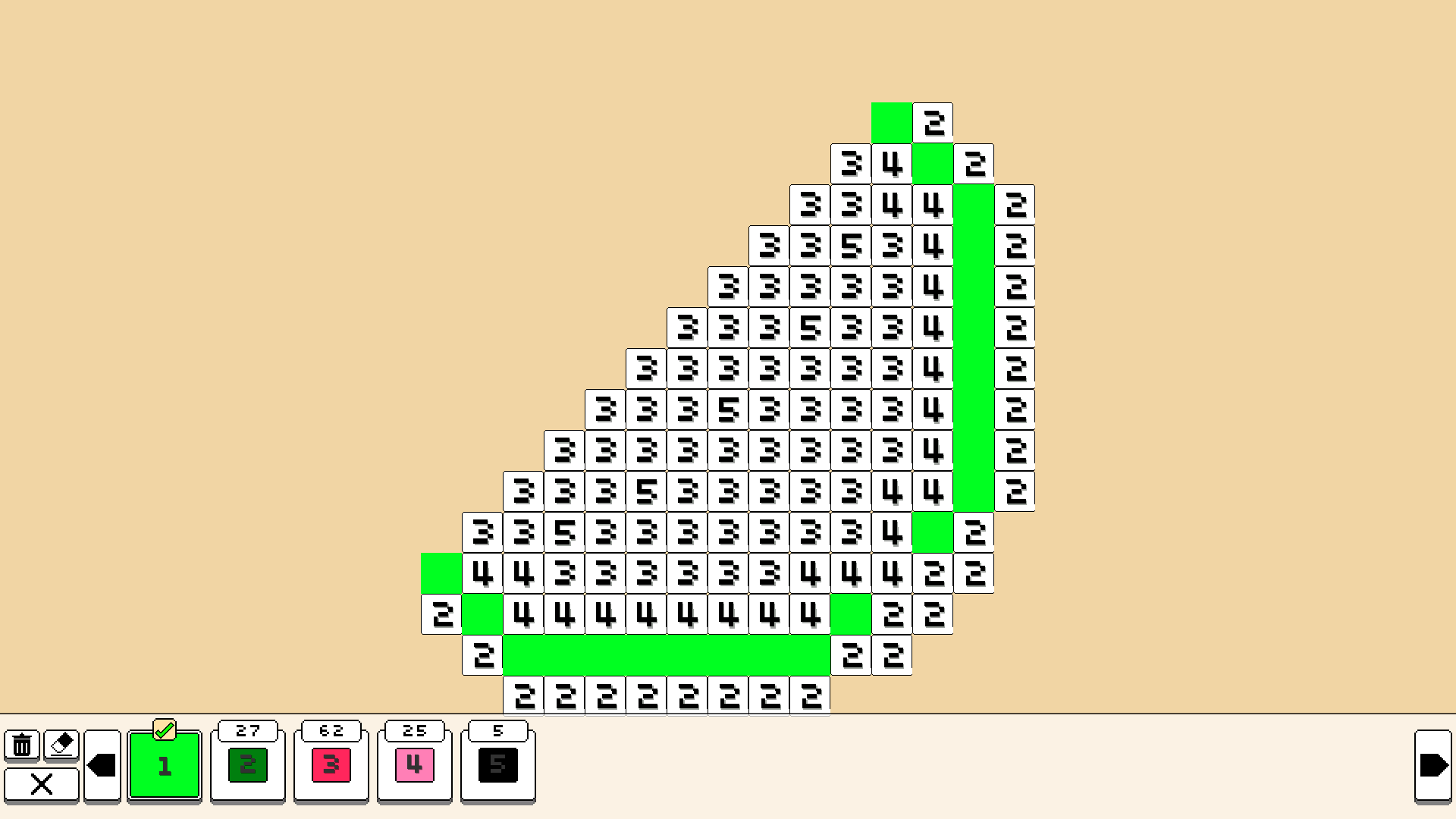
Fill Selected Color
Every cell marked 1 on the Watermelon puzzle is now filled in green. The other colors are still waiting to be filled.
Using these features
Choose the feature in the Windows app after connecting your game. Check its requirements before making a change.
Setup for Coloring Pixels →