
Choose your Bike Racing 3 coin balance
Coins changes the balance used by the normal shops. It gives you purchasing funds while leaving the choice of bike, track or upgrade in the game's menus.
Requires the Windows app and the Bytonian Mods browser extension for Chrome or Edge. Browser setup guide

Buy the next bike with your chosen coins
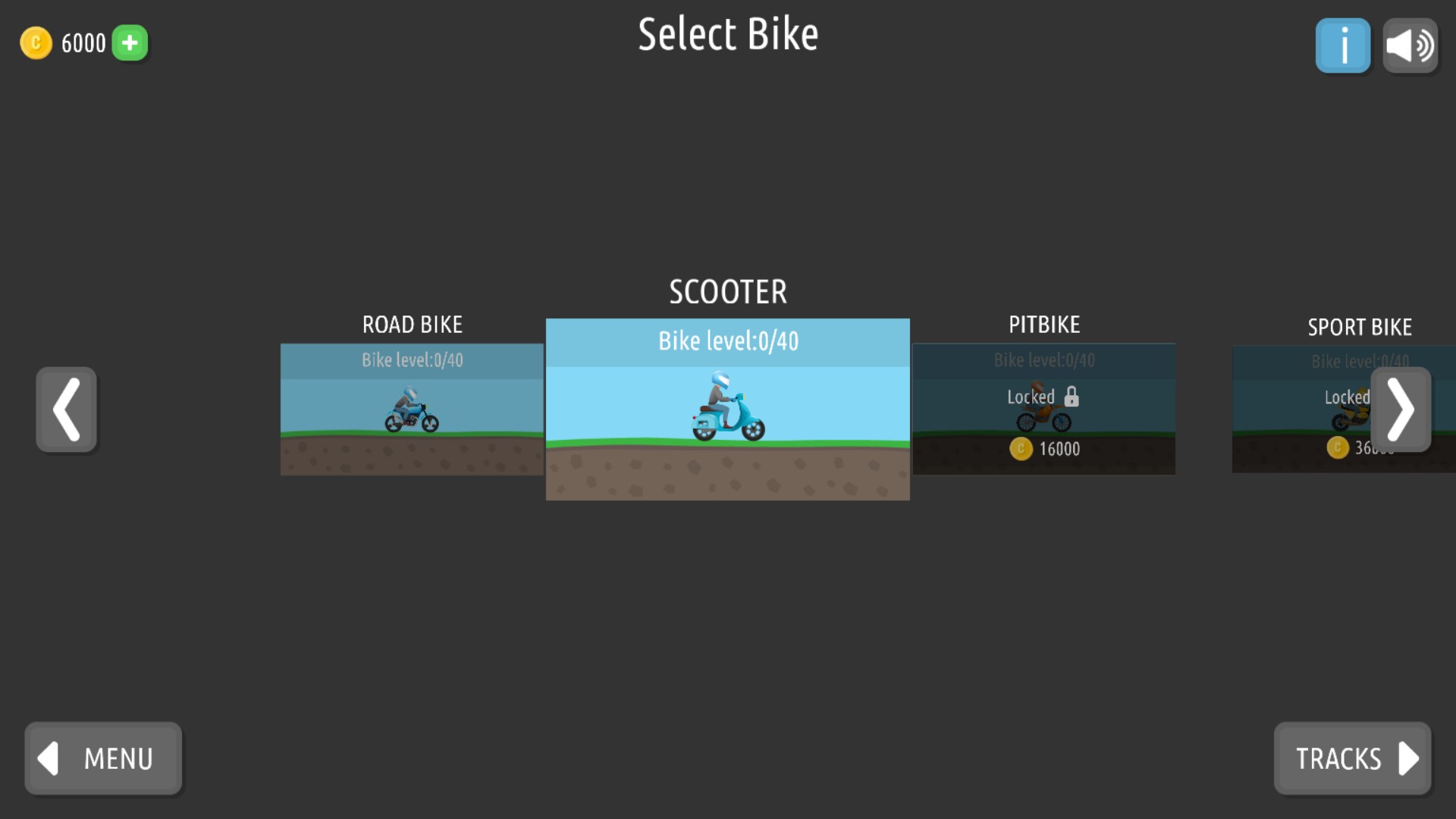
Use coins through the normal shop. Buying the Scooter for 4,000 from a balance of 10,000 leaves 6,000 coins.
Set an amount and make a purchase
Choose a whole-number balance from 0 to 1,000,000 and apply it. Press Play, select an item in the shop and confirm its displayed coin cost.
The Coins control is Free. It prepares the balance; it does not automatically buy a bike or change its upgrade levels.
Know what a shop reload can do
Reloading directly after a bike purchase can restore the coin balance from before that purchase. The purchased Scooter remains available.
If you want a different shopping balance after a reload, choose Coins again before making your next purchase.
Available customisation options
CoinsFree
Choose coins for normal bike, track and upgrade shop purchases.
Set a whole-number balance from 0 to 1,000,000, apply it and confirm purchases in the game's shops.
Reloading directly after a bike purchase can restore the pre-purchase coin balance.
Questions about customisation options
- Does Coins unlock every bike automatically?
- No. Select the bike you want and confirm its normal shop price.
- Why did coins return after I reloaded the bike shop?
- The bike shop can save the purchased bike before subtracting its cost. Reloading at that point can restore the earlier coin balance.
Using these features
Connect your game, then open Customise in the Windows app. Choose an option, check its available values and follow its instructions. Each option lists its own requirements and limits.
Setup for Bike Racing 3 →