

Resources
2 optionsAdjust health and gold with a chosen total or a quick addition or subtraction.
View resources →Widen your arrow volleys, adjust your resources or add companions as you steer your archer through enemies and power-ups in Arrow a Row.

Start with free mods
Download Bytonian Mods for Windows and try these free features. Choose one to see how it works and any requirements.
Choose from three dog variants and three dragon variants and add one companion at a time.
Open Pets during a single-player run. Keep your archer alive, resume the game and finish any award choice first.
Supports up to 30 companions. Thumbnail previews are unavailable.
Set your archer's health, add a little extra or subtract an amount. Fractional values let you make smaller adjustments.
Apply while your archer is alive and the run is unpaused. Finish any award choice first.
Normal damage still reduces health.
Use Resources to adjust health and gold. Stats Modifiers changes the number of arrows fired together and your arrow damage. Game Actions lets you choose dog and dragon companions.
Install Bytonian Mods for Windows, select Arrow a Row and enable the feature you want. Start a single-player run, finish any award choice and resume the game before applying a change.
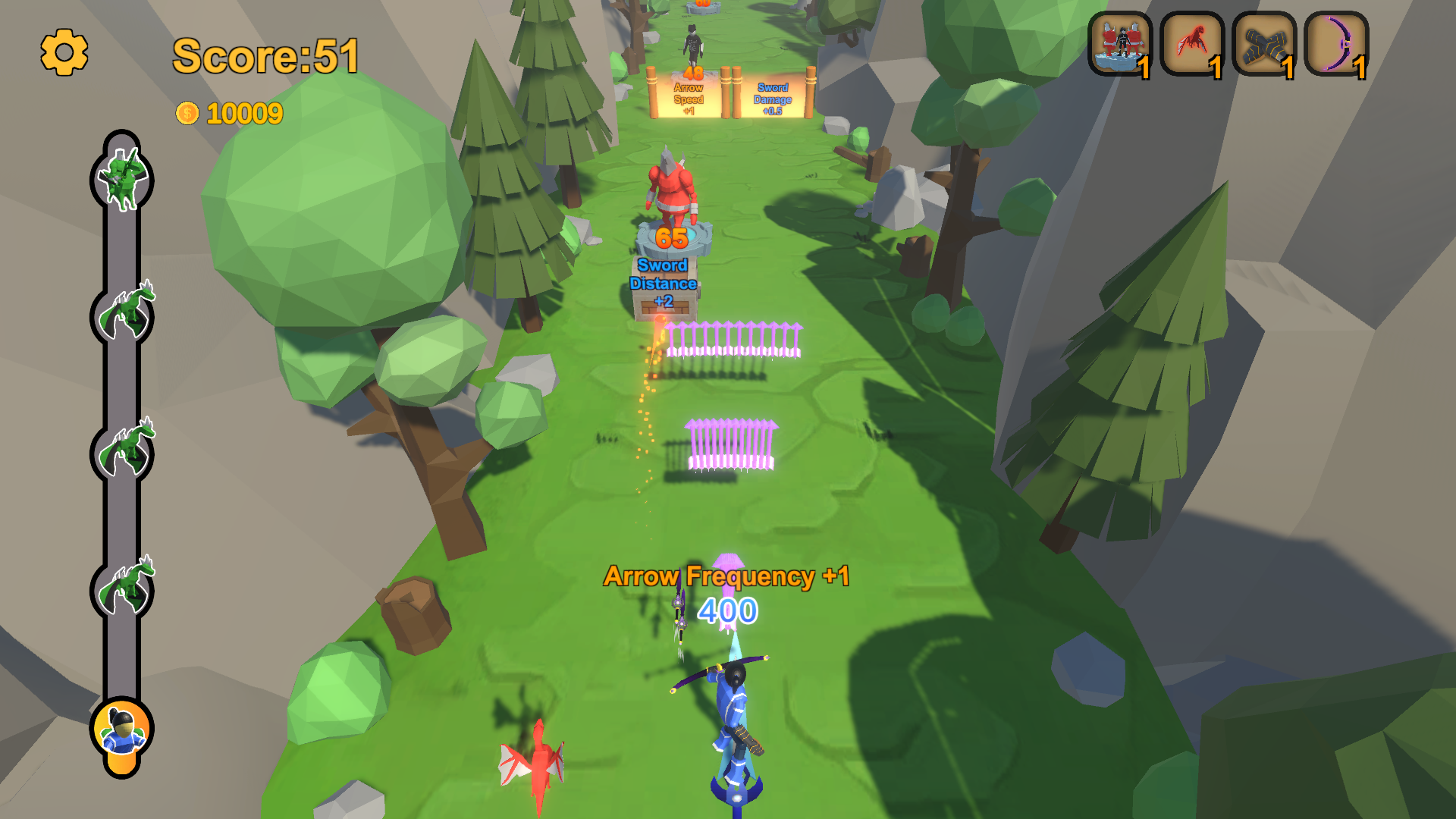
A wider volley on the run
The runner fires broad rows of arrows down the track toward the enemies ahead.
Adjust health and gold with a chosen total or a quick addition or subtraction.
View resources →Adjust the size of your arrow volley and the damage behind it.
View stat modifiers →Choose dogs and dragons to join your archer during a run.
View game actions →Browse the Steam achievement names and descriptions for Arrow a Row. Choose and unlock achievements for free with Bytonian Mods in the Windows app.
View all achievements →Download the Windows app and follow the setup prompts.
Open Arrow a Row and select it in Bytonian Mods. Follow the app’s connection prompts.
Review the available options in the app and choose the ones that suit how you play.