

Choose Coins and Booster Quantities
Set the coin balance you want or adjust one booster stock at a time. Each control changes its own quantity, so you can choose the supplies that suit your next round.
Requires the Windows app and the Bytonian Mods browser extension for Chrome or Edge. Browser setup guide

Coins
Choose the coin balance you want to continue with. Normal play can add coins to that balance afterward.
Individual booster stocks
Choose separate quantities for XP Booster, Extra Time, Expand, Magnet, Compass and Freeze. Stock changes keep each booster’s normal level requirement.
Before restarting
Follow the apply steps on the overview page so the game has time to keep your choices.
Available customisation options
CoinsPremium
Set your coin balance to the amount you choose.
After applying changes, start a round and wait at least 30 seconds before restarting.
XP Booster StockFree
Set your XP Booster stock to the quantity you choose.
After applying changes, start a round and wait at least 30 seconds before restarting.
The booster keeps its normal level unlock.
Extra Time StockPremium
Set your Extra Time booster stock to the quantity you choose.
After applying changes, start a round and wait at least 30 seconds before restarting.
The booster keeps its normal level unlock.
Expand StockPremium
Set your Expand booster stock to the quantity you choose.
After applying changes, start a round and wait at least 30 seconds before restarting.
The booster keeps its normal level unlock.
Magnet StockPremium
Set your Magnet booster stock to the quantity you choose.
After applying changes, start a round and wait at least 30 seconds before restarting.
The booster keeps its normal level unlock.
Compass StockFree
Set your Compass booster stock to the quantity you choose.
After applying changes, start a round and wait at least 30 seconds before restarting.
The booster keeps its normal level unlock.
Freeze StockPremium
Set your Freeze booster stock to the quantity you choose.
After applying changes, start a round and wait at least 30 seconds before restarting.
The booster keeps its normal level unlock.
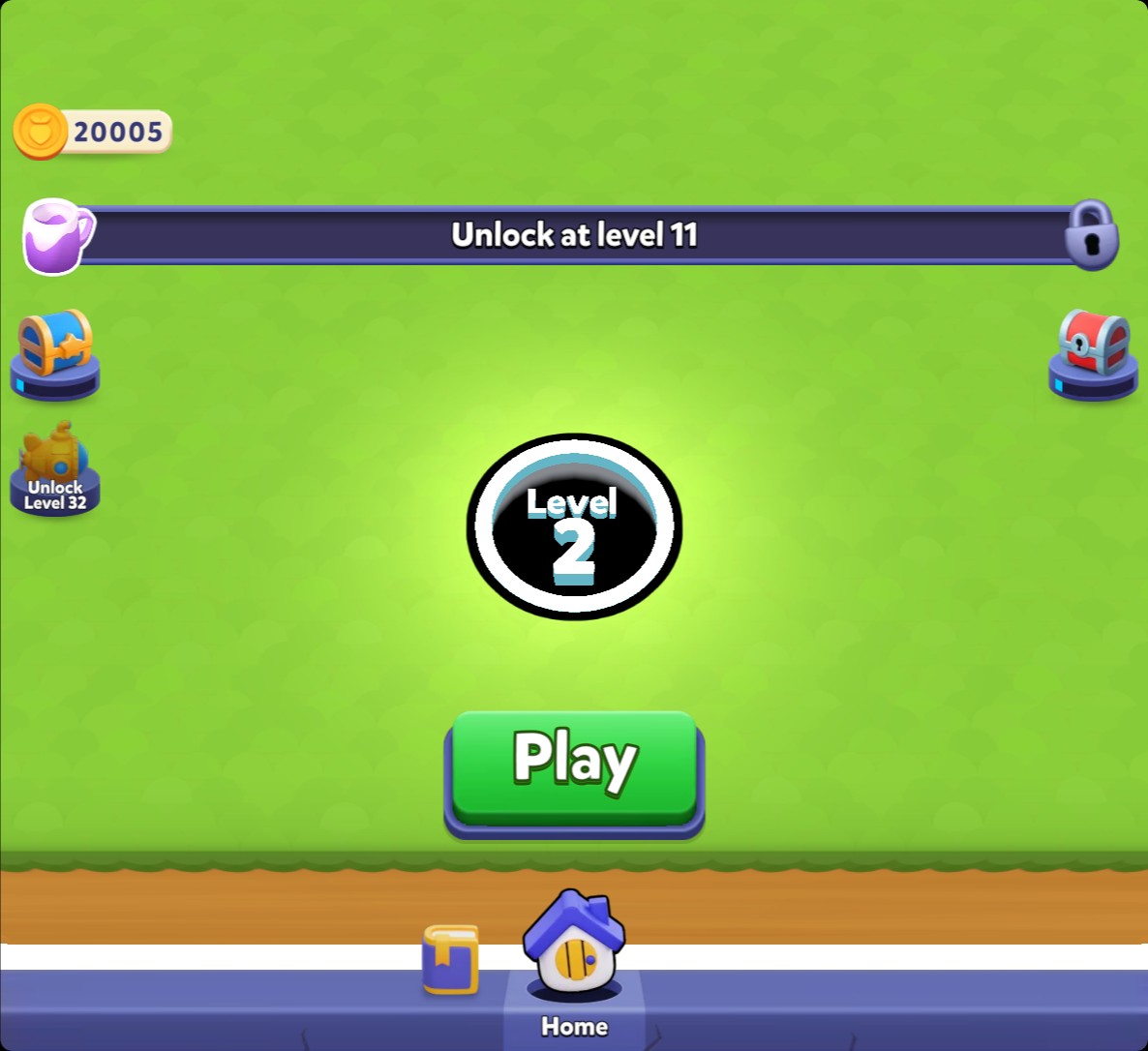
Choose Your Coin Balance
Set your saved coin balance and keep playing. This Level 2 home screen shows 20,005 coins after finishing the opening level.
Questions about customisation options
- Does changing stock activate a booster?
- No. Use each booster through the game’s normal controls after it unlocks.
Using these features
Connect your game, then open Customise in the Windows app. Choose an option, check its available values and follow its instructions. Each option lists its own requirements and limits.
Setup for All in Hole →